
Gemini Omni Flash
Multimodal AI video with native synchronized audio
Get 10 free credits every day. No credit card required.
Created with Gemini Omni Flash
Real results, made with this model.

Deep-sea longliner returning to port through dense morning fog, rust-streaked hull sitting
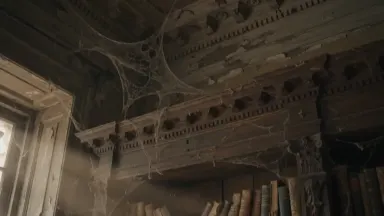
Wooden bookshelves warped by decades of humidity fill an abandoned colonial-era plantation
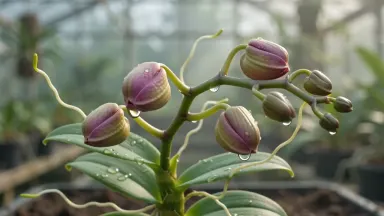
A time-lapse seed germinates and grows into a fully flowering tropical orchid in a misty g
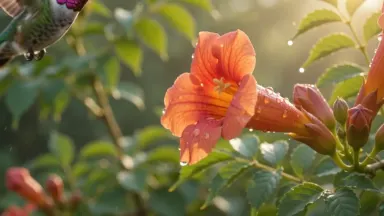
A hummingbird hovering at a trumpet flower in golden morning light, wings a soft blur, dew
- Native synchronized audio
- Text, Image and Reference Input
- Single-shot video edit
- Up to 10 reference images
A PixVerse alternative with native audio built in
PixVerse makes fun short clips but audio is an add-on and model choice is limited. Arteza gives you Gemini Omni Flash, a Google video model with native synchronized audio on every clip, plus 50+ video models and 10 free credits every day.
How Arteza compares
| What matters | Arteza | PixVerse |
|---|---|---|
| Audio | Native synchronized audio on every clip | Optional, separate step |
| Model choice | 50+ video models | PixVerse models only |
| Input modes | Text, image and reference to video, plus edit | Text and image to video |
| Free tier | 10 free credits every day, no credit card | Limited free credits |
Why creators switch to Arteza
Audio comes free
Gemini Omni Flash generates synchronized audio with the video automatically, no extra pass.
Reference-driven scenes
Bind up to 10 reference images inline in your prompt for consistent characters and props.
Daily free credits
10 credits every day to test clips, no card and no waitlist.
Frequently asked questions
Is there a free PixVerse alternative with audio?
Yes. Arteza gives 10 free credits every day, and Gemini Omni Flash adds native synchronized audio on every clip.
Which model is the default here?
Gemini Omni Flash, a Google video model with built-in audio. You can switch to Kling, Veo, Seedance and more.
Can I use reference images?
Yes. Gemini Omni Flash supports reference to video with up to 10 images bound inline in the prompt.
Do I need to add audio separately?
No. Audio is generated automatically with the video, not as a second step.
More alternatives to explore