AI Style Transfer with Seedream 5.0 Edit: Transform Any Image
Learn how to use Seedream 5.0 Edit for AI style transfer. Transform photos into oil paintings, anime, watercolors, and dozens of other artistic styles with natural language.
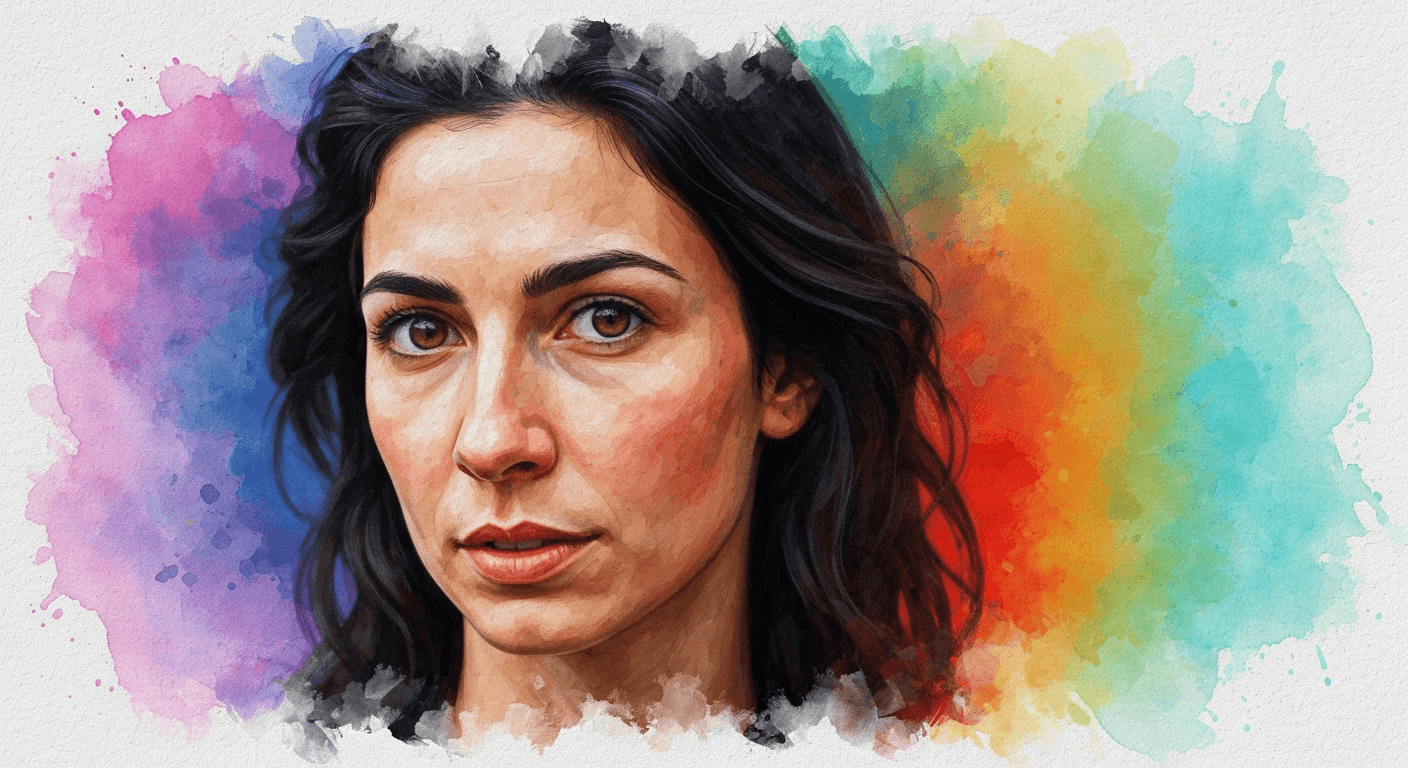
Style transfer used to mean training neural networks, tweaking hyperparameters, and waiting 20 minutes for a grainy result. Seedream 5.0 Edit does it in one sentence and 10 seconds for $0.10. Upload a photo, name a style, and the model repaints your image while keeping composition, pose, and identity locked.
TL;DR
- Turn any photo into oil painting, anime, watercolor, cyberpunk, and more
- 1 credit ($0.10) per style transfer, 5–15 seconds per generation
- Composition and subject stay preserved - only the style changes
- Works on portraits, landscapes, products, and urban scenes
- 10 free credits = 10 free style transfers at arteza.ai
What Style Transfer Actually Is
Style transfer takes the content of one image (what's in it) and renders it in the style of another aesthetic (how it looks). The result: your wedding photo as an oil painting, your product shot as an anime illustration, your cityscape as a cyberpunk neon scene.
Seedream 5.0 Edit's version is fundamentally different from older neural style transfer models. Instead of needing a reference image, you describe the style in text. The library of styles is effectively infinite.
5 تولید رایگان · بدون نیاز به کارت اعتباری
The Core Prompt Formula
Every great style transfer prompt follows this structure:
[Medium/technique] + [era/artist/movement] + [key visual qualities]
Examples:
"Oil painting with thick impasto brushstrokes in the style of Van Gogh"
"Anime illustration, cel-shaded, vibrant colors, Ghibli-inspired"
"Watercolor painting with soft edges and visible paper texture"
"Cyberpunk digital art, neon pink and teal, rain-wet streets"
"1960s comic book style, Ben-Day dots, bold outlines"
The more precise your description, the more consistent the output.
Edit your first photo with AI
No Photoshop skills needed. Just type what you want changed. $0.10 per edit.
Try Seedream 5.0 Edit FreeThe 12 Styles That Work Best
1. Oil Painting
"Classical oil painting with visible brushstrokes, rich warm tones"
Best for: portraits, landscapes, still life. Produces museum-quality results.
2. Watercolor
"Soft watercolor illustration, translucent washes, bleeding edges, paper texture"
Best for: florals, nature scenes, light portraits. Elegant and editorial.
3. Japanese Anime
"Japanese anime style, cel-shaded, vibrant saturated colors, bold outlines"
Best for: character shots, urban scenes, anything cinematic.
4. Studio Ghibli
"Studio Ghibli animation style, soft painterly backgrounds, warm lighting"
Best for: landscapes, quiet domestic scenes, outdoor portraits.
5. Pencil Sketch
"Detailed graphite pencil sketch, fine hatching, paper grain"
Best for: architecture, portraits, technical subjects.
6. Pop Art
"Andy Warhol pop art style, bold flat colors, high contrast, screenprint feel"
Best for: portraits, products, anything you want to pop.
7. Cyberpunk
"Cyberpunk digital art, neon magenta and cyan, holographic accents, rain-slick streets"
Best for: cityscapes, portraits, tech products.
8. Vintage Film
"1970s Kodachrome film photograph, warm fade, subtle grain, vignette"
Best for: portraits, street scenes, travel photos.
9. Pixel Art
"16-bit pixel art, limited palette, crisp edges, retro game aesthetic"
Best for: simple compositions, characters, icons.
10. Art Deco
"Art Deco illustration, geometric patterns, gold and black palette, 1920s poster style"
Best for: portraits, architecture, luxury products.
11. Impressionism
"Impressionist painting in the style of Monet, soft brushstrokes, dappled light"
Best for: outdoor scenes, gardens, water.
12. Charcoal Drawing
"Dramatic charcoal drawing, high contrast, smudged shadows, rough paper"
Best for: portraits, dramatic scenes, fashion editorial.

Want results like this? Try Seedream 5.0 Edit free →
How to Control the Intensity
Style transfer isn't all-or-nothing. You can dial intensity with qualifier words:
| Intensity | Prompt modifier | Result |
|---|---|---|
| Subtle | "light touch of...", "hint of..." | Photo-real with slight stylization |
| Balanced | "in the style of..." | Clear stylization, recognizable subject |
| Heavy | "fully rendered as...", "strong..." | Dominant style, looser realism |
| Extreme | "abstract interpretation of..." | Loose, artistic, less literal |
Example progression on the same image:
Subtle:  "Hint of watercolor texture on the edges"
Balanced: "Watercolor illustration with soft edges"
Heavy:   "Fully rendered as a loose watercolor painting"
Extreme: "Abstract watercolor interpretation with flowing colors"
Chaining Styles for Unique Looks
The real unlock is chaining - run one style transfer, feed the result back in, and layer another.
Example workflow:
"Convert to oil painting style"- 1 credits"Add a warm sunset color grade to the oil painting"- 1 credits"Increase the painterly texture and brushstroke visibility"- 1 credits
Total: 3 credits ($0.30). Result: a custom painted look that no single preset could produce.
Turn any photo into art in 10 seconds
No neural networks, no reference images. Just name the style and watch your photo transform. First 7 style transfers free.
Start Styling FreeSubject-Specific Tips
Portraits: Add "preserve facial features" to keep identity recognizable in heavy styles.
Landscapes: Name lighting conditions (golden hour, blue hour) inside the style prompt for better mood.
Products: Use cleaner styles (pop art, pixel art, watercolor). Avoid heavy oil painting on detailed products.
Architecture: Pencil sketch, watercolor, and art deco work beautifully. Anime can struggle with straight lines.
Urban scenes: Cyberpunk, vintage film, and Ghibli all shine here.
Cost Breakdown
| Workflow | Credits | Cost |
|---|---|---|
| Single style transfer | 1 | $0.10 |
| A/B two styles | 2 | $0.20 |
| Chain 3 passes | 3 | $0.30 |
| Full exploration (10 styles) | 10 | $1 |
Compare to commissioning a painting or illustration: $100–$500 per piece, minimum 2–7 days.
Common Pitfalls
- Subject drift: if identity matters, add "preserve original composition and subject"
- Muddy output: your style keywords conflict - pick one era/artist, not three
- Weak effect: add intensity words ("fully rendered as", "strong")
- Over-styled: pull back with "subtle" or "hint of"
Pricing
| Plan | Credits | Price | Style Transfers |
|---|---|---|---|
| Starter | 60 | $5 | 60 |
| Creator | 300 | $25 | 300 |
| Pro | 700 | $50 | 700 |
| Studio | 1,800 | $120 | 1,800 |
Monthly credits refresh each billing cycle. Top-up credits never expire. See pricing.
Next Steps
- Convert photos to full illustrations
- Edit photos end-to-end with AI
- Complete Seedream 5.0 Edit guide
Start your first style transfer → - 10 free credits on signup.
امتحان Seedream 5.0 Edit - همین حالا
برای شروع ویرایش، تصویر خود را در صفحه ایجاد آپلود کنید.
5 تولید رایگان · بدون نیاز به کارت اعتباری