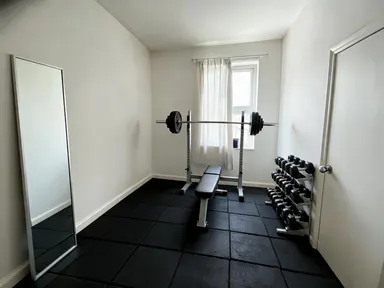
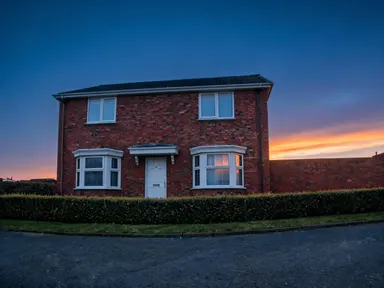
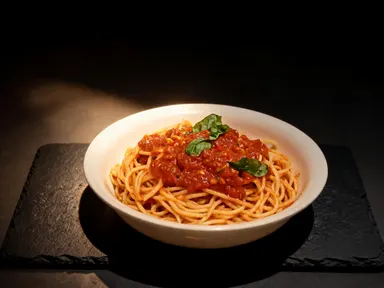
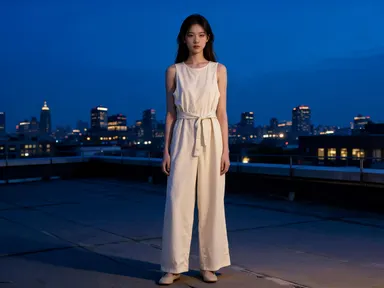
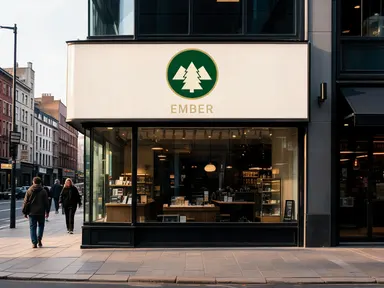
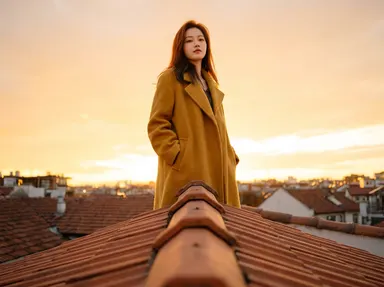
इस ऐप के साथ बनाया गया






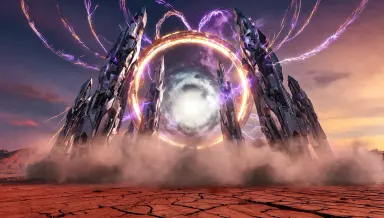
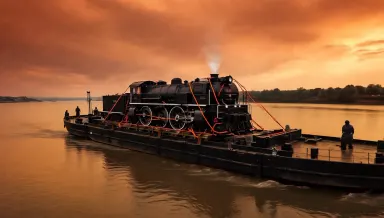
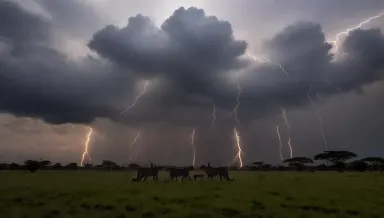





यह ऐप्लिकेशन Runway Gen-4 Image Turbo का उपयोग करके नई छवियां बनाता है जो आप द्वारा अपलोड की गई संदर्भ छवि से निर्देशित होती हैं। किसी भी छवि को शैली संदर्भ के रूप में अपलोड करें, अपने इच्छित परिणाम का वर्णन करने वाला संकेत लिखें, और तेजी से परिणाम प्राप्त करें ताकि आप एक ही सत्र में कई भिन्नताओं को आजमा सकें। यह डिजाइनर, आर्ट निर्देशक और सामग्री निर्माताओं के लिए उपयुक्त है जिन्हें हर बार रिक्त कैनवास से शुरू किए बिना दृश्य दिशाओं का तेजी से अन्वेषण करना होता है।
इस ऐप का उपयोग कैसे करें
- 1
वर्णन करें कि आप क्या बनाना चाहते हैं, या अपनी सोर्स फाइल अपलोड करें।
- 2
अपने विकल्प चुनें, फिर जेनरेट दबाएं।
- 3
कुछ पलों में अपना परिणाम गैलरी में दिखाई देता हुआ देखें।
- 4
डाउनलोड करें, शेयर करें, या एक नई आइडिया के साथ फिर से जेनरेट करें।
आप क्या बना सकते हैं
तीव्र शैली अन्वेषण
एक मूड बोर्ड छवि या एक एकल मजबूत दृश्य संदर्भ अपलोड करें और कुछ मिनटों में कई दिशाओं के माध्यम से पुनरावृत्ति करें। Runway Gen-4 Image Turbo परिणाम इतनी तेजी से देता है कि आप किसी रचनात्मक मार्ग पर प्रतिबद्ध होने से पहले दस भिन्नताओं का मूल्यांकन कर सकते हैं, जिससे घंटों की मैनुअल खोज की बचत होती है।
सुसंगत दृश्य ब्रांडिंग
मॉडल को एक संदर्भ छवि दें जो आपके ब्रांड का रंग पैलेट और बनावट भाषा को प्रदर्शित करे, फिर अभियान दृश्य की एक श्रृंखला बनाएं जो एक ही दृश्य डीएनए साझा करते हैं। हर आउटपुट संदर्भ के लिए आबद्ध रहता है, बैच परिणामों को मैनुअल सुधार के बिना सुसंगत रखता है।
क्लाइंट के लिए अवधारणा प्रस्तुति
एक रफ संदर्भ छवि को किसी भी संकल्प में एक परिष्कृत अवधारणा छवि में बदलें जो आपकी प्रस्तुति के लिए आवश्यक है। क्योंकि छवि तेजी से बनती है, आप एक ही मीटिंग में क्लाइंट को तीन अलग दिशाएं दिखा सकते हैं और चुनी हुई दिशा को तुरंत परिष्कृत कर सकते हैं।
विषयों में शैली स्थानांतरण
एक छवि की दृश्य शैली लें और अपने संकेत के माध्यम से इसे पूरी तरह से अलग विषय पर लागू करें। Runway Gen-4 Image Turbo संदर्भ को एक टेम्पलेट नहीं बल्कि एक शैली मार्गदर्शक के रूप में मानता है, इसलिए आउटपुट आपके नए विषय को चित्रित करता है और साथ ही संदर्भ के टोन, बनावट और रंग को विरासत में लेता है।
बैच संपत्ति निर्माण
जब एक परियोजना को ऐसी छवियों के एक सेट की आवश्यकता होती है जो एक दूसरे से संबंधित दिखें, तो एक एकल संदर्भ छवि हर बैच आउटपुट को दृश्य रूप से सुसंगत रखती है। उत्पाद दृश्य भिन्नताएं, संपादकीय चित्र या सोशल मीडिया संपत्तियां बनाएं बिना प्रत्येक को मैनुअल रूप से पुनः स्टाइल किए।
आज़माने के लिए प्रॉम्प्ट आइडियाज़
क्रिएटर्स इस ऐप का उपयोग क्यों करते हैं
- तेज़ जनरेशन
- संदर्भ-निर्देशित
- कोई भी रेज़ोल्यूशन
- शैली स्थानांतरण
बेहतर परिणामों के लिए टिप्स
एक मजबूत संदर्भ चुनें
संदर्भ छवि प्रत्येक आउटपुट के लिए दृश्य नियम निर्धारित करती है। ऐसी छवि चुनें जो स्पष्ट रूप से उस शैली, पैलेट या बनावट का प्रतिनिधित्व करे जो आप चाहते हैं, न कि प्रतिस्पर्धी सौंदर्य के साथ एक जटिल दृश्य। एक केंद्रित संदर्भ कई छवियों में अधिक सुसंगत, उपयोगी परिणाम देता है।
पुनरावृत्ति के लिए तीव्र गति का उपयोग करें
Runway Gen-4 Image Turbo गति के लिए निर्मित है, इसलिए प्रारंभिक छवियों को मसौदे के रूप में मानें। कौन सी दिशा काम करती है यह पहचानने के लिए कई संकेत भिन्नताएं तेजी से चलाएं, फिर शुरुआत से एक एकल आउटपुट पर काम करने के बजाय अपने विजेता संकेत को परिष्कृत करें।
अपने संकेत में संकल्प निर्दिष्ट करें
मॉडल किसी भी संकल्प का समर्थन करता है, इसलिए अपने संकेत या सेटिंग में आस्पेक्ट अनुपात या इच्छित उपयोग का नाम दें। सोशल मीडिया के लिए एक वर्ग फसल, एक बैनर के लिए एक विस्तृत सिनेमाई अनुपात, या प्रिंट के लिए एक लंबा लंबवत सभी को आउटपुट बनाने से पहले स्पष्ट रूप से बताने से लाभान्वित होते हैं।
शैली और विषय को अलग से वर्णित करें
ऐसे संकेत लिखें जो छवि में जो दिखता है उसे अलग करें कि यह कैसा दिखना चाहिए। पहले दृश्य को साधारण शब्दों में वर्णित करें, फिर शैली नोट जोड़ें जो संदर्भ पहले से प्रदान करता है। यह मॉडल की शैली स्थानांतर को संदर्भ के लिए आबद्ध रखता है बजाय सामान्य सौंदर्य की ओर बहने के।
इस ऐप को कब चुनें
यह ऐप चुनें जब आपका प्रारंभिक बिंदु एक दृश्य शैली हो जिसे आप आगे ले जाना चाहते हैं, न कि एक विशिष्ट दृश्य जिसे आप जगह पर संपादित करना चाहते हैं। AI रूम कन्वर्टर एक वास्तविक कमरा लेता है और अपनी दीवारों, खिड़कियों और दरवाजों को रखता है जबकि इसके उद्देश्य को बदल देता है। AI आकाश प्रतिस्थापन एक मौजूदा बाहरी फोटो में आसमान को बदलता है और प्रकाश को मेल खाने के लिए समायोजित करता है। यह ऐप कुछ अलग करता है: यह एक संदर्भ छवि को उसकी दृश्य भाषा के लिए पढ़ता है और फिर उस शैली में पूरी तरह से नई छवियां बनाता है, किसी भी संकल्प पर, तेजी से एक दिशा पर प्रतिबद्ध होने से पहले कई भिन्नताओं की तुलना करने के लिए।
अक्सर पूछे जाने वाले प्रश्न
इस ऐप के साथ किस प्रकार की संदर्भ छवि सबसे अच्छी तरह काम करती है?
एक संदर्भ जिसमें एक स्पष्ट, प्रमुख दृश्य शैली हो सबसे अच्छी तरह काम करती है। एक सुसंगत रंग पैलेट, एक विशिष्ट बनावट या एक पहचानने योग्य प्रतिपादन तकनीक सोचें। व्यस्त या संरचनात्मक रूप से जटिल छवियां शैली स्थानांतर को भ्रमित कर सकती हैं, जबकि एक एकल मजबूत दृश्य कथन मॉडल को आपके आउटपुट में अनुसरण करने के लिए एक स्पष्ट नियम देता है।
क्या संदर्भ छवि आउटपुट में दिखाई देती है, या केवल इसकी शैली ही आगे बढ़ती है?
केवल शैली आगे बढ़ती है। Runway Gen-4 Image Turbo संदर्भ को रंग, बनावट और टोन जैसी दृश्य गुणवत्ता के लिए पढ़ता है, फिर उन गुणों को आपके संकेत में वर्णित विषय पर लागू करता है। आउटपुट एक नई छवि है, न कि संदर्भ और आपके संकेत विषय का मिश्रण या संमिश्रण।
क्या मैं विभिन्न विषयों के पूरे बैच के लिए एक ही संदर्भ छवि का उपयोग कर सकता हूं?
हां। एक संदर्भ अपलोड करना और इसे कई संकेतों के विरुद्ध चलाना बिल्कुल वह है जिसके लिए यह ऐप डिज़ाइन किया गया है। प्रत्येक आउटपुट एक अलग विषय चित्रित करते हुए संदर्भ की दृश्य भाषा साझा करेगा, जिससे विषयगत रूप से सुसंगत संपत्ति का बैच जनरेशन सरल हो जाता है।
पेशेवर प्रिंट या बड़े प्रारूप आउटपुट के लिए मुझे किस संकल्प का अनुरोध करना चाहिए?
मॉडल किसी भी संकल्प का समर्थन करता है, इसलिए आयाम या आस्पेक्ट अनुपात निर्दिष्ट करें जो आपके अंतिम उपयोग से मेल खाता है। प्रिंट या बड़े प्रारूप कार्य के लिए, आवश्यक अनुपात स्पष्ट रूप से बताएं। लक्ष्य संकल्प पर आउटपुट बनाना बाद में अपस्केलिंग से गुणवत्ता हानि से बचाता है।
यदि संदर्भ छवि पहले से ही बहुत अधिक शैली जानकारी रखती है तो मेरा संकेत कितना विशिष्ट होना चाहिए?
अपने संकेत को विषय, सेटिंग और किसी भी संरचनात्मक विवरण पर ध्यान केंद्रित करें जो आप चाहते हैं, और संदर्भ को शैली को संभालने दें। यदि शैली पहले से ही संदर्भ में स्पष्ट है तो आपको संकेत में शैली का वर्णन करने की आवश्यकता नहीं है। संकेत में शैली का अत्यधिक निर्दिष्टकरण संदर्भ को सुदृढ़ करने के बजाय इसके साथ प्रतिस्पर्धा कर सकता है।
क्या मैं एक फोटोग्राफ को संदर्भ के रूप में उपयोग कर सकता हूं और सचित्र या चित्रित आउटपुट बनाता सकता हूं?
हां। आप एक फोटोग्राफिक संदर्भ की आपूर्ति कर सकते हैं और मॉडल को एक सचित्र, चित्रित या ग्राफिक शैली की ओर ले जा सकते हैं। संदर्भ संरचना, रंग तापमान या विषय फ्रेमिंग जैसी गुणवत्ता को आबद्ध करता है, जबकि संकेत प्रतिपादन तकनीक को निर्देशित करता है। दोनों इनपुट एक दूसरे के साथ काम करते हैं न कि एक दूसरे को दबाते हैं।
इसकी कीमत कितनी है?
प्रत्येक जनरेशन 1 क्रेडिट खर्च करता है। नए अकाउंट इसे आजमाने के लिए मुफ्त क्रेडिट प्राप्त करते हैं।
इस ऐप को कौन सा AI मॉडल संचालित करता है?
यह ऐप Runway Gen-4 Image Turbo पर चलता है, जो Arteza के माध्यम से अलग खाते या सेटअप के बिना उपलब्ध है।
क्या मैं परिणामों का व्यावसायिक रूप से उपयोग कर सकता हूं?
हां। आपके द्वारा जेनरेट किया गया कंटेंट आपका है, हमारे कंटेंट लाइसेंस के अधीन।
एक जनरेशन में कितना समय लगता है?
अधिकांश जनरेशन एक मिनट से कम समय में पूरी हो जाती हैं, और आप गैलरी में लाइव प्रगति देख सकते हैं।