AI Portrait Retouching with Seedream 5.0 Edit
Master AI portrait retouching with Seedream 5.0 Edit. Learn skin smoothing, eye enhancement, lighting correction, and professional headshot editing techniques using natural language.
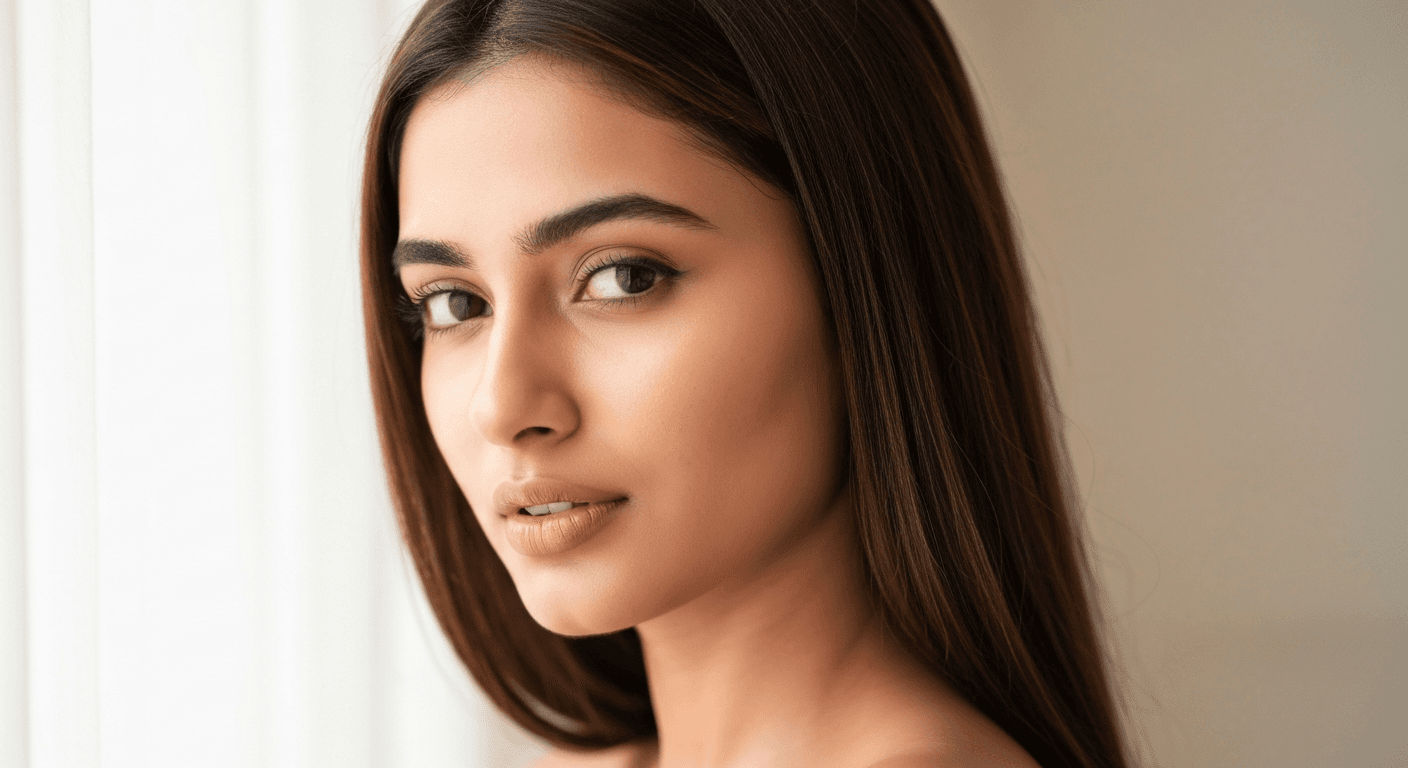
A professional portrait retoucher charges $30 to $200 per headshot and takes days. Seedream 5.0 Edit delivers comparable quality in 10 seconds for $0.07 - and doesn't require you to learn frequency separation, dodge and burn, or any of the skills that separate amateur Photoshop work from pro beauty retouching.
TL;DR
- Retouch portraits with natural language - skin, eyes, lighting, color
- 1 credit ($0.10) per edit, 5–15 seconds
- Preserves natural texture without the plastic AI look
- Works for headshots, beauty, lifestyle, and editorial portraits
- 10 free credits = 10 free retouches at arteza.ai
The Portrait Retouching Hierarchy
Professional portrait retouching follows a clear order. Seedream 5.0 Edit can handle any step - but knowing the hierarchy produces better results.
- Skin (texture, blemishes, tone)
- Eyes (brightness, sharpness, color)
- Hair (stray hairs, highlights)
- Lighting (shadows, fill, catch lights)
- Color grade (overall mood and tone)
- Background (distractions, backdrop)
Let's walk through each.
Edit your first photo with AI
No Photoshop skills needed. Just type what you want changed. $0.10 per edit.
Try Seedream 5.0 Edit Free5 libreng henerasyon · Walang credit card na kailangan
Step 1: Skin Retouching
The biggest mistake beginners make: over-smoothing. Real skin has texture. Plastic skin screams "AI".
Natural skin smoothing:
"Smooth skin naturally, preserve skin texture and pores, remove blemishes"
"Even skin tone, reduce redness, keep natural texture and freckles"
"Remove blemishes and minor imperfections, maintain natural skin detail"
Higher-end beauty work:
"Professional beauty retouching on skin, smooth without losing texture, even tone, natural glow"
"Editorial skin retouching: flawless but realistic, preserve pores and natural features"
Specific skin issues:
"Reduce under-eye darkness, brighten naturally"
"Even out skin tone on the cheeks, reduce redness"
"Remove acne and blemishes, keep the natural texture untouched"
Step 2: Eye Enhancement
Eyes are what make or break a portrait. Small enhancements have huge impact:
"Brighten and sharpen the eyes naturally, enhance iris color subtly"
"Add subtle catch light to the eyes, brighten whites"
"Sharpen eye details and eyelashes, preserve natural color"
"Enhance eye color slightly, brighten whites, sharpen lashes"
Don't overdo it. "Subtly" and "naturally" are the key words - they prevent the overly-edited "plastic anime eyes" effect.
Step 3: Hair Refinement
"Remove stray hairs on the forehead and background"
"Enhance hair highlights naturally, add shine"
"Clean up flyaway hairs, preserve overall hair texture"
"Define hair strands slightly, subtle highlight enhancement"
Step 4: Lighting Correction
Most portrait lighting problems come from uneven fill or harsh shadows. Fix them:
"Lift shadows on the face gently, add soft fill light"
"Soften harsh shadows under the chin and nose"
"Add subtle key light from the left, balanced fill on the right"
"Reduce shine on forehead and nose, even skin highlight"
"Warm the overall face lighting, soft golden glow"

Want results like this? Try Seedream 5.0 Edit free →
Step 5: Color Grading the Portrait
A color grade ties everything together. Common portrait grades:
"Warm natural skin tones, golden-hour mood, slight film grain"
"Editorial fashion grade: cool shadows, warm skin highlights"
"Clean corporate headshot look: neutral colors, slightly brightened"
"Romantic soft-light grade: warm pastels, gentle fade"
"Moody low-key grade: deep shadows, warm skin, film contrast"
Step 6: Background Work
Often the face is perfect and the background is a mess. Fix it in one prompt:
"Replace background with soft blurred gray studio, keep subject unchanged"
"Change background to warm out-of-focus bokeh, preserve portrait lighting"
"Clean up the background, blur it softly, keep subject sharp"
Full background techniques in the background change guide.
The All-In-One Portrait Prompt
Combine multiple adjustments in one prompt to save credits:
"Smooth skin naturally preserving texture, brighten and sharpen eyes subtly, lift shadows on the face, apply warm natural color grade, keep hair and background untouched"
One pass. Multiple improvements. 1 credits. This is the single most useful prompt in this guide.
Specific Portrait Types
Corporate Headshots
"Clean professional headshot retouch: smooth skin naturally, brighten eyes, neutral corporate color tone, soft even lighting, remove blemishes"
Use case: LinkedIn, company websites, press photos.
Beauty / Editorial
"High-end beauty retouch: flawless skin with preserved texture, enhanced eye color, defined lips, editorial color grade with cool shadows and warm highlights"
Use case: fashion editorials, makeup campaigns.
Lifestyle Portraits
"Natural lifestyle retouch: subtle skin smoothing, warm golden skin tones, soft romantic lighting, natural glow"
Use case: social media, personal brand photos.
Family / Wedding
"Soft family portrait retouch: even skin tones, gentle brightening, warm romantic color grade, natural and flattering"
Use case: wedding albums, family sessions.
Fitness / Athlete
"Dynamic portrait retouch: enhance definition and muscle tone subtly, sharpen details, bold contrast, energetic color grade"
Use case: sports, fitness brand content.
Avoiding the "AI Retouched" Look
The telltale signs of overdone AI retouching:
- Waxy skin - no pores or texture
- Plastic eyes - too bright, too sharp
- Symmetrical face - over-smoothed landmarks
- Oversaturated skin - orange-tinted
Fix all of these with two magic words: "preserve texture" and "naturally". Include them in every portrait prompt.
Pro headshots without the retoucher
Skip frequency separation and dodge-and-burn. Type what you want the portrait to look like - keep texture, stay natural.
Retouch Your First Portrait FreeReal Workflow: Corporate Headshot
Starting image: Selfie with harsh overhead lighting.
Edit 1: "Fix harsh overhead lighting, add soft even fill, lift shadows on face" (1 credits)
Edit 2: "Smooth skin naturally preserving texture, even tone, remove minor blemishes" (1 credits)
Edit 3: "Brighten eyes subtly, sharpen details, enhance iris color naturally" (1 credits)
Edit 4: "Replace background with soft blurred gray studio, professional look" (1 credits)
Total: 4 credits = $0.40. Time: ~1 minute. Result: LinkedIn-ready professional headshot.
Compare to: $50–$200 headshot session + retouching.
Real Workflow: Instagram Portrait
Starting image: Phone selfie in casual outdoor setting.
Edit 1: "Subtle natural skin smoothing, warm skin tones, brighten eyes" (1 credits)
Edit 2: "Apply warm golden-hour color grade, soft romantic glow" (1 credits)
Total: 2 credits = $0.20. Result: influencer-grade Instagram post.
Common Mistakes
| Mistake | Fix |
|---|---|
| Plastic skin | Always add "preserve texture" |
| Over-bright eyes | Use "subtly" and "naturally" |
| Wrong skin tone | Specify "natural skin tones" |
| Face distortion | Don't over-prompt facial structure changes |
| Artificial glow | Keep color grades subtle on first pass |
Cost vs Alternatives
| Service | Time | Cost per portrait |
|---|---|---|
| Seedream 5.0 Edit | 10–30 sec | $0.10 |
| Fiverr retoucher | 1–3 days | $5–$30 |
| Pro retoucher | 2–5 days | $30–$200 |
| DIY Photoshop | 30–90 min | (time cost) |
Pricing
| Plan | Credits | Price | Portraits |
|---|---|---|---|
| Starter | 60 | $5 | 60 |
| Creator | 300 | $25 | 300 |
| Pro | 700 | $50 | 700 |
| Studio | 1,800 | $120 | 1,800 |
Monthly credits refresh each billing cycle. Top-up credits never expire. See pricing.
Next Steps
Retouch your first portrait free → - 10 credits on signup.
Subukan ang Seedream 5.0 Edit - Ngayon Na!
Mag-upload ng iyong larawan sa create page para makapagsimulang mag-edit.
5 libreng henerasyon · Walang credit card na kailangan