Seedream v4.5 API: Integrate AI Images into Your App
Complete guide to the Seedream v4.5 API. Learn how to integrate AI image generation into your application with code examples, authentication, parameters, best practices, and pricing for API usage.
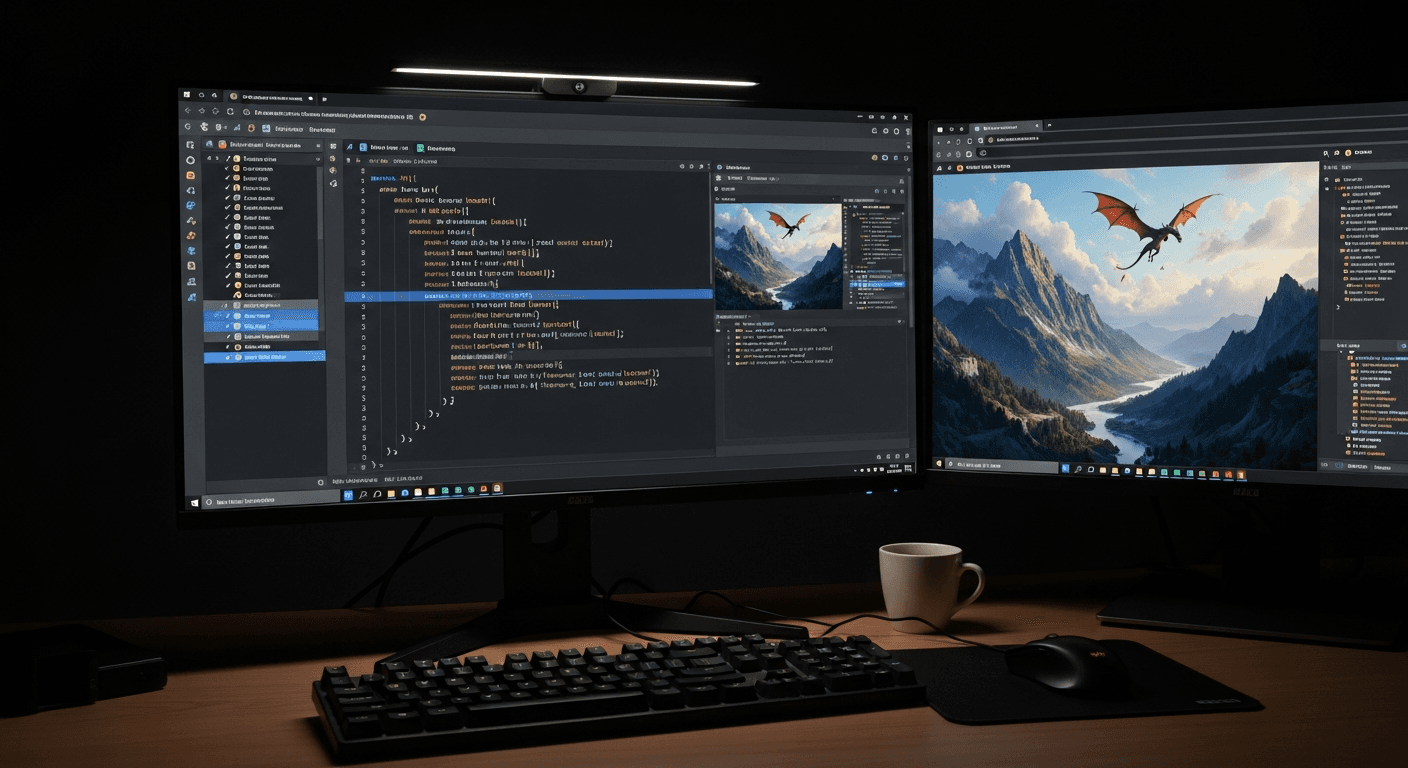
Integrating AI image generation into your app used to mean picking between three bad options: run Stable Diffusion yourself (expensive infrastructure), pay OpenAI per-token rates (unpredictable costs), or commit to a subscription API (wasted capacity). The Seedream v4.5 API is built differently - pay-per-image at $0.10, standard REST, and response times measured in seconds. This guide gets you from zero to first generation in under 10 minutes.
TL;DR
- Seedream v4.5 API costs 1 credits ($0.10) per image generated
- Standard REST API with JSON requests and responses
- Parameters: prompt, resolution, aspect ratio, num_images (1-6), guidance scale
- Typical response time: 5-15 seconds per generation
- Plans from $5 a month - credits are only spent when you generate
What the API Is Good For
The Seedream v4.5 API fits applications that need on-demand AI image generation with predictable per-image costs. Common use cases:
SaaS products that let users generate images as part of their workflow - design tools, marketing platforms, content creation apps.
E-commerce platforms generating product lifestyle imagery or category headers programmatically.
Marketing automation tools producing campaign visuals based on structured inputs.
Content management systems offering AI image generation as a native feature.
Developer projects and automation scripts for any workflow that needs image generation at scale.
Mobile apps that call the API from a backend service to keep the image generation off-device.
If your use case matches any of these, this guide will get you integrated quickly.
Grab an API key and ship in 10 minutes
Pay-per-image REST API at $0.10 per 4MP generation. Free credits on signup cover your first integration tests.
Try Seedream v4.5 Free5 lần tạo miễn phí · Không cần thẻ tín dụng
Authentication and Getting Started
Step 1: Get an API Key
Sign up for a Arteza account if you do not have one. Navigate to your account settings and generate an API key. Treat this key like a password - do not commit it to public repositories.
Step 2: Add Credits to Your Account
API usage draws from the same credit balance as web usage. Your 10 free signup credits work on API calls. For production use, subscribe from the pricing page starting at $5.
Step 3: Make Your First Request
The API endpoint for Seedream v4.5 is:
POST https://api.arteza.ai/v1/images/generate
Minimum request body:
{
  "model": "seedream-v4-5",
  "prompt": "A cozy bookstore at dusk, warm window light",
  "width": 2048,
  "height": 2048,
  "num_images": 1
}
Include your API key in the Authorization header:
Authorization: Bearer YOUR_API_KEY
Full Parameter Reference
| Parameter | Type | Required | Description |
|---|---|---|---|
model | string | Yes | Model identifier - seedream-v4-5 |
prompt | string | Yes | Text description of the image |
width | integer | No | Image width in pixels (default 1024) |
height | integer | No | Image height in pixels (default 1024) |
num_images | integer | No | Number of images to generate (1-6, default 1) |
guidance_scale | float | No | Prompt adherence strength (default 7.5) |
seed | integer | No | Random seed for reproducibility |
negative_prompt | string | No | Elements to exclude from generation |
Supported Resolutions
Seedream v4.5 supports multiple resolution options up to 4 megapixels:
| Aspect Ratio | Width x Height | Use Case |
|---|---|---|
| 1:1 | 2048 x 2048 | Social posts, icons |
| 16:9 | 2048 x 1152 | Banners, thumbnails |
| 9:16 | 1152 x 2048 | Mobile, Stories |
| 3:2 | 2048 x 1365 | Editorial |
| 2:3 | 1365 x 2048 | Book covers |
| 4:3 | 2048 x 1536 | Presentations |
| 3:4 | 1536 x 2048 | Portrait |
Code Examples
Node.js (Fetch)
const generateImage = async (prompt) => {
  const response = await fetch(
    'https://api.arteza.ai/v1/images/generate',
    {
      method: 'POST',
      headers: {
        'Authorization': `Bearer ${process.env.SEEDANCE_API_KEY}`,
        'Content-Type': 'application/json',
      },
      body: JSON.stringify({
        model: 'seedream-v4-5',
        prompt: prompt,
        width: 2048,
        height: 2048,
        num_images: 1,
      }),
    }
  );

  if (!response.ok) {
    throw new Error(`API error: ${response.status}`);
  }

  const data = await response.json();
  return data.images[0].url;
};

// Usage
const imageUrl = await generateImage(
  'A cozy bookstore at dusk, warm window light, editorial photography'
);
console.log(imageUrl);
Python (Requests)
import os
import requests

def generate_image(prompt, width=2048, height=2048, num_images=1):
    response = requests.post(
        'https://api.arteza.ai/v1/images/generate',
        headers={
            'Authorization': f'Bearer {os.environ["SEEDANCE_API_KEY"]}',
            'Content-Type': 'application/json',
        },
        json={
            'model': 'seedream-v4-5',
            'prompt': prompt,
            'width': width,
            'height': height,
            'num_images': num_images,
        },
    )
    response.raise_for_status()
    data = response.json()
    return [img['url'] for img in data['images']]

# Usage
urls = generate_image(
    'An editorial product photograph of a ceramic coffee mug, '
    'warm morning light, minimalist composition'
)
print(urls)
cURL
curl -X POST https://api.arteza.ai/v1/images/generate \
  -H "Authorization: Bearer $SEEDANCE_API_KEY" \
  -H "Content-Type: application/json" \
  -d '{
    "model": "seedream-v4-5",
    "prompt": "A futuristic city skyline at sunset, cinematic photography",
    "width": 2048,
    "height": 1152,
    "num_images": 1
  }'
Go
package main

import (
    "bytes"
    "encoding/json"
    "fmt"
    "net/http"
    "os"
)

type GenerateRequest struct {
    Model     string `json:"model"`
    Prompt    string `json:"prompt"`
    Width     int    `json:"width"`
    Height    int    `json:"height"`
    NumImages int    `json:"num_images"`
}

func generateImage(prompt string) (string, error) {
    reqBody := GenerateRequest{
        Model:     "seedream-v4-5",
        Prompt:    prompt,
        Width:     2048,
        Height:    2048,
        NumImages: 1,
    }

    jsonData, _ := json.Marshal(reqBody)
    req, _ := http.NewRequest(
        "POST",
        "https://api.arteza.ai/v1/images/generate",
        bytes.NewBuffer(jsonData),
    )
    req.Header.Set("Authorization", "Bearer "+os.Getenv("SEEDANCE_API_KEY"))
    req.Header.Set("Content-Type", "application/json")

    client := &http.Client{}
    resp, err := client.Do(req)
    if err != nil {
        return "", err
    }
    defer resp.Body.Close()

    var result map[string]interface{}
    json.NewDecoder(resp.Body).Decode(&result)
    images := result["images"].([]interface{})
    firstImage := images[0].(map[string]interface{})
    return firstImage["url"].(string), nil
}
Response Format
Successful responses return JSON with this structure:
{
  "id": "gen_abc123xyz",
  "model": "seedream-v4-5",
  "created": 1712764800,
  "images": [
    {
      "url": "https://cdn.arteza.ai/gen/abc123.png",
      "width": 2048,
      "height": 2048,
      "seed": 42871
    }
  ],
  "credits_used": 8,
  "credits_remaining": 1042
}
Image URLs are valid for 24 hours. Download and store images immediately if you need permanent access.

Want detail like this? Try Seedream v4.5 free →
Ready to start integrating? Get your API key →
Error Handling
The API returns standard HTTP status codes:
| Code | Meaning | Action |
|---|---|---|
| 200 | Success | Process the response |
| 400 | Invalid request | Check parameters |
| 401 | Authentication failed | Verify API key |
| 402 | Insufficient credits | Purchase more credits |
| 429 | Rate limited | Implement backoff |
| 500 | Server error | Retry with exponential backoff |
Example error response:
{
  "error": {
    "code": "insufficient_credits",
    "message": "Your account has insufficient credits for this request",
    "credits_required": 8,
    "credits_available": 3
  }
}
Always implement error handling and retries for 429 and 500 errors. Do not retry 400 and 401 errors - those require fixing the request itself.
Best Practices for Production Use
Rate Limiting
Default rate limits allow reasonable production throughput. If you need higher limits, contact support with your use case details.
Implement exponential backoff on 429 errors:
import time

def generate_with_retry(prompt, max_retries=3):
    for attempt in range(max_retries):
        try:
            return generate_image(prompt)
        except requests.HTTPError as e:
            if e.response.status_code == 429:
                wait_time = 2 ** attempt
                time.sleep(wait_time)
                continue
            raise
    raise Exception("Max retries exceeded")
Credit Management
Monitor the credits_remaining field in every response. Set up alerts when balance drops below a threshold so you can top up before production traffic hits zero credits.
def check_credits(response):
    remaining = response.json().get('credits_remaining', 0)
    if remaining < 100:
        send_alert(f'Low credit warning: {remaining} credits')
Async Handling
For user-facing applications, treat image generation as async. Do not block the UI thread on a 5-15 second API call. Patterns:
- Return a job ID immediately, poll for completion
- Use webhooks (if supported) for completion notifications
- Generate speculatively in the background and cache results
Caching
Generated images are deterministic given the same prompt and seed. Cache aggressively by prompt hash to avoid regenerating identical images.
import hashlib

def prompt_cache_key(prompt, width, height, seed):
    raw = f'{prompt}|{width}x{height}|{seed}'
    return hashlib.sha256(raw.encode()).hexdigest()
Prompt Safety
If your app exposes prompts to end users, implement content filtering before sending to the API. Arteza has content policies - prompts that violate them will return errors, wasting credits and creating user-facing failures.
Pricing for API Usage
API usage pulls from your account's credit balance at the same rate as web usage.
| Volume | Cost |
|---|---|
| 100 images/month | ~$8 |
| 1,000 images/month | ~$80 |
| 10,000 images/month | ~$800 |
| 100,000 images/month | ~$8,000 |
Credits come from the same pricing tiers regardless of whether you use them via web or API:
- Starter: $5 = 60 credits a month = 60 images
- Creator: $25 = 300 credits a month = 300 images
- Pro: $50 = 700 credits a month = 700 images
- Studio: $120 = 1,800 credits a month = 1,800 images
Higher volume customers can contact support about volume pricing for sustained usage above 100,000 images/month.
Ship AI image generation as a feature, not a promise
Predictable $0.10 per 4MP image, standard REST, 5-15 second responses. Free credits to prototype your integration.
Start Building FreeCombining With Other Arteza Models
Your application can use multiple Seedance models through the same API by changing the model parameter:
seedream-v4-5- 1 credits - flagship qualityseedream-v3- 1 credit - faster, simplerseedream-5-lite- 1 credit - deep thinking modeseedream-5-edit- 1 credit - image editingseedance-2- video generation (different endpoint)
For applications that need editing capabilities in addition to generation, seedream-5-edit handles text-based image editing. See the Seedream 5 Edit documentation for details.
Security Considerations
Never expose API keys client-side. Always route API calls through your backend. Exposed keys can be used to drain your credit balance.
Rotate keys periodically. If a key is compromised, revoke it and generate a new one.
Log requests for debugging. Include request IDs in your logs so you can correlate failures with API responses.
Implement usage quotas per user. If your app offers AI generation as a feature, limit per-user consumption to prevent abuse.
Frequently Asked Questions
Is there a free tier for the API? Your 10 signup credits work on API calls. That is 10 free Seedream v4.5 generations to test integration before paying.
What is the typical response time? 5-15 seconds for Seedream v4.5 depending on resolution and current load.
Can I use the API for commercial products? Yes. Commercial use is included. Your customers' generated images are theirs to use for any legitimate purpose.
Is there a Python SDK? Official SDKs are in development. The current REST API works cleanly with standard HTTP libraries in any language.
How do I handle content policy errors? Implement user-facing messages that explain the prompt was rejected. Log the specific error for debugging.
What happens if my credits run out mid-request? The API returns a 402 error before generation starts. Partial charges never occur - you either get the full image or you get an error.
Can I batch multiple prompts in one request?
Not directly. Use num_images: 6 to get variations of the same prompt, or make parallel API calls for different prompts.
The Seedream v4.5 API gives you production-ready AI image generation at predictable per-image pricing with standard REST conventions. For most integrations, you can go from API key to first working generation in under 10 minutes. For questions or volume pricing, reach out through your account dashboard.
Start integrating today. Get your API key → | View full pricing → | Read the v4.5 guide →
Thử Seedream v4.5 - Ngay bây giờ
5 lần tạo miễn phí · Không cần thẻ tín dụng