Seedream 5.0 Lite for Social Media Managers: Batch Content Creation
How social media managers can use Seedream 5.0 Lite to batch-create platform-optimized content - workflows, templates, scheduling, and cost management for high-volume social media imagery.
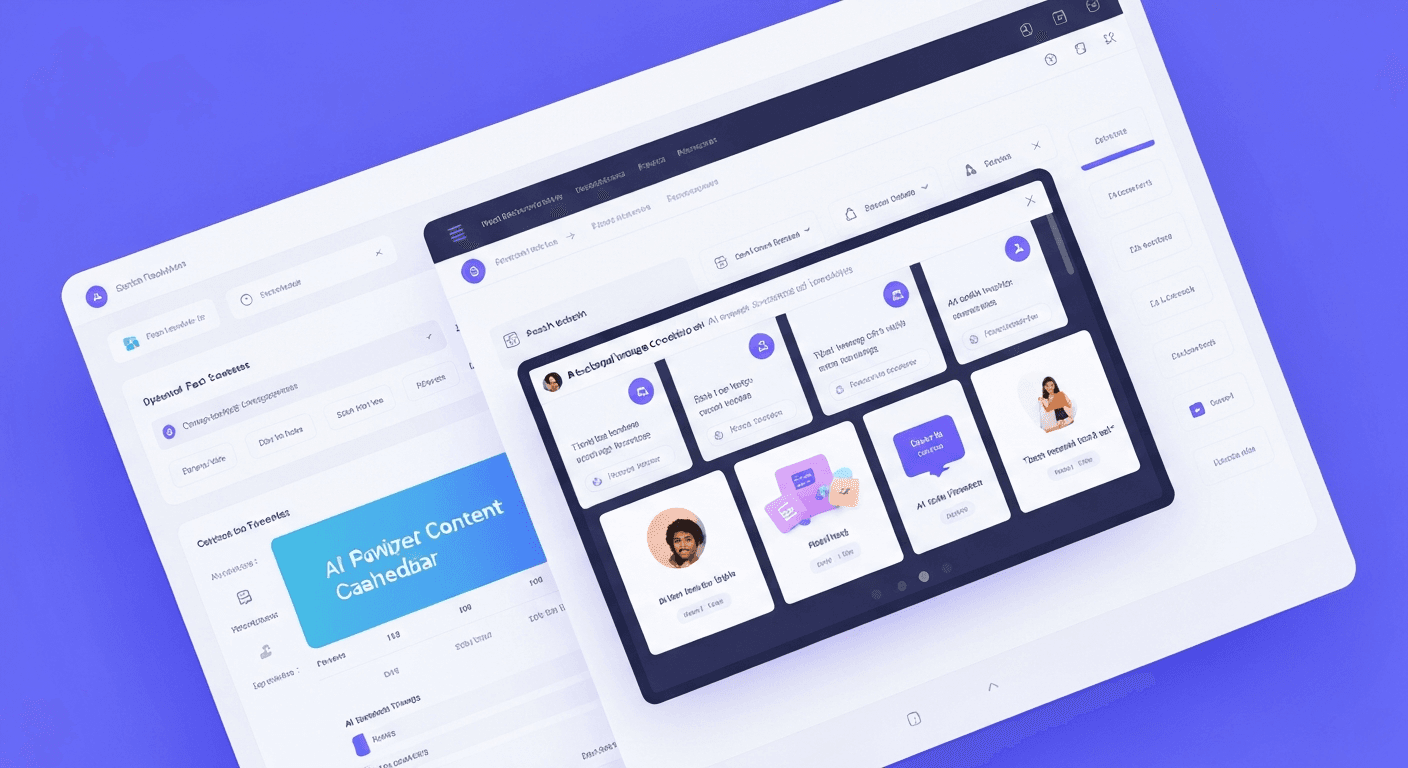
A social media manager juggling 3 platforms needs 45-75 unique images per week. That's the reality of modern social. Stock photos look generic, designers cost a fortune, and Canva hours eat your strategy time. Seedream 5.0 Lite cuts a full week of content down to 30 minutes and $5.
TL;DR
- 30 minutes per week for 15+ platform-optimized posts
- $0.10 per image - a full week of content costs under $8
- Text rendering bakes quotes, CTAs, and hashtags directly into the image
- Style transfer enforces brand consistency across every generation
- Free to start: 10 credits on signup, no card required
The Social Media Math Nobody Tells You
The average social media manager runs 3-5 platforms, each demanding 1-3 posts per day. That's 15-75 unique images per week - each one platform-optimized, on-brand, and engaging enough to stop the scroll.
Stock photos look generic. Designers cost $50-100 per hour. Canva takes 15-30 minutes per graphic. The math never works.
Seedream 5.0 Lite rewrites the math. Fast generation, text rendering, and brand-consistent style transfer - all at $0.10 per image. Here's how to use it.
5 次免费生成 · 无需信用卡
Why Seedream 5.0 Lite Fits Social Media
Speed for Volume
5-15 seconds per image. A full week of multi-platform content generates during a single work session. No designer back-and-forth. No stock photo rabbit holes.
Text Rendering for Engagement
Posts with overlaid text consistently outperform image-only posts. Seedream 5.0 Lite's near-perfect text rendering means you bake quotes, statistics, CTAs, and hashtags straight into the image. No Canva post-processing required.
Style Transfer for Brand Consistency
Your brand has visual identity. Define your color palette and aesthetic once, and every generated image matches - no matter who's writing the prompt.
Cost That Scales
50 images a week = $5. Compare to $30-300/month for stock photo subscriptions, $25-100/hour for freelance designers, or 10+ hours a week in Canva.
Full feature details in our complete guide.
See the text rendering yourself
The only AI model that gets text right. $0.10 per image, free credits.
Try Seedream 5.0 Lite FreePlatform-Specific Specs
Each platform has its own optimal dimensions. Here's how to set Seedream 5.0 Lite for each:
| Platform | Content Type | Aspect Ratio | Resolution |
|---|---|---|---|
| Instagram Feed | Square post | 1:1 | 1024x1024 |
| Instagram Story | Vertical | 9:16 | 768x1360 |
| Instagram Reel cover | Vertical | 9:16 | 768x1360 |
| Facebook Post | Landscape | 16:9 | 1360x768 |
| Facebook Story | Vertical | 9:16 | 768x1360 |
| Twitter/X Post | Landscape | 16:9 | 1360x768 |
| LinkedIn Post | Landscape | 4:3 | 1184x888 |
| Pinterest Pin | Vertical | 3:4 | 888x1184 |
| YouTube Thumbnail | Landscape | 16:9 | 1360x768 |
| TikTok Cover | Vertical | 9:16 | 768x1360 |
For thumbnails specifically, see our YouTube thumbnail guide.
The Weekly Batch Workflow
A proven workflow for producing a full week of content in a single session.
Step 1: Plan Your Calendar (10 minutes)
Map the week by platform and content type:
- Monday: Motivational quote (Instagram, LinkedIn)
- Tuesday: Product feature (all platforms)
- Wednesday: Industry tip (Twitter, LinkedIn)
- Thursday: Behind-the-scenes (Instagram, Facebook)
- Friday: Engagement post (all platforms)
- Weekend: Lifestyle content (Instagram, Pinterest)
Step 2: Write Your Prompts (10 minutes)
Use the templates below. Batch similar content types together.
Step 3: Generate (10-15 minutes)
Run through the prompt list on Seedream 5.0 Lite. Generate 2-3 variations per post for options.
Step 4: Review and Select (5-10 minutes)
Review everything, pick the best per post, flag any for regeneration.
Step 5: Schedule
Upload to Buffer, Hootsuite, Later, or your scheduling tool.
Total time: 35-45 minutes for a full week of multi-platform content.
Prompt Templates by Platform
Instagram Feed Posts
[SUBJECT] in a [BRAND_STYLE] aesthetic, vibrant colors,
Instagram-worthy composition, [MOOD] mood, professional quality,
square format, eye-catching
Quote posts:
Inspirational quote background with text "[QUOTE]" in elegant
[FONT_STYLE] font, [COLOR_PALETTE] palette, minimalist design,
centered text, Instagram quote post style
LinkedIn Professional Content
Professional [TOPIC] visualization, corporate [COLOR_PALETTE]
color scheme, clean modern design, business context,
polished and authoritative
Twitter/X Engagement Posts
Bold attention-grabbing [TOPIC] illustration,
high contrast, [STYLE] style, landscape format,
punchy visual that stands out in a feed
Pinterest Pins
[SUBJECT] in a [STYLE] style, vertical composition,
rich warm colors, aspirational and shareable,
text "[PIN_TITLE]" at top in bold font, Pinterest-optimized
TikTok/Reels Covers
Dynamic [SUBJECT] cover image, bold text "[TITLE]",
vertical format, high energy, bright colors,
Gen Z aesthetic, eye-catching thumbnail

Want text this clean? Try Seedream 5.0 Lite free →
Text Overlays: The Killer Feature
Seedream 5.0 Lite bakes readable text straight into the image. No separate design step.
Motivational quote:
Serene nature background with text "Success is not final,
failure is not fatal" in white bold sans-serif font,
subtle dark overlay for readability, inspirational mood
Promotional:
Product showcase with bold text "50% OFF THIS WEEK" in red
and white, urgency-driven design, clean layout with
product in center, promotional banner style
Educational carousel:
Clean slide design with text "Step 3: Optimize Your Profile"
in dark bold font on light background, numbered step format,
professional education style, minimal icons
Text Best Practices
- Keep text to 5-8 words max for cleanest rendering
- Use high-contrast pairs (white on dark, dark on light)
- Specify "bold" or "large" to ensure prominence
- Always enable deep thinking mode for text
- Position text to avoid faces and key visual elements
Brand Consistency at Scale
Maintaining brand identity across hundreds of generated images requires systematic prompting.
Build a Brand Prompt Prefix
Create a standard prefix for every prompt:
[BRAND] brand style, colors [HEX1] and [HEX2],
modern minimalist aesthetic, professional quality,
Append this to every prompt. Style and color transfer apply your identity even when subject matter varies wildly.
Your AI Style Guide
Document these:
- Primary colors - hex codes
- Photography style - bright and airy, dark and moody, warm and natural
- Font preferences - bold sans-serif, elegant serif, playful script
- Composition rules - centered, rule of thirds, negative space
- Mood keywords - energetic, calm, professional, playful
- Forbidden elements - what should never appear
Share this with anyone on your team generating images.
Content Calendar Integration
Spreadsheet Planning
Columns to track:
| Date | Platform | Content Type | Prompt | Aspect Ratio | Deep Thinking | Generated | Selected | Scheduled |
|---|
Doubles as your content calendar and generation tracker.
API Automation
For high-volume teams:
- Export prompts from your calendar spreadsheet
- Submit through the batch API endpoint
- Receive images via webhook
- Upload to your scheduling tool's media library
Full batch workflow in our bulk generation guide.
A full week of content for $5
Quotes, CTAs, and hashtags baked straight into the image. Skip the Canva grind.
Get Free CreditsCost Management
Monthly Budget by Volume
| Volume | Weekly Images | Monthly Images | Monthly Credits | Monthly Cost |
|---|---|---|---|---|
| Light | 15 | 60 | 60 | ~$6.00 |
| Medium | 30 | 120 | 120 | ~$12.00 |
| Heavy | 50 | 200 | 200 | ~$20.00 |
| Agency | 100 | 400 | 400 | ~$40.00 |
Even at agency volume, Seedream 5.0 Lite costs less than $50/month - a fraction of stock photos or designer hours.
Recommended Plans
| Usage | Monthly Images | Plan | Price | Monthly Credits |
|---|---|---|---|---|
| Light | 60 | Starter | $5 | 60 |
| Medium | 120 | Creator | $25 | 300 |
| Heavy | 200 | Creator | $25 | 300 |
| Agency | 400 | Pro | $50 | 700 |
The $5 Starter plan lands exactly on the light row. Creator ($25 for 300 credits a month) carries a manager comfortably through medium and heavy volume, and agency output needs Pro ($50 for 700 credits) - or Creator plus a top-up, since top-up credits never expire.
ROI Math
- Before: Hours sourcing/creating images × hourly rate + stock photo costs
- After: Minutes generating + credit costs
- Typical savings: 5-10 hours per week for working managers
Case Study: A Week in 30 Minutes
The brief:
- Brand: FitLife Nutrition
- Platforms: Instagram, LinkedIn, Twitter
- 15 posts per week (5 per platform)
- Brand colors: #2ECC71 (green), #2C3E50 (dark blue)
- Style: Clean, energetic, motivational
The session:
| Time | Activity |
|---|---|
| Minutes 1-5 | Customize 15 prompts from templates |
| Minutes 6-15 | Generate 30 images (15 + 15 alternates) |
| Minutes 16-25 | Review all 30, select best 15, flag 2 for regeneration |
| Minutes 26-28 | Regenerate 2 flagged images |
| Minutes 29-30 | Download, upload to scheduling tool |
Total credits: 32 ($3.20) Total time: 30 minutes Output: 15 platform-optimized, on-brand social media images
Compare to 3-5 hours traditional stock-photo-and-Canva grind.
Do's and Don'ts
Do
- Batch by platform - all Instagram together, then LinkedIn, then Twitter
- Generate extras - 1-2 alternates per post for A/B testing
- Save your best prompts - build a reusable library
- Use deep thinking for text posts - always
- Maintain a brand prefix - consistency comes from systematic prompting
Don't
- Over-prompt - keep prompts focused under 50 words
- Skip review - always check before scheduling
- Repeat prompts verbatim - vary subjects to avoid audience fatigue
- Forget platform optimization - dimensions matter
- Neglect text accessibility - ensure high-contrast readable typography
For related workflows, see meme creation and ad creatives.
Seedream 5.0 Lite turns social media content from a daily grind into a focused weekly session. Speed, text rendering, and brand consistency mean you produce more content, faster, at lower cost than any alternative.
Start your free trial → - 10 credits to test your first full week of content.
立即试用 Seedream 5.0 Lite
5 次免费生成 · 无需信用卡