실제 정지 이미지, Arteza에서 애니메이션으로 변환
모든 타일은 업로드된 이미지에서 시작됩니다. 호버하거나 탭하여 클립이 된 모습을 확인해 보세요.
 소스 이미지Runway Gen-4 Turbo 4c
The foam head in the nearest pot swells and climbs the rim in a slow rolling boil, fine bubbles breaking across its surface, and the barista's tongs lift the pot clear of the sand just as the foam crests. Camera pushes in steadily as it rises.
 소스 이미지Kling O1 7c
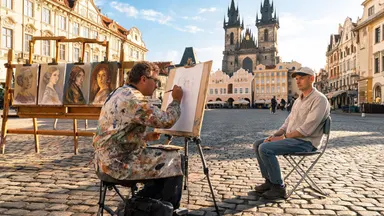
Rack focus pulls slowly from the soft blur of finished canvases in the background to the painter's pencil moving across the sketchpad in sharp foreground detail, the tourist sitting still while the square glows in the background, camera entirely static.
 소스 이미지Seedance 1.0 Pro 4c
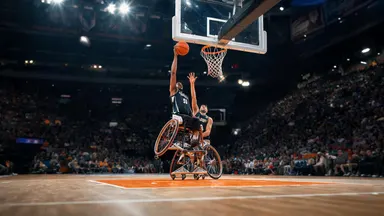
Camera tilts slowly down from the peak of the player's jump, following the ball toward the backboard, the player's expression fierce with effort, crowd noise implied by motion blur of waving arms in the packed stands behind.
 소스 이미지Midjourney Video 6c
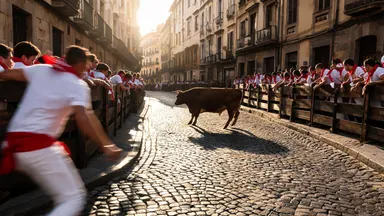
Camera dollies slowly straight back from the action while the steer completes its corner turn, runners peeling away along the barrier, the cobblestone alley widening to reveal the full gauntlet of the street receding behind the retreating lens.
 소스 이미지Wan 2.2 3c
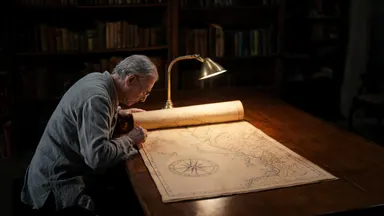
The chart continues to unroll slowly under the archivist's careful hands, revealing an ornate cartouche and inked sea-monster illustrations, the reading lamp flickers slightly, camera dollies backward steadily revealing the full length of the oak table
 소스 이미지Grok Video 1.5 2c
Hold the camera static and rack focus slowly from the rough alabaster edge in the foreground to the pale balm surface inside the open pot, the creamy texture sharpening into full detail as the stone edge softens to bokeh.
작동 방식
이미지 업로드
사진, 제품 샷, 또는 이미지 스튜디오에서 생성한 이미지 등 모든 정지 이미지를 가져오세요. 선명하고 조명이 잘 된 이미지에 명확한 피사체가 있으면 가장 깔끔하게 애니메이션화됩니다.
움직임 설명
이미 보이는 것이 아니라 어떤 일이 일어나야 하는지에 대한 짧은 프롬프트를 작성하세요: 느린 카메라 이동, 바람에 흔들리는 머리, 렌즈를 향해 돌아서는 피사체. 모델과 길이를 선택하면 정확한 크레딧 비용이 생성 전에 표시됩니다.
생성 및 반복
모델은 이미지를 첫 번째 프레임으로 사용하여 클립을 생성합니다. 움직임이 맞지 않으면 수정된 프롬프트로 다시 실행하거나 스튜디오를 떠나지 않고 같은 이미지에서 다른 모델로 전환하세요.
지금 바로 사용할 수 있는 모델
아래의 모든 모델은 현재 크레딧 비용과 함께 Arteza에서 실시간으로 제공되며, 생성 시 스튜디오에서 사용하는 것과 동일한 가격 엔진에서 가져옵니다.
자주 묻는 질문
이미지-비디오 변환에 가장 좋은 AI 모델은 무엇인가요?
샷에 따라 다릅니다. Kling 3.0 Pro는 기본 오디오가 포함된 강력한 영화 같은 기본값이고, Seedance 2.0은 정확한 프레이밍을 위해 끝 프레임 제어를 추가하며, MiniMax H3 Max는 반복 작업 시 몇 초 안에 클립을 반환하고, Wan 2.6은 대량 작업을 위한 가성비 최고의 선택입니다. 모두 Arteza에서 이미지 입력을 허용하므로 신뢰할 수 있는 답변은 이미지를 2~3개 모델로 실행하여 비교하는 것입니다.
비디오에서 어떤 일이 일어나는지 제어할 수 있나요?
네. 이미지는 어떻게 보일지를 제어하고 텍스트 프롬프트는 어떤 일이 일어날지를 제어합니다: 카메라 이동, 피사체 동작, 분위기, 속도. Seedance 2.0 같은 일부 모델은 끝 프레임도 허용하므로 샷이 어떻게 끝날지 고정할 수 있습니다.
어떤 이미지가 가장 잘 작동하나요?
명확한 단일 피사체, 좋은 조명, 피사체 주변에 공간이 있는 선명한 이미지입니다. 매우 복잡한 구성, 많은 텍스트 오버레이, 극단적인 클로즈업은 모델이 볼 수 없는 세부 사항을 만들어야 하기 때문에 왜곡되는 경향이 있습니다.
이미지-비디오 변환을 무료로 시도할 수 있나요?
가입 시 무료 크레딧을 받으며, 이는 더 많은 크레딧을 구매할지 결정하기 전에 클립을 생성하고 비교하기에 충분합니다. 모든 모델은 생성 전에 정확한 크레딧 비용을 표시하므로 놀라운 일이 없습니다.