真实照片,在Arteza上动画化
每个方块都始于上传的图片。悬停或轻点以观看它变成的片段。
 源图像Runway Gen-4 Turbo 4c
The foam head in the nearest pot swells and climbs the rim in a slow rolling boil, fine bubbles breaking across its surface, and the barista's tongs lift the pot clear of the sand just as the foam crests. Camera pushes in steadily as it rises.
 源图像Kling O1 7c
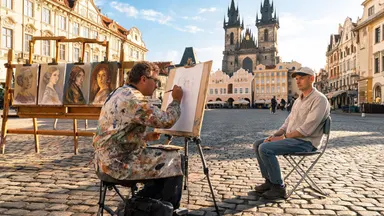
Rack focus pulls slowly from the soft blur of finished canvases in the background to the painter's pencil moving across the sketchpad in sharp foreground detail, the tourist sitting still while the square glows in the background, camera entirely static.
 源图像Seedance 1.0 Pro 4c
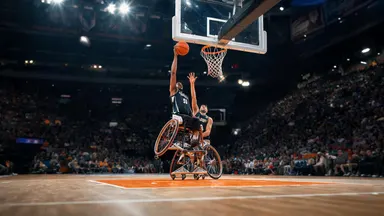
Camera tilts slowly down from the peak of the player's jump, following the ball toward the backboard, the player's expression fierce with effort, crowd noise implied by motion blur of waving arms in the packed stands behind.
 源图像Midjourney Video 6c
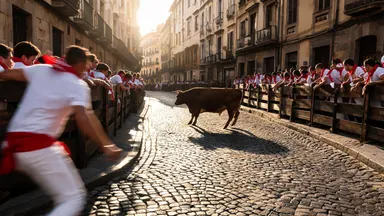
Camera dollies slowly straight back from the action while the steer completes its corner turn, runners peeling away along the barrier, the cobblestone alley widening to reveal the full gauntlet of the street receding behind the retreating lens.
 源图像Wan 2.2 3c
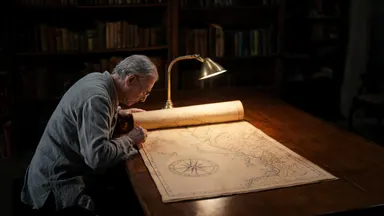
The chart continues to unroll slowly under the archivist's careful hands, revealing an ornate cartouche and inked sea-monster illustrations, the reading lamp flickers slightly, camera dollies backward steadily revealing the full length of the oak table
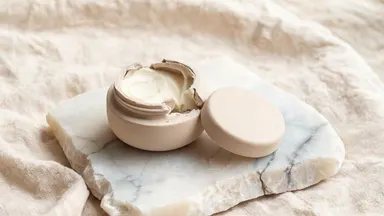 源图像Grok Video 1.5 2c
Hold the camera static and rack focus slowly from the rough alabaster edge in the foreground to the pale balm surface inside the open pot, the creamy texture sharpening into full detail as the stone edge softens to bokeh.
工作原理
上传您的图像
上传任何静止图像:照片、产品图或在图像工作室中生成的内容。清晰、光线充足且主体明确的图像动画效果最佳。
描述动作
写一个简短的提示词,描述应该发生什么,而不是已经可见的内容:缓慢的摄像机推进、风中飘动的头发、主体转向镜头。选择一个模型和时长;生成前会显示确切的积分成本。
生成和迭代
模型使用您的图像作为第一帧并生成视频片段。如果动作不符合要求,可以使用调整后的提示词重新运行,或在同一图像上切换到另一个模型,无需离开工作室。
您可以立即使用的模型
以下每个模型均在Arteza上可用,并显示其当前积分成本,该成本来自工作室在生成时的定价引擎。
常见问题解答
哪个AI模型最适合图像转视频?
这取决于镜头类型。Kling 3.0 Pro是一个强大的电影级默认选择,具有原生音频支持;Seedance 2.0添加了终帧控制以实现精确的构图;MiniMax H3 Max在迭代时可在几秒内返回视频片段;Wan 2.6是批量工作的经济选择。所有这些模型都在Arteza上接受图像输入,因此最可靠的方法是用两到三个模型运行您的图像并进行比较。
我能控制视频中发生的事情吗?
可以。图像控制事物的外观,文本提示词控制发生的事情:摄像机运动、主体动作、氛围和节奏。某些模型(如Seedance 2.0)也接受终帧,因此您可以固定镜头的结束方式。
哪些图像效果最好?
清晰的图像,具有单一明确的主体、良好的光线和主体周围的空间。非常繁忙的构图、大量文本叠加和极端特写往往会扭曲,因为模型必须创造它看不到的细节。
图像转视频可以免费试用吗?
注册时您会获得免费积分,足以生成和比较视频片段,然后再决定是否购买更多。每个模型在生成前都会显示其确切的积分成本,因此没有意外费用。