Sign in to see your generations here
Nano Banana 2.1 is Google's newest Gemini image model and the direct successor to Nano Banana 2, built for creators who need photorealistic results, reliable subject consistency across generations, and the option to refine images through mask-based editing. It renders at up to 4K across fifteen aspect ratios, draws on live web search grounding for factual visual accuracy, and lets you dial up a thinking level that trades speed for stronger composition on complex or layered prompts. It suits photographers, designers, and visual storytellers who want a general-purpose image generator with genuine depth.
How to use this app
- 1
Describe what you want to create, or upload your source file.
- 2
Pick your options, then press Generate.
- 3
Watch your result appear in the gallery within moments.
- 4
Download, share, or generate again with a new idea.
What you can make
Photorealistic product shots
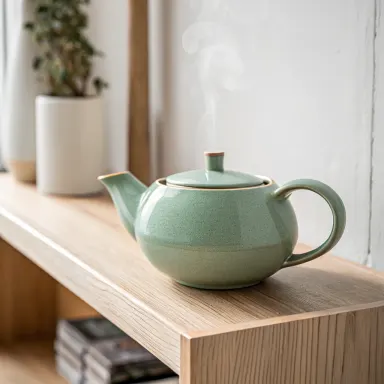
Describe a product in a specific setting and Nano Banana 2.1 renders the lighting, texture and surface detail at up to 4K. Subject consistency means iterating on the same object across multiple generations keeps it recognisable, making it practical for e-commerce or pitch decks.
Editorial and editorial-adjacent illustration
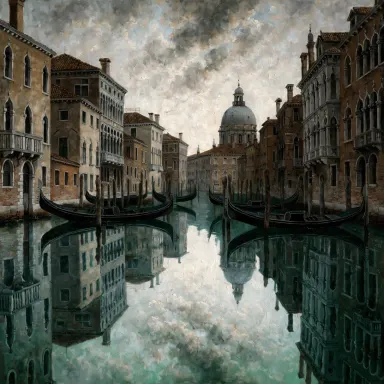
Writers and journalists can ground a prompt with web search so the model draws on current visual references, keeping depicted scenes, architecture or fashion accurate to a real period or location rather than defaulting to generic visual shorthand.
Precise mask-based retouching
When a generated image is almost right but one region needs changing, mask-based editing lets you target only that area. Swap a background, replace a garment or correct a detail without regenerating the whole composition from scratch.
Wide-format banner and panoramic art
The 21:9 and 16:9 aspect ratios, combined with 4K output, make Nano Banana 2.1 a solid choice for website hero images, digital signage and cinematic concept art where horizontal sweep and fine detail both matter.
Complex multi-element scene building
Raising the thinking level gives the model more time to plan spatial relationships, light sources and narrative coherence. That trade-off is worth making for dense prompts describing crowds, interiors with many objects, or scenes that need consistent perspective.
Prompt ideas to try
Why creators use this app
- Up to 4K resolution
- Fifteen aspect ratios
- Web search grounding
- Adjustable thinking level
Tips for better results
Use thinking level for complex scenes
For prompts with multiple subjects, competing light sources or specific spatial arrangements, raise the thinking level. The model spends more time planning the composition before rendering, which noticeably improves how elements relate to each other in the final image.
Ground factual scenes with web search
When your prompt references a real place, historical period or contemporary event, enable web search grounding. The model pulls in current visual context rather than relying solely on training data, which helps keep architectural details, clothing and setting accurate.
Lock the seed for iterative refinement
When you find a composition you like and want to refine the prompt without losing the overall layout, note the seed value and re-enter it in the Seed control. This anchors the random starting point so changes to the prompt text produce variations rather than entirely new images.
Match aspect ratio to the output destination
Choose the aspect ratio before generating rather than cropping afterwards. A 9:16 ratio composes the scene for a phone screen from the start, while 21:9 gives the model room to build a wide cinematic frame. Cropping a 4K image afterward always discards detail that was generated for you.
When to choose this app
Nano Banana 2.1 is the right choice when your goal is an open-ended, photorealistic image built from a detailed prompt, especially one that needs 4K resolution, mask-based editing or grounding in real-world visual references. AI Logo Maker is built around typing a brand name and receiving a clean logo in seconds, and AI Greeting Card puts your typed words directly into the card artwork. Neither workflow matches a scene built from scratch with precise lighting, subject consistency and editorial accuracy. Nano Banana 2.1 handles that open canvas.
Frequently asked questions
What does web search grounding actually change about the output?
When web search grounding is enabled, the model supplements its training data with current indexed information. For prompts tied to real locations, recent events or specific cultural details, this produces more visually accurate results because the model can reference contemporary sources rather than relying entirely on what it learned during training.
How does subject consistency work across multiple generations?
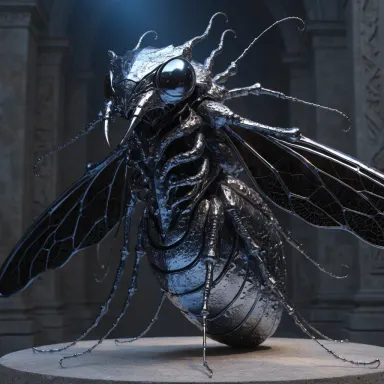
Subject consistency is a core strength of Nano Banana 2.1, meaning that when you describe the same character, object or creature across separate generations, key identifying features stay stable. This makes it practical to build a series of images around one subject without every output looking like a different person or object.
When should I request 4K resolution versus a lower setting?
Use 4K when the final destination demands fine detail at large sizes, such as print work, digital signage or hero banners. For social media thumbnails or quick concept checks, a lower resolution produces a usable result faster. The resolution control lets you decide what the trade-off is worth for each specific job.
How does mask-based editing fit into this app's workflow?
After generating an image you like, mask-based editing lets you select a specific region and describe what should replace it, leaving the rest of the image untouched. This is useful for correcting a background, swapping an accessory or adjusting a facial expression without discarding an otherwise strong composition.
Does the thinking level setting affect all prompts equally?
No. Short, simple prompts with one subject and clear lighting see less benefit from a higher thinking level. The gain is most visible on complex prompts: scenes with many elements, ambiguous spatial depth, mixed lighting conditions or strong narrative context where planning the composition first produces a more coherent result.
Which aspect ratio should I use when I am unsure what the image will be used for?
The Auto setting lets the model choose based on the prompt content, which works well for exploratory work. Once you know the destination, switching to a specific ratio is better practice because the model composes the scene for that frame from the start, rather than generating a generic crop you later need to adapt.
Which AI model powers this app?
This app runs on Nano Banana 2.1, available through Arteza with no separate account or setup.
Can I use the results commercially?
Yes. Content you generate is yours to use, subject to our content licenses.
How long does a generation take?
Most generations finish in under a minute, and you can watch progress live in the gallery.