AI Color Correction with Seedream v4.0 Edit
Fix white balance, color casts, and dull tones with plain English prompts on Seedream v4.0 Edit. $0.10 per correction, no curves or levels required.
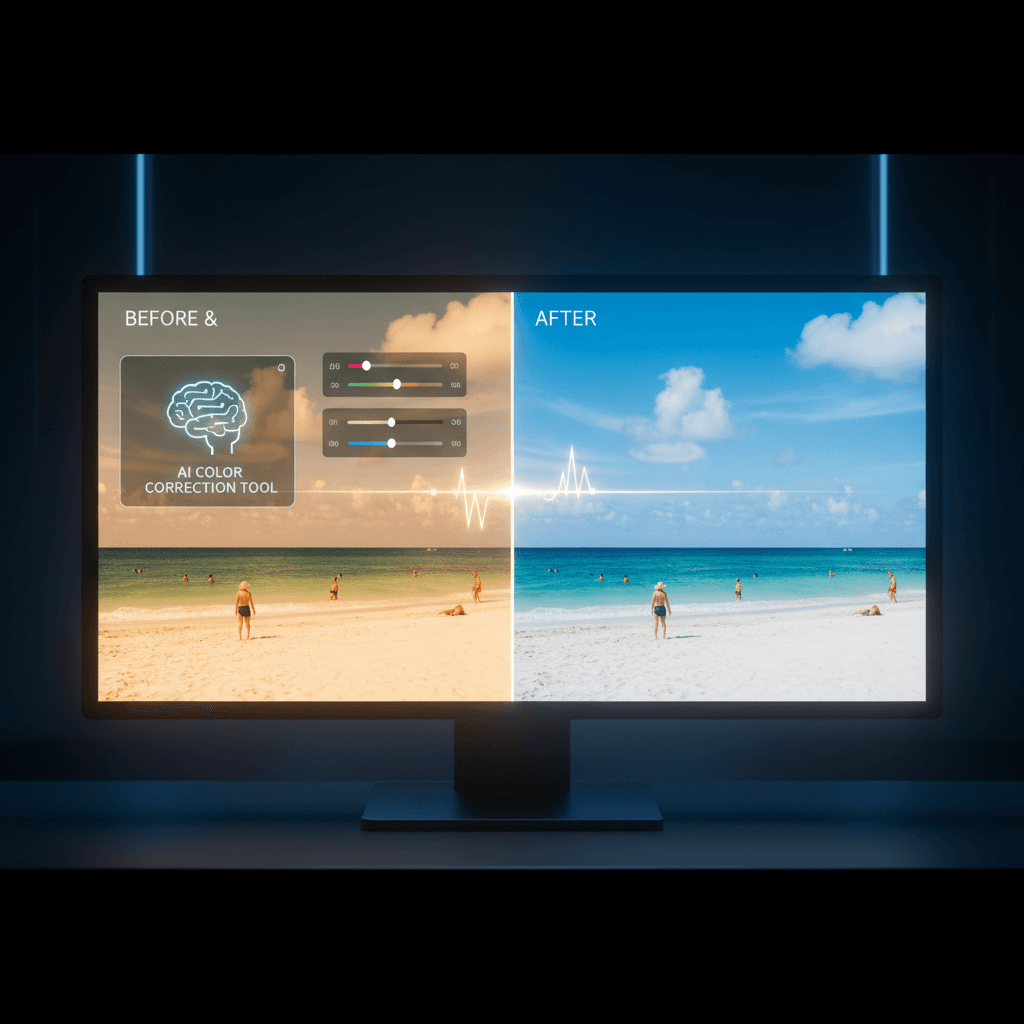
Color correction used to mean dragging curves, balancing levels, and squinting at histograms. Seedream v4.0 Edit replaces all of that with a sentence. Type "warm up the tones" or "fix the white balance" and get a corrected image in 30 seconds for $0.10.
TL;DR
- $0.10 per color correction - a one-sentence AI color workflow
- Fix white balance, color casts, saturation, and tone
- No curves, levels, or histograms to learn
- 20-40 seconds per correction
- Start with 10 free credits at arteza.ai
Why Color Correction Is Hard
Colors break for subtle reasons. Mixed lighting creates weird casts. Cheap sensors push reds or cyans. Old photos fade toward yellow. Phone cameras misjudge white balance in shade. The human eye compensates - the camera doesn't.
Traditional correction means learning:
- White balance controls
- RGB and HSL channels
- Curves and levels
- Color picker sampling
- Adjustment layers and masks
That's a 10-hour learning curve minimum. Seedream v4.0 Edit skips all of it. You describe the color problem, and the model applies the correction.
5 次免费生成 · 无需信用卡
Common Color Problems and Prompts
Problem: Photo has a green cast from fluorescent lighting
"Remove the green cast and restore natural skin tones"
Problem: Sunset photo looks muted
"Boost the warm tones and saturation for a rich sunset feel"
Problem: Snow photo looks blue
"Fix the blue cast on the snow and restore neutral whites"
Problem: Indoor photo looks too yellow from incandescent bulbs
"Cool down the warm yellow tones and restore neutral whites"
Problem: Old photo has faded to sepia
"Restore original colors and remove the sepia fade"
Try Seedream v4.0 Edit - simple AI image editing
AI image editing at just $0.10 per edit. Free credits, no card needed.
Try Seedream v4.0 Edit FreeThe Color Correction Vocabulary
The model responds best when you use descriptive language instead of technical jargon.
| Technical | Natural Language |
|---|---|
| "Increase saturation by 20%" | "Boost color richness" |
| "Warm white balance by 200K" | "Add warm golden tones" |
| "Reduce magenta in shadows" | "Remove pink tint from the shadows" |
| "Add blue to highlights" | "Cool down the bright areas" |
| "Clarity +15" | "Add subtle clarity and punch" |
Use plain English. The model was trained on descriptions, not numerical adjustments.
Style-Based Color Grading
Beyond correction, you can apply specific color grades:
"Apply a teal and orange cinematic color grade"
"Turn this into a moody desaturated film look"
"Apply a warm 1970s Kodachrome aesthetic"
"Apply a clean modern editorial color grade"
"Apply a washed-out pastel vintage look"
These runs are instant color makeovers. Use them for consistent blog or social feeds.
Real Example: Rescuing a Dinner Photo
You shot a dinner at a restaurant. The photo has:
- Yellow-orange cast from restaurant lighting
- Muted food colors
- Dull background
Correction prompt:
"Fix the warm yellow cast, restore natural food colors, and add subtle vibrancy"
Generation time: 30 seconds. Cost: $0.10. Output: dinner photo that looks appetizing instead of sickly.

Fix your next bad-lighting shot. Open Seedream v4.0 Edit and type a color prompt.
Batch Color Grading
If you have a set of photos with the same color problem (same shoot, same lighting issue), use the same prompt across all of them. Consistency is cheap:
| Photos | Cost |
|---|---|
| 10 | $1.00 |
| 30 | $3.00 |
| 100 | $10.00 |
A wedding photographer batch-correcting 200 reception shots: $20. Compared to $80+ in Lightroom time if you're doing it manually at fair freelance rates.
Before/After Pattern Prompts
Use this template for any color fix:
"Fix [problem], restore [target], keep [preserved element]"
Examples:
"Fix the green cast, restore natural skin tones, keep the background intact"
"Fix the over-exposure, restore sky detail, keep the foreground lit"
"Fix the faded colors, restore vibrant saturation, keep the composition"
This structure gives the model a clear before-state, after-state, and preservation boundary.
What v4.0 Edit Handles Well
- White balance corrections
- Color cast removal
- Saturation and vibrance adjustments
- Tone mapping and contrast
- Cinematic color grading
- Style-matched grades across batches
What It Struggles With
- Exact color matching to a specific hex code (describe the color by name instead)
- Selective color correction in very small regions (better for global corrections)
- Color-critical prints where pantone-level accuracy matters (use a dedicated tool)
For 95% of color correction work - social, blog, web, ecommerce - v4.0 Edit is fast, cheap, and good enough.
Tips for Better Color Correction
- Start with the obvious problem. "Fix the green cast" is a better first prompt than "improve the colors."
- Name colors specifically. "Emerald green," "deep burgundy," "soft pastel pink."
- Use "keep" for protection. "Keep the subject's skin tones natural."
- Iterate if subtle. If the first try is too aggressive, add "subtly" to the prompt.
- Pair with style prompts. Correction + grade in one prompt often works:
"Fix white balance and apply warm cinematic grade".
Related Reading
- Seedream v4.0 Edit complete guide
- How to fix bad photos with Seedream v4.0
- Seedream v4.0 Edit for ecommerce
Final Word
Color correction used to gatekeep photo editing. Seedream v4.0 Edit tears down the gate for $0.10 per correction. Sign up, grab your 10 free credits, and fix the first badly-lit photo in your gallery.
立即试用 Seedream v4.0 Edit
在创作页面上传您的图片以开始编辑。
5 次免费生成 · 无需信用卡