Made with this app
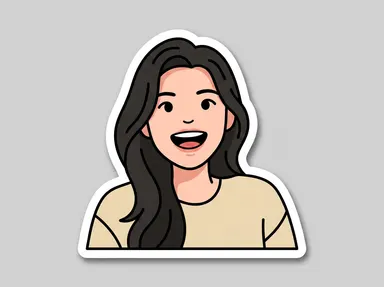
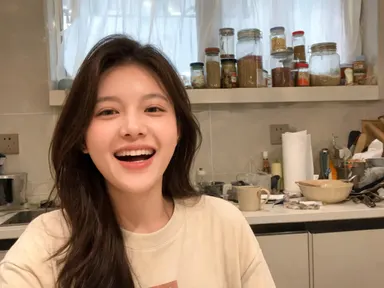

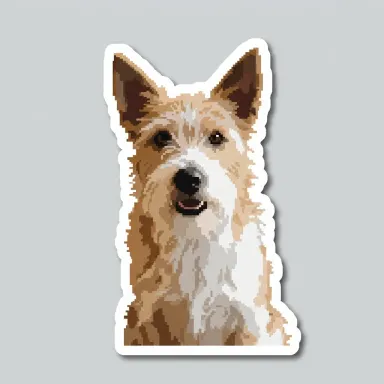
AI Sticker Maker turns any photo of a person, pet, food, plant, shoe, toy or other solid subject into a finished die-cut sticker, complete with a clean white border and soft drop shadow on a neutral background. Upload a JPG, PNG, WebP or GIF, then pick a finish from the visual library: from 'Cute cartoon' to 'Embroidered patch' to 'Holographic foil'. The subject stays recognisably itself across every style. The result renders at up to 4K resolution, ready to share, print or use as a digital asset.
How to use this app
- 1
Upload your file. There is no prompt you have to write.
- 2
Pick a look from the visual library, add a note of your own if you want one, then press Generate.
- 3
Watch your result appear in the gallery within moments.
- 4
Download, share, or generate again with a new idea.
What you can make
Pet portrait stickers
Upload a clear photo of your dog or cat, choose 'Enamel pin' or 'Embroidered patch', and get a sticker that captures their markings and expression in a collectible finish. Useful for custom merchandise, phone cases or simply as a keepsake to share with other pet owners.
Small business product stickers
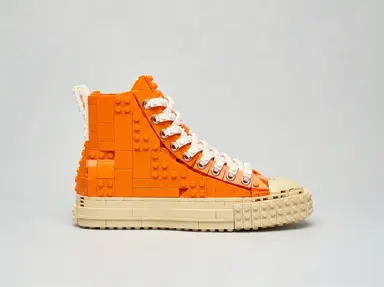
Photograph a candle, a jar of sauce or a pair of trainers against any background, pick 'Holographic foil' or 'Puffy sticker', and walk away with a rendered sticker-style asset at up to 4K. Useful for social posts, packaging mockups or digital marketing without a studio session.
Fan art and character stickers
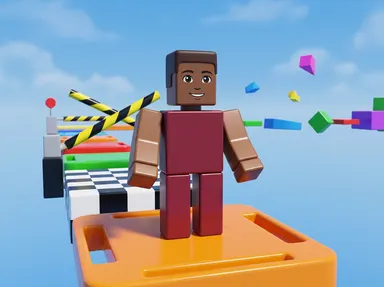
Upload a portrait photo of a person in costume or a bold pose, choose 'Comic book' or 'Pixel art', and receive a sticker that reads like a limited-run collectible. Each render preserves the face and likeness while committing fully to the chosen graphic style.
Plant and food illustration stickers
A close-up photo of a succulent, a croissant or a slice of pizza translates well into 'Watercolour' or 'Lino print'. The result works as a decorative sticker graphic for menus, packaging inserts or lifestyle content without requiring any illustration skills.
Toy and collectible documentation
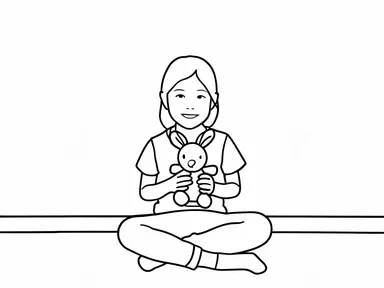
Action figures, plush toys and resin collectibles photograph cleanly and render vividly under 'Two-colour print' or 'Cute cartoon'. The sticker format is a natural match for the category and the high resolution output holds up at large display sizes.
Shots to try
Tips for better results
Fill the frame with your subject
A photo where the subject occupies most of the frame gives the app more surface to work with. Distant or small subjects produce weaker sticker outlines. Crop tightly before uploading if your original has a lot of empty space around the subject.
Match finish to subject texture
Subjects with strong surface texture, such as fur, food or fabric, reward the more textural library choices: 'Embroidered patch', 'Lino print' and 'Watercolour'. Smooth, graphic subjects like toys and shoes tend to look strongest under 'Enamel pin', 'Pixel art' or 'Puffy sticker'.
Use the free text box for specific details
If there is one element you want preserved or handled a particular way, the optional text box under the library is the place to say so. Keep it to a single clear instruction. The library choice is still the main decision; the box is for a detail, not a full description.
Try multiple library choices on the same photo
Because the subject stays consistent across every render, uploading the same image and testing two or three different library choices is a fast way to compare finishes. The high resolution output means any of the results can be used at print size without going back to reshoot.
When to choose this app
AI Sticker Maker is the right choice when the goal is a finished die-cut sticker graphic built from a real photo of a specific subject: a face, a pet, a product or a piece of food. It is a different job from AI Food Photography, which takes a dish photo and places it in a chosen shooting environment, or AI Fashion Model, which puts a garment onto a model in a setting. Those apps produce photorealistic scenes. This app produces a styled, bordered, shadow-finished sticker asset, rendered at up to 4K, in one of ten distinct graphic finishes.
Frequently asked questions
What kinds of subjects work best with this app?
Subjects with real mass and visible surface area work best: people, pets, food, plants, shoes, toys and similar solid objects. The app reads the surface texture and form of the subject to apply the chosen finish convincingly. Very thin or skeletal objects have too little surface for the painted and moulded finishes to grab onto.
Will my subject still look like themselves in the sticker?
Yes. The app is built to carry the subject's identity through every style change. A pet keeps its markings, a person keeps their face and expression, and a product keeps its shape and colourway. The library choice changes the rendering finish, not the identity of what is in the photo.
Can I add a name or caption to the sticker?
No. The app does not add any text, lettering, numbers or logos to the result, and the optional free text box cannot change that. The output is always image only. If you need a name or caption on the final artwork, that would need to be added in a separate design tool after download.
What file formats can I upload?
You can upload JPG, PNG, WebP or GIF files. Drag the file into the upload area or pick it from your device. The app works directly from the file you provide; there is no link or URL field.
Can I influence the result beyond choosing a library tile?
Yes. There is a small optional free text box under the library where you can add one focused instruction, such as a detail you want kept or something you would like left out. The library choice remains the main control; the box is for a specific refinement, not a full prompt.
Is the output file ready to send to a cutting machine or print shop?
The output is a high resolution flat image, up to 4K, suitable for digital use, sharing and standard print. It is not a vector cut file or a manufacturing format, so it would need to go through your print provider's own preparation process before it could be die cut physically.
Do I need any editing skills?
No. Upload your photo, pick the look you want from the library, and the app writes the full instruction for you behind the scenes. There is nothing to install and nothing to configure. A small optional box lets you add one line in your own words, but the app works without it.
Can I use the results commercially?
Yes. Content you generate is yours to use, subject to our content licenses.
How long does a generation take?
Most generations finish in under a minute, and you can watch progress live in the gallery.