Made with this app
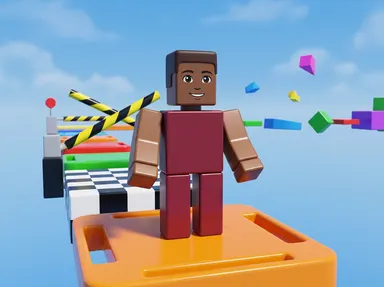
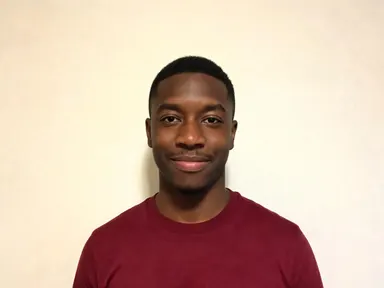
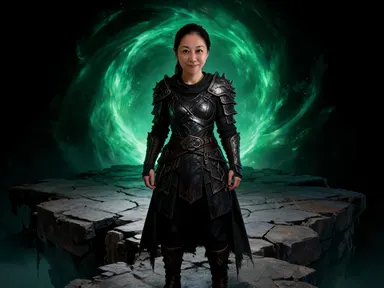
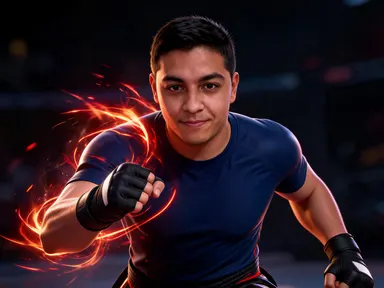
Roblox AI Generator takes one photograph of you and rebuilds you as a smooth plastic block character standing somewhere in that world. The head is a wide box with a small printed face, the torso is a rectangular slab, the arms and legs are straight rectangular blocks that end in flat blunt squares, and every surface is clean glossy plastic with a soft highlight. Eight tiles choose where you are standing: an obstacle course, a city street, a factory floor, a racing track, a campfire, a skate park, a spawn platform or a tower ledge. Your hair colour, skin tone and the colours you are wearing carry across, so the figure reads as you. No username, no currency counter and no menu appear anywhere in the picture.
How to use this app
- 1
Upload your file. There is no prompt you have to write.
- 2
Pick a look from the visual library, add a note of your own if you want one, then press Generate.
- 3
Watch your result appear in the gallery within moments.
- 4
Download, share, or generate again with a new idea.
What you can make
An avatar that matches the one you play as
Players build an avatar in the game and then have nothing to use outside it. Starting from your own photograph gives you a figure in the same blocky plastic style, carrying your hair and your colours, which works as a profile picture on any platform without borrowing somebody else's render.
Party invitations and birthday artwork
A child who plays this game every day is the easiest person to plan a party for and the hardest to find artwork for. Turning their birthday photograph into a plastic figure on an obstacle course or a spawn platform gives you a card, an invitation or a banner that is about them specifically.
Thumbnails for game and obby channels
Creators posting obby runs, tycoon builds or challenge videos need a recognisable face on the thumbnail that still looks like it belongs to the game. A plastic figure built from your own photograph gives the channel a consistent character without lifting a frame from somebody else's experience.
A matching set for a whole friend group
Run each person in the group through the same tile and you get figures in one consistent style, framing and light. Because the app fixes the art direction, the results sit together as a group picture set rather than as a handful of unrelated images.
Seeing a real face rebuilt out of blocks
The plainest reason is curiosity about what a familiar person looks like rendered as a glossy plastic block figure. The campfire tile lights the figure warm from below, the night lit skate park lights it from the side, and the same character reads quite differently in each.
Shots to try
Tips for better results
Expect a figure, not a portrait
A blocky plastic head with a small printed face cannot hold your features, and the app does not pretend otherwise. What carries across is hair colour, skin tone and the colours you are wearing. If you need a picture that still looks like you, a portrait app is the right tool instead of this one.
Upload one person, framed close
The app works from a single photograph of a single person, from the chest up or closer. A sharp, evenly lit face gives the most faithful colours. A group photo, a very small face or heavy shadow all leave the app guessing at the colours it is meant to carry into the plastic.
Let the tile set the place
Each tile fixes the location, the light and everything behind the figure, so there is no need to describe the world yourself. The optional instructions box is best used for small additions such as a shirt colour, rather than for trying to move the figure somewhere the tile did not choose.
Choose the tile by its light
The eight places differ most in lighting. The obstacle course, city street and spawn platform are flat and bright, the campfire is warm and low, and the skate park and tower ledge are more directional. Deciding what light you want first makes the choice between the eight much quicker.
When to choose this app
Roblox AI Generator is the right choice when you want a glossy plastic character built out of plain rectangular blocks, standing in a place you picked, rather than a photograph with an effect applied. It is deliberately not a likeness tool. AI Sticker Maker produces a flat cut out illustration of a subject, and AI Camera Angle Changer reshoots a real subject from a different point of view, both of which keep much more of your actual face. When the goal is to be rebuilt as a smooth plastic figure in that world, this app is built for exactly that.
Frequently asked questions
Will the figure look like me?
Only in the way a plastic block figure can. The head is a simple part with a small printed face and cannot hold your features, so the app carries your hair colour, your skin tone and the colours you are wearing instead. Those are what make the figure recognisable to people who know you.
Can I choose where the character is standing?
Yes, and that is the main choice on the page. Eight tiles cover an obstacle course, a city street, a factory floor, a racing track, a campfire, a skate park, a spawn platform and a tower ledge. The tile you pick sets the location, the light and everything behind the figure.
Will my username or a menu appear above the character?
No. The pictures carry no writing and no game interface of any kind. There is no username above your head, no currency counter, no menu, no button, no logo and no title card. What comes back is the scene and the figure alone, which leaves you free to add your own caption.
Can I get my friends in the same picture?
No. The app takes one photograph of one person and returns one figure, and nobody else is added to the frame. To make a group set, run each person separately through the same tile. The style and framing are fixed, so the results will match each other closely.
What kind of photo works best?
One clear photograph of one person, framed from the chest up or closer, in even light. The sharper the face and the more accurate the lighting, the better your hair colour and clothing colours carry into the plastic. Very small faces and group shots give the app the least to work from.
Does the figure have hands and fingers?
No. The arms and legs are straight rectangular blocks ending in flat blunt squares, with no hands or fingers modelled, which is what makes the style read as a block figure rather than as a person. This is deliberate, and the instructions box will not add them, because it would break the look the app is built to produce.
Do I need any editing skills?
No. Upload your photo, pick the look you want from the library, and the app writes the full instruction for you behind the scenes. There is nothing to install and nothing to configure. A small optional box lets you add one line in your own words, but the app works without it.
Can I use the results commercially?
Yes. Content you generate is yours to use, subject to our content licenses.
How long does a generation take?
Most generations finish in under a minute, and you can watch progress live in the gallery.