Audio apps
Arteza has 13 Audio apps. An app is one AI model with its settings already chosen for a single job, so there is nothing to configure: pick the one named after what you want, and run it.
Speech, music and sound, generated. These 13 apps cover voiceover from text, cloned and designed voices, translation that keeps the speaker, music from a description, sound effects, and cleaning up a recording that already exists.
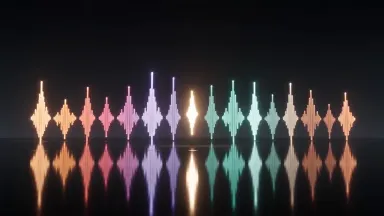
AI Beat Maker
Pick a genre and get fifteen seconds of finished instrumental. Trap, lo-fi, house, trailer score, jazz trio: fourteen to choose from, no instruments and no singing required.
1 credit per generation

Seed Audio 1.0
Describe a whole scene rather than a single line, and Seed Audio performs it. Steer it with an image or a reference recording, and reuse voices you have cloned.
1 credit per generation

MiniMax Speech 2.8 HD
MiniMax Speech 2.8 HD is the tier for narration you intend to publish. Up to 10,000 characters a run, multilingual, with emotion you can steer.
From 1 credit per generation

MiniMax Speech 2.8 Turbo
The fast, low-cost MiniMax voice, for drafts and high-volume narration. Up to 10,000 characters a run, in several languages.
From 1 credit per generation

ElevenLabs Audio Isolation
Upload a noisy recording and ElevenLabs gives the voice back on its own. Room tone, traffic and hiss come out; the performance stays in.
From 2 credits per generation

ElevenLabs Sound Effects
Describe a sound and ElevenLabs returns it as a clean two to twenty-two second file. Footsteps, a door, a room tone, a whoosh for the cut.
From 1 credit per generation

ElevenLabs Translate
Upload audio and ElevenLabs gives it back spoken in another of ten languages, in the same voice. The performance survives the translation.
From 14 credits per generation
ElevenLabs TTS
Paste a script and pick from over a hundred ElevenLabs voices in twelve languages. Adjust the emotion and the pace until the read sounds like a person.
From 1 credit per generation

ElevenLabs Voice Clone
Upload one sample and ElevenLabs builds a voice you can keep using. Preview it straight away, then narrate anything in it.
23 credits per generation

ElevenLabs Voice Convert
Upload a recording and ElevenLabs returns it in a different voice, word for word. Over a hundred targets, with the delivery preserved.
From 5 credits per generation

MiniMax Voice Design
Describe a voice in words and MiniMax builds it: age, accent, mood, character. HD quality, and it is yours to reuse.
45 credits per generation
Stable Audio
Describe the mood and Stable Audio writes five to thirty seconds of it, royalty-free. Any genre, for the bed under an ad or a podcast.
1 credit per generation

Whisper Transcription
Upload audio and Whisper returns the text with timestamps, plus a subtitle file ready to drop onto a video. 99 languages.
1 credit per generation
How it works
- Describe what you want to create, or upload your source file.
- Pick your options, then press Generate.
- Watch your result appear in the gallery within moments.
- Download, share, or generate again with a new idea.
How to choose a Audio app
- The newest model is first
- This page is ordered by the date each app arrived, newest first, and anything added in the last few weeks carries a badge. The most recent model is usually the strongest one for the job, so the top of the grid is a reasonable default.
- The price is on every card
- Each card shows what one generation costs in credits, because the cost is the model's. Where an app offers settings that change the price, the card quotes the lowest it can be.
- The engine is named, not hidden
- Most of these apps are named after the model that runs them, so you can pick by engine if you already know which one you want. The rest are our own pipelines, named after the result instead.
Related tools
Learn the concepts
Other collections
Audio apps, answered
- What are Audio apps?
- Each one is a single AI model with its settings already chosen for one job. The model, the resolution, the aspect ratio and the quality are fixed, so instead of configuring a studio you pick the app named after what you want and run it. There are 13 of them in this collection.
- How much does a Audio app cost?
- Each app shows its own price in credits on its card, because the cost is the model's. Credits come with every plan, and a free account is topped up with 10 credits a day, which covers the cheaper apps in this collection. Opening an app costs nothing; only running a generation does.
- Do I need an account to use a Audio app?
- You can open any app and look at what it makes without an account. Running a generation needs one, because the result is saved to your library so you can download it, redo it with a different prompt, or carry it into another app.
- Can I use what a Audio app makes commercially?
- On a paid plan, yes: Starter through Studio include full commercial usage rights for everything you generate, and the terms are the same for all 13 apps here. Outputs made on the free tier are for personal use. The licences page states the full terms.