Video to Video apps
Arteza has 4 Video to Video apps. An app is one AI model with its settings already chosen for a single job, so there is nothing to configure: pick the one named after what you want, and run it.
Hand in footage and get it back changed. These 4 apps restyle, extend or re-edit a clip you upload rather than inventing one, which is what makes them the right tool when the shot already exists.
MiniMax H3 Max Recast
Upload a clip and one photo per new face. MiniMax H3 Max Recast puts your people into the shot and follows each of them from cut to cut, keeping the original motion, camera and sound.
From 23 credits per generation
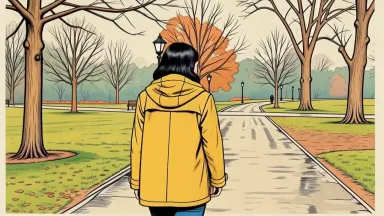
AI Video Restyle
Upload a clip and get it back drawn, painted or modelled in another medium. Your movement, your framing, a whole new surface.
From 6 credits per generation

Kling O3 Edit
Upload up to 15 seconds of footage and describe the new look. Kling O3 restyles the picture and leaves the original audio exactly where it was.
From 6 credits per generation
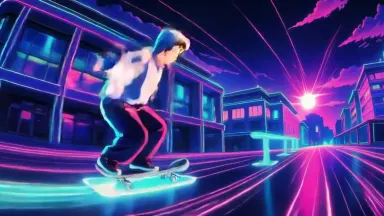
Kling O1 V2V Edit
Upload a clip and tell Kling O1 what to change in plain words. Swap the character, move the scene somewhere else, or steer the edit with reference images.
From 8 credits per generation
How it works
- Describe what you want to create, or upload your source file.
- Pick your options, then press Generate.
- Watch your result appear in the gallery within moments.
- Download, share, or generate again with a new idea.
How to choose a Video to Video app
- The newest model is first
- This page is ordered by the date each app arrived, newest first, and anything added in the last few weeks carries a badge. The most recent model is usually the strongest one for the job, so the top of the grid is a reasonable default.
- The price is on every card
- Each card shows what one generation costs in credits, because the cost is the model's. Where an app offers settings that change the price, the card quotes the lowest it can be.
- The engine is named, not hidden
- Most of these apps are named after the model that runs them, so you can pick by engine if you already know which one you want. The rest are our own pipelines, named after the result instead.
Related tools
Learn the concepts
Other collections
Video to Video apps, answered
- What are Video to Video apps?
- Each one is a single AI model with its settings already chosen for one job. The model, the resolution, the aspect ratio and the quality are fixed, so instead of configuring a studio you pick the app named after what you want and run it. There are 4 of them in this collection.
- How much does a Video to Video app cost?
- Each app shows its own price in credits on its card, because the cost is the model's. Credits come with every plan, and a free account is topped up with 10 credits a day, which covers the cheaper apps in this collection. Opening an app costs nothing; only running a generation does.
- Do I need an account to use a Video to Video app?
- You can open any app and look at what it makes without an account. Running a generation needs one, because the result is saved to your library so you can download it, redo it with a different prompt, or carry it into another app.
- Can I use what a Video to Video app makes commercially?
- On a paid plan, yes: Starter through Studio include full commercial usage rights for everything you generate, and the terms are the same for all 4 apps here. Outputs made on the free tier are for personal use. The licences page states the full terms.