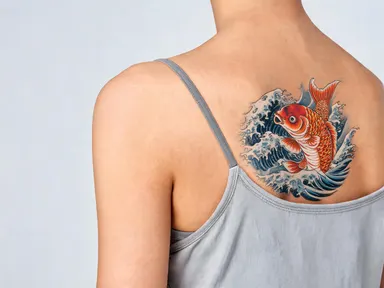
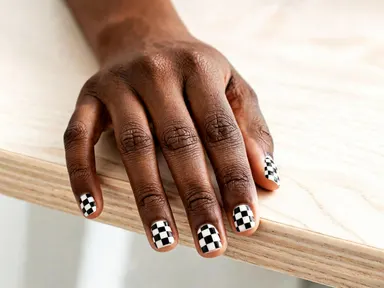
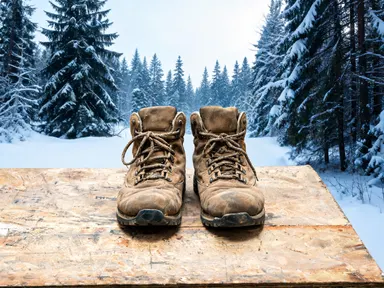
Made with this app
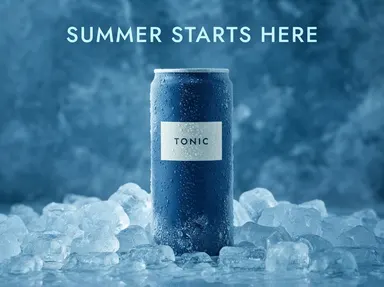
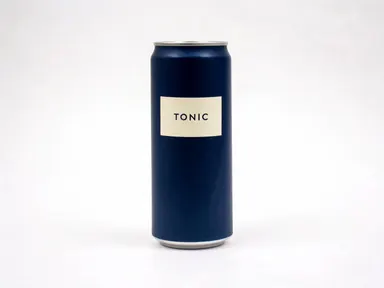
AI Ad Generator takes one photograph of your product and hands back a finished ad with your headline drawn into the picture. Upload the product, pick the scene it should be photographed in from thirty-five tiles, and type up to thirty-two characters of headline. The product itself is kept exactly as it is, down to the wording already printed on its own label, and relit to match the new scene. The words are generated as part of the image rather than laid over it afterwards, so there is no second step in a design tool. The placement control opens on the tall in-feed shape and stays available, so the same product and headline can be remade square for a grid or vertical for a story.
How to use this app
- 1
Upload your file. There is no prompt you have to write.
- 2
Pick a look from the visual library, add a note of your own if you want one, then press Generate.
- 3
Watch your result appear in the gallery within moments.
- 4
Download, share, or generate again with a new idea.
What you can make
A feed ad from the packshot you already have
Most sellers have one clean photograph of the product and nothing else. That is the whole input here: the scene tile decides where it is photographed, the box decides what it says, and what comes back is a placement-shaped image with the words already set into it.
Two headlines on the same scene
Holding the tile constant and changing only the headline gives two ads that differ in exactly one thing. That is the comparison worth making, because it is the wording being tested rather than the picture, and both come back at the same size the feed will show them.
The same ad for every placement
An in-feed ad, a square grid post and a full-height story are the same product and the same line at three shapes. The placement pills stay live after the first generation, so the second and third are a pill away and nothing has to be retyped or cropped by hand.
A seasonal line on existing stock
A sale, a season or a launch usually needs the same catalogue photographed somewhere new with a few words over it. Crushed ice, marble, neon at night and open space above the Earth are all tiles, so the change of setting costs nothing more than picking a different one.
A first draft to take to a designer
Something concrete to react to is easier to brief from than a description. This gives a real composition, at the real shape, with the real headline in place, which is enough for a team to agree on the direction before anyone opens a layout file.
Shots to try
Tips for better results
Short lines come back larger
The box takes up to thirty-two characters and that is a ceiling rather than a target. Four or five words are set big across the space above the product; a full sentence is set small, and small is the same as unread at the size a feed shows an ad.
Type it exactly as it should be drawn
The case you type is the case that is drawn, so capitals come back as capitals. Eleven writing systems were fired at this model and all came back exactly as typed, accented Latin included. Anything that has not been measured here is warned about before you spend, because unmeasured is not the same as safe.
The tile picks the setting, never the words
The grid is a library of scenes shared with the product photography app: studio white, marble, crushed ice, a lit chiller shelf, neon at night. Any tile carries any headline, so read the tiles as places rather than as ready-made ads with copy already in them.
Your own label is kept, everything else stays blank
The wording already printed on the product is preserved exactly as it appears in your photograph. Every other surface in the picture is asked to carry no writing at all, which is what stops invented slogans appearing on backdrops, props and packaging beside your real one.
Choose the placement before you generate
The shape is not a crop applied afterwards; the model composes for it, and the headline is placed in the space the chosen shape leaves above the product. Switching pills and generating again gives a composition built for that placement rather than the first one trimmed down.
When to choose this app
The whole of this app is one combination: a product upload and a headline you choose, drawn together in a single pass at the shape the placement needs. AI Product Photography stages the same product in the same thirty-five scenes and deliberately puts no words in the picture, and AI Product Video makes it move. The closest neighbour is AI YouTube Thumbnail, which also sets a typed headline into a generated image, but it works from a photograph of a person at a fixed wide shape; here the subject is the product, its own label text is preserved rather than replaced, and the placement is yours to pick. What it is not is a marketing suite: there is no saved brand kit, no link to read a product page from, no carousel builder and no copywriter. It does one thing that the neighbours leave to a second tool, which is putting the words into the picture.
Frequently asked questions
Is the headline really part of the image?
Yes. It is drawn during the same generation that stages the product, not laid over the finished picture, which is why it sits on the artwork with matching light rather than floating above it. It also means it cannot be edited, moved or retyped afterwards.
Will my product still look like my product?
That is what the app asks for first: same shape, proportions, colour, material, finish and label text, with no redesigning or relabelling, relit to match the new scene. The wording already printed on your packaging is named as an exception and stays exactly as your photograph has it.
Why does the headline stop at thirty-two characters?
Because that is the last length measured holding on one line at this shape. Four lengths were fired, three headlines each: sixteen, twenty-four and thirty-two characters all held three out of three, and forty characters held none, wrapping onto a second line or repeating its own tail.
Can I get several variations at once?
No. One press returns one image. Changing the headline, the tile or the placement and generating again is how you get a second one, and each attempt is charged at the cost shown on the button before you press it.
Will it write my language?
Eleven writing systems were fired at this model rather than assumed, and all of them came back exactly as typed: Chinese, Thai, Russian, Ukrainian, Korean, Arabic, Hebrew, Hindi, Bengali, Japanese, and accented Latin including Turkish and Vietnamese. Anything outside that measured set is warned about as soon as you type it, before anything is spent, and you can still generate.
Can I set the font, the colour or the corner the words go in?
No. The headline is asked for on one line in clear space above the product, large and fully inside the frame, and the model chooses the letterforms to suit the scene. There is no font picker, no hex code and no position control, because none of those were measured holding on this model.
Can it read my product page or use my brand kit?
No. It works from one photograph of one product and the line you type. There is nothing to paste a link into, no stored logo file, hex code or typeface to match against, and it does not build carousels or write the copy for you.
How much does it cost?
Each generation costs 1 credit. New accounts get free credits to try it out.
Do I need any editing skills?
No. Upload your photo, pick the look you want from the library, and the app writes the full instruction for you behind the scenes. There is nothing to install and nothing to configure. A small optional box lets you add one line in your own words, but the app works without it.
Can I use the results commercially?
Yes. Content you generate is yours to use, subject to our content licenses.
How long does a generation take?
Most generations finish in under a minute, and you can watch progress live in the gallery.