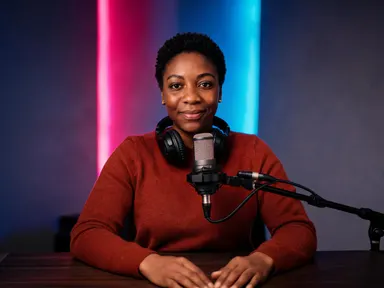
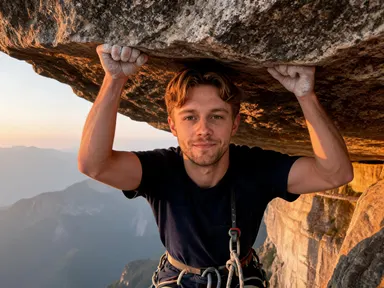
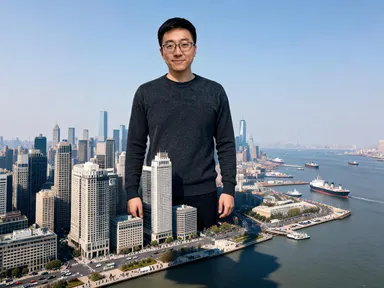
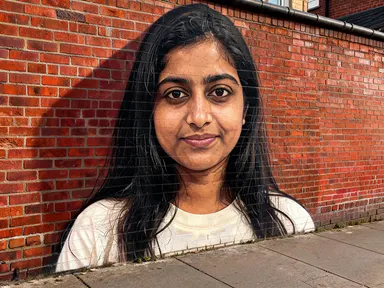
Made with this app
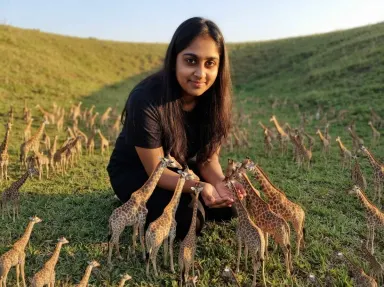
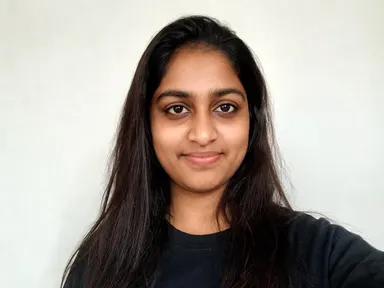
Micro-Beasts AI Generator turns a single portrait into a fully realized photograph of you surrounded by a crowd of miniature animals. Upload one clear photo of your face, pick an animal from the sixteen-tile library, and the app builds the scene: a matching environment, consistent lighting and a herd or flock of creatures scaled down to house-cat size swarming around you. It is made for anyone who wants a striking, shareable image without touching a single prompt.
How to use this app
- 1
Upload your file. There is no prompt you have to write.
- 2
Pick a look from the visual library, add a note of your own if you want one, then press Generate.
- 3
Watch your result appear in the gallery within moments.
- 4
Download, share, or generate again with a new idea.
What you can make
Social profile pictures with character
A headshot becomes a scene. Choose "Wolves" for a winter-pine atmosphere or "Pandas" for a soft mist-and-bamboo mood and the result is a full-frame photograph that reads immediately, holds attention in a feed and shows your actual face without any filter distortion.
Gifts for animal lovers
Pick the recipient's favourite animal, upload a photograph of them taken in good light and the app produces a keepsake image. "Rabbits" delivers dozens of thumb-sized bunnies across open palms on a chalk hillside; "Penguins" puts a colony of coffee-cup-tall birds across laps and shoulders on bright ice.
Content for wildlife and conservation accounts
Campaign posts and awareness graphics benefit from images that are impossible in real life but feel photographic. "Rhinos" beside a dry waterhole or "Flamingos" wading across tidal mudflats at dusk carry environmental atmosphere that illustrative artwork often lacks.
Children's birthday and celebration images
Upload a photograph of a child with a clearly visible face and choose "Horses," "Sheep" or "Deer" for a gentle pastoral result. The app keeps the face exactly as it is while building a scene that reads like a fairy-tale photograph rather than a digital collage.
Themed team or group identity images
Each team member uploads their own photograph, picks the same tile, and the results form a coherent visual set. Because the animal and the environment come from the same library choice, all sixteen outputs share lighting, scale and setting without any manual coordination.
Shots to try
Tips for better results
A head-and-shoulders photo is enough
You do not need a full-length photograph. The app builds the rest of you deliberately, extending the shot to at least the waist with your arms and hands in frame and the ground visible beneath you, because animals can only be around you if there is a body and a floor for them to be around. A tight crop of your face and shoulders is a perfectly good starting point.
Shoot in clear, even light
The app carries your face, skin tone and hair across to the new scene. A photo taken in even daylight, without heavy shadows across the face or strong coloured backlighting, gives the app a clean read of those features and produces a more faithful likeness in the result.
Use the text box for moment, not location
The optional text box under the library is useful for details like a hand position, a direction you want to look or a detail to keep. The environment comes with the tile you choose and cannot be moved by text, so "kneeling with both arms outstretched" is a productive note while "put the tigers in a snowy forest" will not redirect the scene.
Try two or three tiles before committing
The animal and the environment are inseparable: "Lions" brings red earth and a flat-topped tree, "Penguins" brings a bright ice shelf. If you are unsure which atmosphere fits your purpose, try a short list of tiles on the same photograph and compare the output before deciding which to use.
When to choose this app
Micro-Beasts AI Generator is the right choice when the goal is a photorealistic scene built around a real person's face, with the environment, lighting and animal crowd generated together in one pass. AI Room Converter works from a room photograph and returns it refitted for a new purpose, keeping the same walls and windows. AI Sky Replacement takes an outdoor photo and swaps the sky while rematching the light below it. Neither of those apps is designed to place a person inside a new environment populated with living creatures, which is the specific thing Micro-Beasts AI Generator does.
Frequently asked questions
Does my clothing carry across to the result?
Your face, skin tone, hair and any glasses you are wearing in the photo carry across faithfully, and whatever you are wearing where the photo is cropped normally carries across too: a dark jumper in the photo stays a dark jumper in the result. What the app has to invent is everything below the crop, so the cut of sleeves, trousers and shoes is its own choice rather than yours.
Can I get a mix of two different animals in one image?
Each tile produces one animal. The library does not offer mixed-animal scenes, and the optional text box cannot reliably introduce a second species. If you want results featuring different animals, generate one image per tile and compare them.
Will any of the animals appear full sized in the background?
No. Every animal of the chosen kind in the picture is miniature at the same scale, whether it is in your hands or far back in the scene. The app does not place full-sized versions of the animal anywhere in the background or on the horizon.
What photograph works best as a starting point?
A photo where your face is clearly visible, taken in even natural light, with at least some of your upper body in frame works best. Avoid photos with heavy shadows across the face, very busy backgrounds that crowd the face, or small faces at the edge of a wide group shot.
Can I add text, my name or a logo to the output?
The app does not add any text, lettering, numbers, logos or watermarks to the result, and the optional text box will not produce them either. If you need to add a name or caption to the finished image, that is best done in a separate design tool after you have downloaded the result.
Is the result a photograph or an illustration?
The output is a photorealistic image: sharp focus, consistent natural lighting and photographic depth, not a stylised illustration or painting. The animals are rendered as real living creatures at an impossible scale, so the result reads as a photograph of something that could not happen rather than artwork describing it.
How much does it cost?
Each generation costs 1 credit. New accounts get free credits to try it out.
Do I need any editing skills?
No. Upload your photo, pick the look you want from the library, and the app writes the full instruction for you behind the scenes. There is nothing to install and nothing to configure. A small optional box lets you add one line in your own words, but the app works without it.
Can I use the results commercially?
Yes. Content you generate is yours to use, subject to our content licenses.
How long does a generation take?
Most generations finish in under a minute, and you can watch progress live in the gallery.