Made with these exact prompts
A curated set of results. Hover any tile and try the prompt yourself.
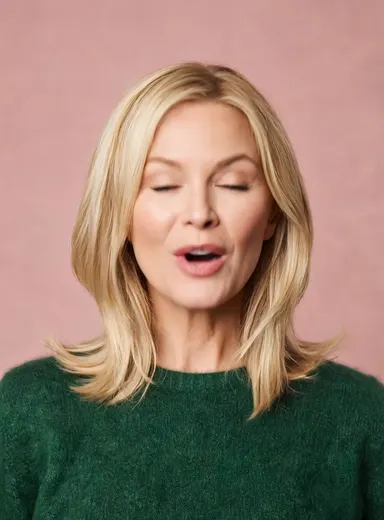 Fabric 1.0 1.2c
Studio portrait of a 45-year-old Swedish woman with blonde lob haircut, wearing a forest-green cashmere sweater, dusty rose backdrop, soft beauty-dish lighting, photorealistic, shoulders-up, genuine warm gaze.
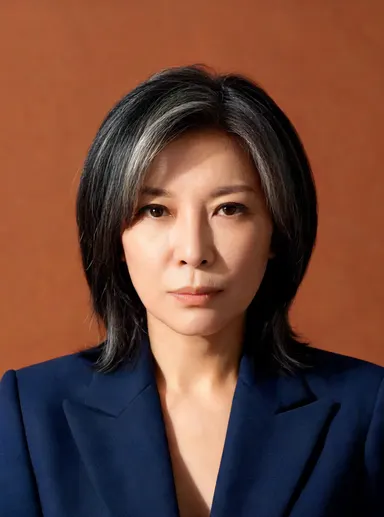 OmniHuman v1.5 2.4c
Studio portrait of a 40-year-old Japanese woman with silver-streaked bob, wearing a structured indigo blazer, warm terracotta backdrop, soft butterfly lighting, photorealistic, shoulders-up framing, direct confident gaze.
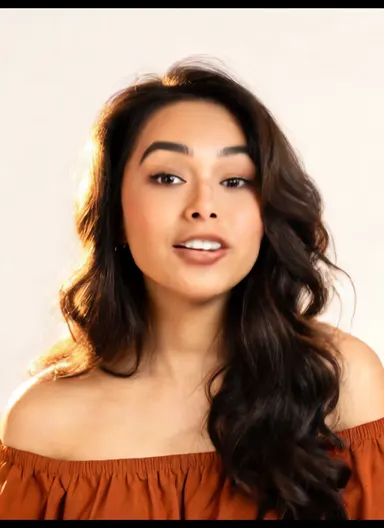 Wan 2.2 S2V 3.8c
Studio portrait of a 25-year-old Peruvian woman with long dark waves, wearing an off-shoulder rust-orange blouse, ivory backdrop, golden-hour rim lighting, photorealistic, shoulders-up, bright curious expression.
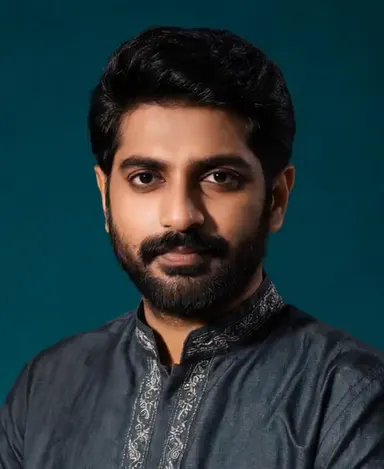 Infini Talk 5c
Studio portrait of a 38-year-old Indian man with neat beard, wearing a charcoal kurta with subtle embroidery, deep teal backdrop, split studio lighting, photorealistic, shoulders-up, composed and attentive expression.
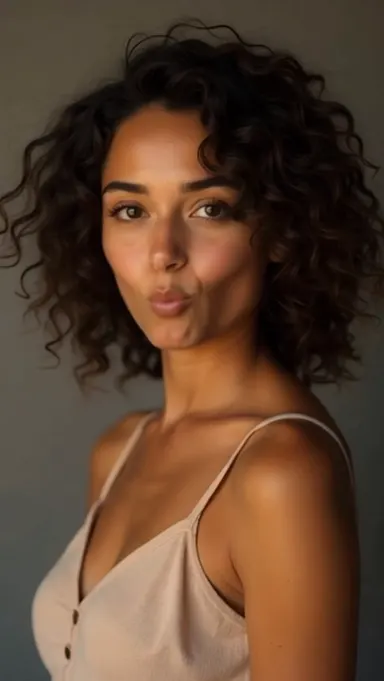 Sync-3 Lipsync 2.1c
Studio portrait of a 32-year-old South Korean man with undercut hair, wearing a crisp sky-blue dress shirt, off-white backdrop, cool cinematic LED lighting, photorealistic, shoulders-up, relaxed professional expression.
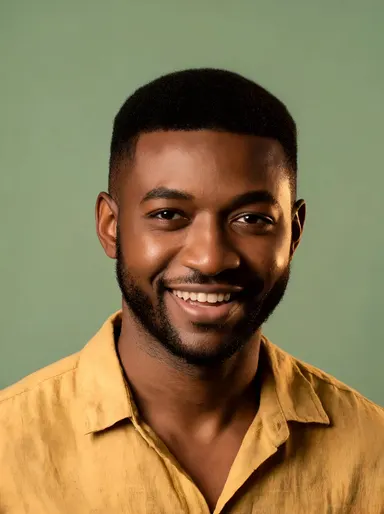 Kling Avatar v2 1.8c
Studio portrait of a 28-year-old Nigerian man with close-cropped natural hair, wearing a mustard linen shirt, sage-green backdrop, Rembrandt lighting, photorealistic, shoulders-up, warm expressive smile.
Everything you need for AI avatars
Use cases
Frequently Asked Questions
How realistic are the AI avatars?
Our avatars feature natural lip-sync, subtle head movement, and realistic facial expressions. The result is a professional talking-head video that looks like a real person speaking.
How much does avatar generation cost?
Avatar videos start at 1.2 credits per clip. You get 10 free credits every day, so you can create several avatars at no cost.
What photo requirements are there?
A single clear, front-facing photo works best. The face should be well-lit and unobstructed. Minimum resolution of 512x512 pixels is recommended.
What languages do the avatars support?
Avatars support all the same languages as our voiceover engine - 12+ languages including English, Spanish, French, German, Japanese, Chinese, and more.
Can I use the avatars commercially?
Yes, all generated avatar videos include a commercial license. Use them in presentations, training materials, social media, ads, and any other project.
How to use it
- Pick a single, clear, front-facing photo of a face.
- Type the script, or upload the audio the avatar should speak.
- Choose the expression style and generate the clip.
- Play it back and download the video.
Example output
Every example tile on this page starts from a studio portrait written the same way. Read side by side, the prompts show which details make a face that animates well.
| Part of the prompt | What the examples say | Why it helps the avatar |
|---|---|---|
| Subject | age, background, hair | one person, described plainly |
| Clothing | one garment in one colour | a calm frame around the face |
| Backdrop | one plain colour | nothing behind the head to move |
| Lighting | a named studio light: soft, butterfly, rim, split, Rembrandt | the face is evenly lit and clear |
| Framing | shoulders-up, photorealistic | the mouth and eyes are large in the frame |
| Expression | warm, confident, curious, attentive | a neutral start the lip-sync can move from |
Limits and privacy
One photo makes one face: the avatar does not change who is in the picture. Avatars support all the same languages as our voiceover engine, and all generated avatar videos include a commercial license.
Use a photo of yourself, or of someone who has agreed to it. A talking video of a real person puts words in their mouth, so get their permission before you publish it.
What makes a photo work for a talking avatar?
A single face, looking at the camera, evenly lit and not covered. The model has to find the mouth, the eyes and the outline of the head before it can move them, so anything that hides them makes the result worse.
- Face the camera; a strong side angle hides half of the mouth.
- Keep hands, hair, glasses glare and microphones away from the mouth.
- Use a plain background, so the movement around the head stays clean.
- Use a sharp photo: a minimum resolution of 512x512 pixels is recommended.
How long should the script be?
Write the script the way you would say it, in short sentences, and keep one idea per clip. Several short clips are easier to fix than one long one: if a word sounds wrong, you regenerate one clip, not the whole video.
How many clips can you make with the free credits?
Avatar videos start at 2 credits per clip, and you get 10 free credits every day. At the starting price, that is enough for a few clips a day without paying.
Free daily credits at the starting price
  10 credits / 2 credits per clip = 5 clips a day
  A clip that costs more uses more: at 5 credits, 10 credits make 2 clips