Made with these exact prompts
A curated set of results. Hover any tile and try the prompt yourself.
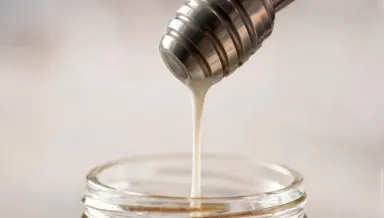 Runway Gen-4 Image Turbo 1c
Change the honey to bright white milk and the wooden dipper to brushed stainless steel, leaving the drop's exact shape, the falling thread, the hard side light and the soft jar rim below completely unchanged.
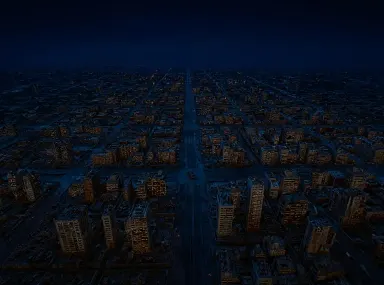 FLUX Kontext Pro 1c
Change the scene from amber overcast day to clear night: darken the sky to deep blue-black, light every window in the grid in warm gold, add red aircraft beacons on the tallest towers, and leave the street layout and camera exactly as they are.
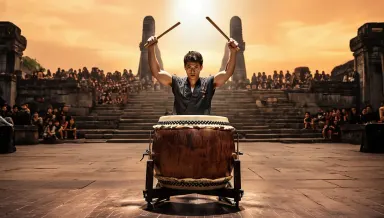 Runway Gen-4 Image 2c
Replace the dark rehearsal hall behind the drummer with a vast open air temple courtyard at golden hour, adding distant stone pillars and a crowd seated on the steps, keeping the drummer, the drum and the hard overhead light exactly unchanged.
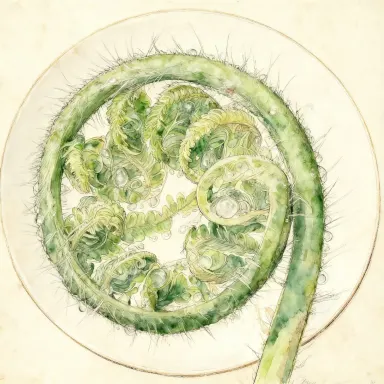 Seedream v4.0 Edit 1c
Convert the image to a detailed scientific watercolor illustration in the style of a Victorian botanical plate, with fine ink outlines, hand-painted color washes, and cream paper texture visible in the background.
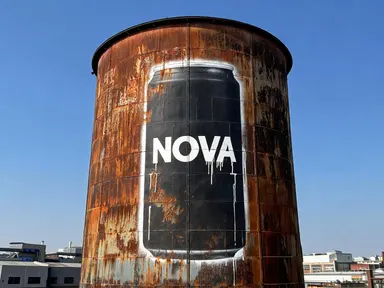 Seedream 5.0 Lite 1c
Your product, painted the size of a building
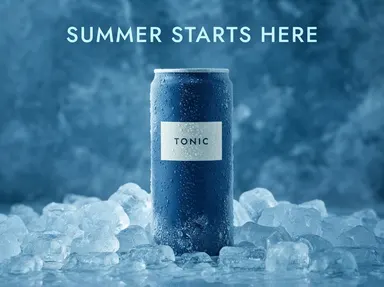 Nano Banana Lite 1c
One packshot, your headline, a finished ad
14 models that read your picture
Nano Banana Pro
Premium Google Gemini 3 Pro image generation
Nano Banana 2
Google Gemini-powered image generation
Nano Banana Lite
Sub-2s Google Gemini image generation and editing
Seedream 5.0 Pro
Flagship deep-thinking image model with on-image text and precise editing
Seedream v4.5
Advanced text-to-image with up to 16MP output
Seedream 5.0 Lite
Latest generation with deep-thinking mode
GPT Image 2.5 Flare
Fast GPT Image 2.5 for high-volume creative work
GPT Image 2.5 Sunburst
Premium GPT Image 2.5 for production-ready campaign work
GPT Image 2
OpenAI's latest image generation model
FLUX 2 Pro
Production-grade photorealism
Runway Gen-4 Image
Reference-guided image gen
Runway Gen-4 Image Turbo
Fast reference-guided images
Seedream v4.0 Edit
Budget-friendly AI image editing
Nano Banana 2.1
Google's newest Gemini image model
Why a reference beats a longer prompt
Use cases
- Keeping one character recognisable across a series of images
- Re-shooting a product in a setting you never had access to
- Matching a brand palette a written prompt keeps missing
- Turning a rough sketch or a screenshot into a finished picture
- Restyling a photo you already own instead of starting over
- Trying the same reference through several models before choosing one
Image to image, answered
What is image to image?
You give the model a picture as well as a prompt. The picture carries what a sentence struggles with, such as a face, a product, a palette or a composition, and the prompt says what to do with it.
How many reference images can I use?
It depends on the model. Each one declares how many references it reads and the limit is shown beside it in the picker, so the number you see is the model's own rather than a figure written into this page.
How much does it cost?
It runs on credits, and the credit cost is shown before you run it. New accounts start with free credits and there is a free allowance every day.
Can I use the results commercially?
Yes, images generated on Arteza come with a commercial license for business use.