Made with this app
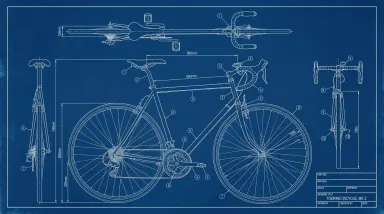
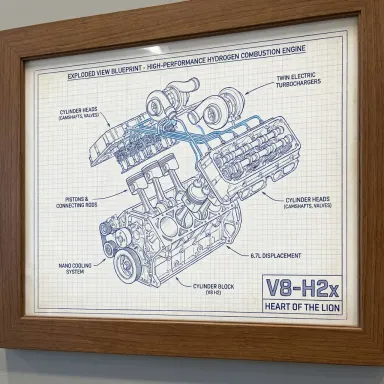
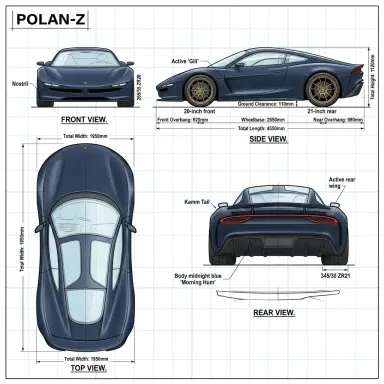
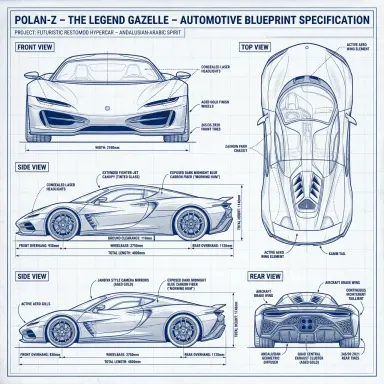
AI Blueprint Maker turns one photograph of one object into a technical drawing sheet of it. Upload the object, pick how the sheet is drawn, and type the title that goes in the corner block. What comes back is laid out the way a real drawing is: a large front view with a smaller side view and top view around it, thin dimension lines with arrowheads reaching to the edges of each part, numbered callout circles on leader lines, centre lines through the round parts, and a ruled title block in the bottom right with your title lettered into it. Eight traditions are offered, from cyanotype blue to a nineteenth century patent plate. Everything on the sheet except your title is decoration, and the page below says exactly what that means.
How to use this app
- 1
Upload your file. There is no prompt you have to write.
- 2
Pick a look from the visual library, add a note of your own if you want one, then press Generate.
- 3
Watch your result appear in the gallery within moments.
- 4
Download, share, or generate again with a new idea.
What you can make
A print of something you own
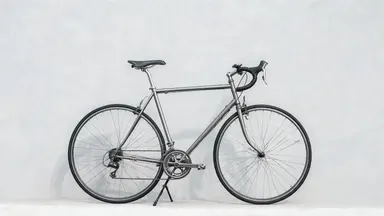
A bicycle, an espresso machine, a guitar, a motorcycle, a sewing machine. Photograph it against a wall, pick the cyanotype or drafting linen tile, title it with its name, and the result frames as a print of the specific object rather than a stock illustration of one like it. The drawing keeps the parts the object actually has, in the places it actually has them.
A product page that shows the construction
A photograph shows what a product looks like; a three view drawing shows how it is put together. The exploded patent plate and the sectional cutaway both open an assembly up, which is the picture a listing needs when the selling point is inside the object rather than on the outside of it. Read it as an illustration, not as a specification, because the figures on it are invented.
Slides and decks that need one strong image
The sheet comes back wide, which is the shape a slide is, so it drops onto a title slide or a section divider without cropping. The glowing wireframe tile on its dark ground sits under white text; the graph paper and linen tiles read as documentation rather than as a render.
Teaching material and worksheets
The cutaway tile draws the object opened up with its inside visible, which is the picture a lesson about how something works actually needs and the hardest one to find for an everyday object. Photograph the thing in the room, draw it, and the illustration matches the object the class has in front of it.
Concept and pitch imagery for a made object
A prototype photographed on a desk looks like a prototype on a desk. The same prototype as a drawing sheet with its own titled corner block reads as a considered piece of engineering, which is often the whole point of the slide it goes on. The room, the desk and anything standing beside it are left out.
Shots to try
Tips for better results
Photograph one object, not a scene
The sheet is a drawing of a single object, and everything else in the photograph is dropped: the room, the table, the wall and anything standing beside it. It reads best from a plain three quarter or side view of the whole object with nothing overlapping it. If two objects are in frame it draws the main one, so the closer the photograph is to the thing alone, the less it has to decide.
The title is the one thing on the sheet you control
Type it as you want it drawn, up to 28 characters. Drafting capitals suit the format and are what the probe renders used, but the case you type is the case that is drawn. Part codes survive: "CARBON FRAME SET, TYPE 4B-11" is 28 characters and came back letter for letter on all 16 probe sheets. The letters are the dependable part and the punctuation is not, so read the marks between words before you use a sheet anywhere it matters. A later render of a comma title set the comma as a full stop, which changes nothing about the letters either side of it and would still be wrong on a label. The box is required, because a sheet handed an empty title block writes its own title into it, and the ones it writes are usually wrong.
Every number on the sheet is invented
The dimensions, the tolerances, the callout numbers and the printed names of the fields are drawn because a drawing has them, not because they were measured. They are frequently misspelled, and two drawings of the same photograph disagree about the figures. A photograph with no ruler in it contains no information a real measurement could be recovered from, so nothing here can be built, ordered or quoted from.
The tile changes how it is drawn, not what is on it
All eight keep the same three views and the same title block, so the same photograph through two tiles is one drawing rendered two ways. The cutaway is the exception worth knowing: it opens the object up, so it wants something with an inside, and on a thin frame or a flat object it comes back looking much like the plain line work tile.
When to choose this app
AI Blueprint Maker is built around the one thing a general image model gets wrong here: the lettering. Asking any model for a blueprint gives you a picture of a blueprint, with a title block full of invented words and your product name misspelled inside it. This app was built on the one engine here that was measured setting a typed title into a small ruled box exactly as typed, in 12 languages including Korean, Arabic, Hebrew, Hindi, Bengali and Japanese, which is not something the engines behind the sibling apps can do. The layout is also fixed rather than hoped for: three squarely aligned views, real dimension and leader lines, a ruled corner block, and a landscape sheet, because that is the only shape the arrangement fits on. What it is not is a CAD program. It returns a picture, not a file you can open, measure or edit, and the numbers on it are decoration. If you want blank outlines to colour in rather than a drawing sheet, AI Coloring Page is the neighbour to use, and if you want a photograph made from a drawing rather than the other way round, that is AI Sketch to Image.
Frequently asked questions
Is the drawing accurate enough to build from?
No, and it is not meant to be. The dimensions, tolerances and callout numbers are drawn because a technical drawing has them, and they are invented. A photograph with no ruler in it carries no scale, so no real measurement could be recovered from it even in principle. Generate the same photograph twice and the figures differ. The shape and the parts follow the object; the numbers do not.
Does the patent tile give me a patent?
No. It is a nineteenth century drafting style and nothing more. No sheet from this app carries a patent number, an application number, a filing date, an agency name or an inventor, and none of them is a legal record of any kind. It grants no protection.
What shape does it come back in?
Always a wide landscape sheet, and that is fixed rather than offered. A drawing sheet puts a large front view beside a smaller side view and top view with the title block in the bottom right corner, and that layout only exists on a wide page. Your photograph can be any shape, including a portrait phone photo.
Will it letter my language?
Each alphabet named here was fired at this model in this title block rather than assumed, 3 renders each, and all of them came back character for character correct: plain and accented Latin, Chinese, Japanese, Korean, Thai, Arabic, Hebrew, Hindi, Bengali, Russian and Ukrainian. So none of them is warned about. An alphabet outside that set is warned about the moment you type it, because unmeasured is not the same as safe, and the warning arrives before the credit is spent rather than after.
Why is the title box required?
Because the alternative is worse. A ruled title block with nothing to put in it is a form, and a model handed a form fills it in, usually with a wrong description of your object. Typing the title is what stops it inventing one.
Can I upload a drawing or a screenshot instead of a photo?
It works from a photograph of a real object. A drawing or a render as input gives it less to work from, since the point of the app is that the sheet keeps the parts and proportions the object actually has. Each attempt is charged at the cost shown on the button.
Do I need any editing skills?
No. Upload your photo, pick the look you want from the library, and the app writes the full instruction for you behind the scenes. There is nothing to install and nothing to configure. A small optional box lets you add one line in your own words, but the app works without it.
Can I use the results commercially?
Yes. Content you generate is yours to use, subject to our content licenses.
How long does a generation take?
Most generations finish in under a minute, and you can watch progress live in the gallery.