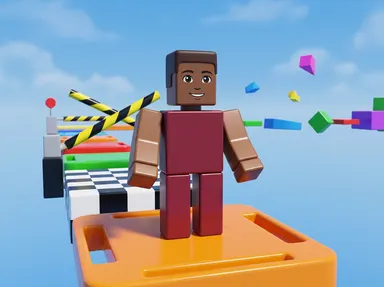
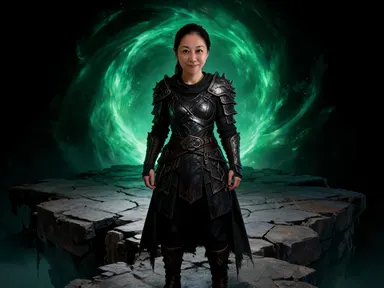
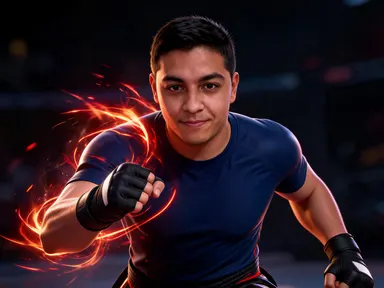
Made with this app
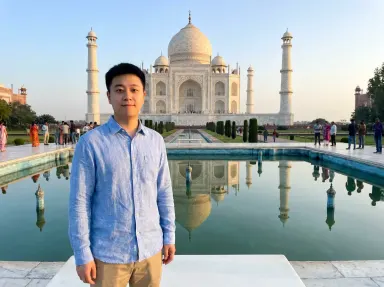
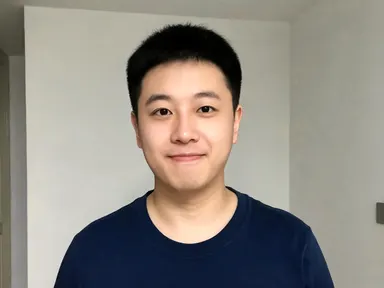
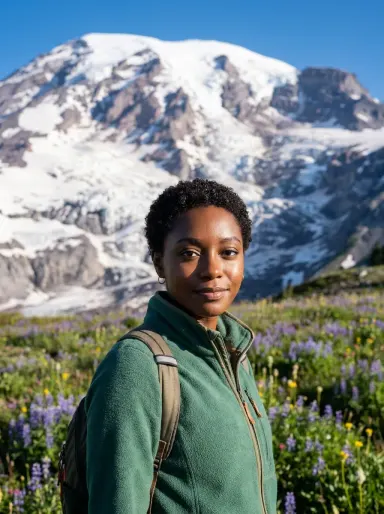
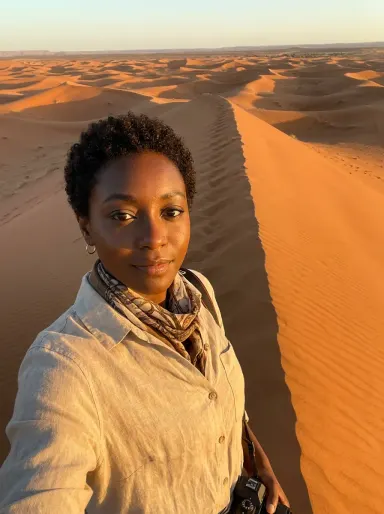
AI Travel Photos takes one portrait you already have and returns a travel photograph of the same person, dressed for the weather of the destination you pick. Upload a clear photo of yourself or someone you know, choose a location tile from the library, and the app produces a single, coherent travel shot: same face, same hair, same skin tone, new place, new outfit. It is built for individuals who want a convincing travel portrait, and for creators who need one quickly.
How to use this app
- 1
Upload your file. There is no prompt you have to write.
- 2
Pick a look from the visual library, add a note of your own if you want one, then press Generate.
- 3
Watch your result appear in the gallery within moments.
- 4
Download, share, or generate again with a new idea.
What you can make
Updating a social travel feed
Upload a recent portrait, choose "Santorini" or "Sahara Dunes", and add a note in the optional box about the colour of your jacket. The result is a clean, well-lit travel shot that fits naturally alongside photos from trips you did take.
Trying a destination before you book
Use the app to see yourself actually standing at "Machu Picchu" or "Northern Lights" before committing to the trip. The dressed-for-weather detail makes the scene feel immediate and helps decide whether a place is as compelling as you imagined.
Personalised gifts and cards
Upload a photo of a friend or family member, choose a destination you know they dream of visiting, such as "Taj Mahal" or "Petra", and produce a portrait that places them there. It makes a specific, personal gift without requiring any travel to have happened.
Profile photos with a sense of place
A portrait taken against a blank wall gives nothing away. Placing the same face in front of "The Alps" or at the "Great Wall" adds character and context to a professional or personal profile without the cost of the trip.
Content for travel writing and blogs
Travel writers who have covered a destination without a good portrait of themselves there can upload a clear headshot, choose the matching tile, and produce a usable editorial image. The optional box can steer small details such as time of day.
Shots to try
Tips for better results
Upload the clearest face you have
The app keeps your face exactly as it appears in the source photo. A sharp, well-lit portrait taken from the chest up gives the app the most to work with and produces the most consistent likeness in the finished photograph.
Use the optional box for small details
The library tile decides the destination and the general outfit. The optional box is best used for narrow, specific additions: the colour of a coat, a preference for morning rather than midday light, or a request to omit something. Do not use it to try to change the destination.
Set the shape and the quality before you generate
The app is set to a 3:4 upright frame, which suits a portrait of one person with the destination behind them. Change it before generating if you know where the picture is going: a square for a profile photo, a wide frame if the landscape matters more than the person. The Quality row beneath it starts on HD, which is right for a feed or a message; move it to 2K or 4K, for more credits, when the shot is destined for a print or a large screen where the landscape has to hold up. Re-generating with different settings costs another credit, so it is worth choosing both first.
Match the portrait to the destination's light
Each tile has its own light: "Sahara Dunes" is warm and golden, "Machu Picchu" is cool and bright. A portrait taken in similar light tends to blend most naturally. If your source photo is very differently lit, the optional box can hint at a preferred tone.
When to choose this app
AI Travel Photos is the right choice when the output is a portrait of a specific, real person placed at a destination, with their face, hair and skin tone preserved exactly. AI Sky Replacement, which replaces the sky above an existing outdoor scene, does not move a person to a new place or change what they are wearing. AI Fashion Model, which takes a garment and places it on a model, works in the opposite direction: it starts from the clothes, not from a specific person's face. If the goal is a convincing travel portrait of someone you can actually identify, this app is the one built for it.
Frequently asked questions
Does my face actually stay the same, or will it look like a different person?
Your facial features, proportions, skin tone and hair are kept as they appear in the photo you upload. Glasses and jewellery are preserved only if you are wearing them in the source image. The result is intended to be recognisably you, placed at the destination, dressed for the weather there.
Can I send two people to the same destination in one image?
AI Travel Photos works from one photograph of one person. If you want a travel portrait showing two people together at a destination, you would need to use a different app built for that purpose. Upload each portrait separately here if you want individual travel shots of each person.
Can I request a specific hotel, street or corner of the destination?
The destination is constructed around the scene described by the tile you choose: the landmark, the landscape, the light. It is not drawn from a specific photograph of a particular location. The app cannot reproduce a specific hotel entrance, a named street, or a corner of a place you remember from a past visit.
Can I add my name, a date or any text to the finished image?
The app does not place any text, lettering, numbers, logos or signage anywhere in the result. This applies to the scene itself and to clothing. The optional instructions box cannot override this. If you need text added to an image, that would need to be done in a separate editing tool after download.
What kind of source photo works best?
A single portrait showing one person clearly from the chest up or closer, in reasonably sharp focus and decent light, works best. Blurry photos, very small faces or group shots reduce the quality of the result. The app is designed for one person per upload.
What file types can I upload?
The upload area accepts JPG, PNG, WebP and GIF files. You drag a file in or pick one from your device. There is no URL field or link option: the upload is always a file from your own storage.
Do I need any editing skills?
No. Upload your photo, pick the look you want from the library, and the app writes the full instruction for you behind the scenes. There is nothing to install and nothing to configure. A small optional box lets you add one line in your own words, but the app works without it.
Can I use the results commercially?
Yes. Content you generate is yours to use, subject to our content licenses.
How long does a generation take?
Most generations finish in under a minute, and you can watch progress live in the gallery.