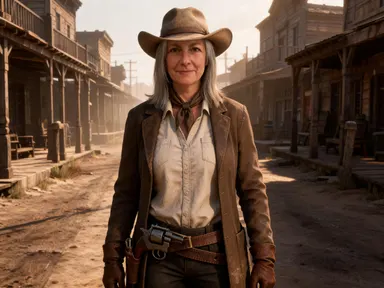
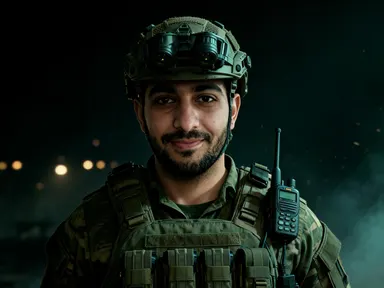
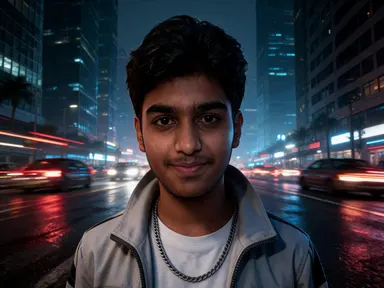
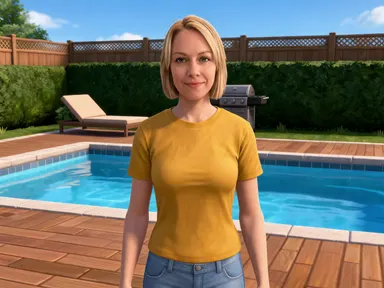
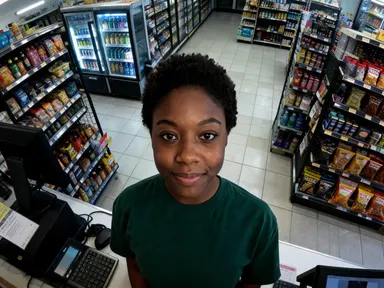
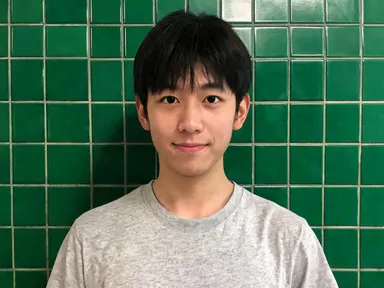
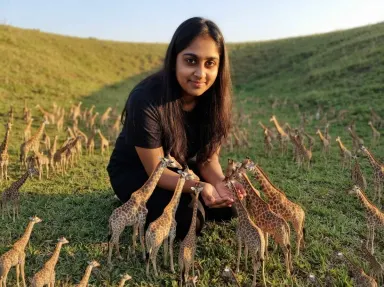
Made with this app
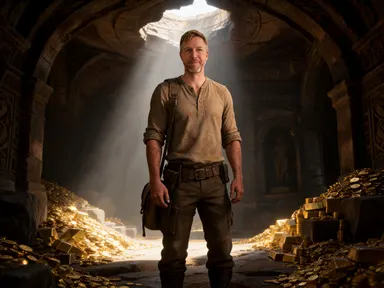
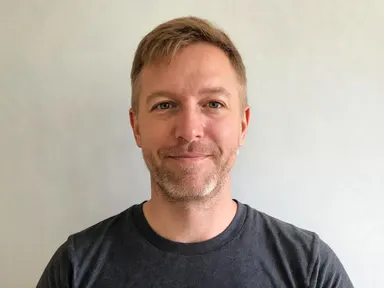
Uncharted AI Generator takes one photograph of you and returns you as the lead of a cinematic treasure hunting adventure, rendered as a realistic game character. Your face is kept as it is: the same features, skin tone, hair colour and hairstyle. What changes is the clothing, a worn half tucked shirt with the sleeves pushed up and a shoulder holster, along with the light and the location around you. Eight tiles choose where you are: jungle ruins, a cliff face, a treasure chamber, a desert convoy, a storm at sea, a market chase, a flooded cave or a snowbound mountain pass. Nobody is hurt and no weapon is fired.
How to use this app
- 1
Upload your file. There is no prompt you have to write.
- 2
Pick a look from the visual library, add a note of your own if you want one, then press Generate.
- 3
Watch your result appear in the gallery within moments.
- 4
Download, share, or generate again with a new idea.
What you can make
A travel style portrait that never happened
The appeal of an adventure portrait is that it puts a real face somewhere it has never been. The jungle ruins and snow pass tiles read as genuine expedition photography, so the result works as a striking profile picture or a print without looking like an obvious effect.
Artwork for adventure and exploration channels
Creators covering exploration games, archaeology or travel need a recurring character on their thumbnails. A realistic portrait of yourself in expedition clothing against a cliff face or a treasure chamber gives a channel its own recognisable lead without using art that belongs elsewhere.
Personal gifts and posters
Turning a photograph of a friend or family member into the lead of an adventure makes an unusually personal print. Because the likeness is kept, it clearly reads as that person in the middle of an expedition, which is what makes it work as a birthday or leaving gift.
Book covers, campaign art and tabletop characters
Writers and tabletop groups often need a face for an adventurer that does not come from a stock library. Uploading a photograph and choosing a location gives a realistic character portrait with a setting already built into the picture, ready to sit under a title.
Seeing yourself in cinematic light
The straightforward reason is curiosity. The storm at sea tile lights the face hard and cold, the treasure chamber lights it warm from a single source, and the desert convoy blows it out in flat sun. The same face carries very differently across the eight.
Shots to try
Tips for better results
Upload a sharp face, close and well lit
This app keeps your likeness rather than stylising it away, so your source photograph does most of the work. A clear picture framed from the chest up or closer gives the strongest result, while a small face in a wide scene gives the app very little to preserve.
Choose the tile by its light
The eight locations differ most in how they light the face. The desert convoy and market chase are flat and bright, the treasure chamber and flooded cave are dark with a single warm source, and the storm at sea is cold and hard. Pick the light first, then the place.
It is an adventure picture, not an action one
The app returns the lead of an adventure standing in a place. Nobody is being hurt, there is no blood or injury, and no weapon is being fired. The tension in these pictures comes from the location and the light rather than from anything happening to anybody.
Use the instructions box sparingly
The tile fixes the location and the lighting, so the optional box is best kept for small additions such as a shirt colour or a detail you want preserved. A full scene description in the box competes with the tile instead of refining what it already chose.
When to choose this app
Uncharted AI Generator is the right choice when you want a realistic, cinematic adventure portrait where the location does as much work as the character, and where your own face is preserved rather than stylised. AI Travel Photos places a real person in a real destination as a travel photograph, which is a calmer and more documentary errand than this one. AI Camera Angle Changer reshoots an existing subject from a new viewpoint without changing the setting at all. When the goal is to be the lead of a treasure hunt, this app is built for exactly that.
Frequently asked questions
Will the picture still look like me?
Yes. The app keeps your facial features, skin tone, hair colour and hairstyle as they appear in the photograph you upload. What it changes is your clothing, the light falling on you and the location behind you, so the result is recognisably you in a place you have never been.
Is anyone being hurt in these pictures?
No. It is an adventure picture rather than an action one. Nobody is being harmed, there is no blood and no injury, and no weapon is being fired. What comes back is the lead of an adventure standing in a location, with the drama carried by the setting and the light.
Can I choose the location?
Yes, and it is the main choice on the page. Eight tiles cover jungle ruins, a cliff face, a treasure chamber, a desert convoy, a storm at sea, a market chase, a flooded cave and a snowbound mountain pass. The tile sets the place, the weather and the light together.
Will there be subtitles or an objective marker on the image?
No. The pictures carry no writing of any kind. There is no subtitle bar, no objective marker, no logo and no title card anywhere in the frame. You get the scene alone, which means it crops cleanly and any text you want over it is yours to add.
Can I include a second person in the scene?
No. The app works from one photograph of one person and returns one character, and nobody else is added to the frame. To make a set featuring several people, run each of them separately, and use the same tile if you want the results to match.
What should I wear in the photo I upload?
It does not matter much, because the app dresses the character for the expedition itself: a worn half tucked shirt with the sleeves pushed up and a shoulder holster. What matters far more is that your face is sharp and well lit, since that is the part the app preserves.
How much does it cost?
Each generation costs 1 credit. New accounts get free credits to try it out.
Do I need any editing skills?
No. Upload your photo, pick the look you want from the library, and the app writes the full instruction for you behind the scenes. There is nothing to install and nothing to configure. A small optional box lets you add one line in your own words, but the app works without it.
Can I use the results commercially?
Yes. Content you generate is yours to use, subject to our content licenses.
How long does a generation take?
Most generations finish in under a minute, and you can watch progress live in the gallery.