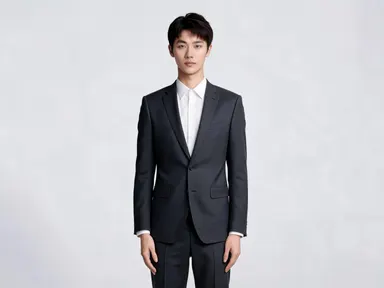
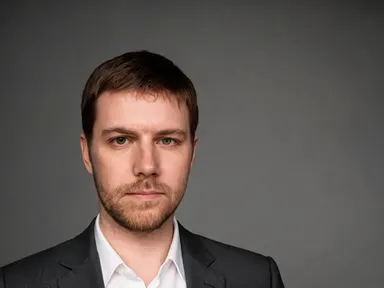
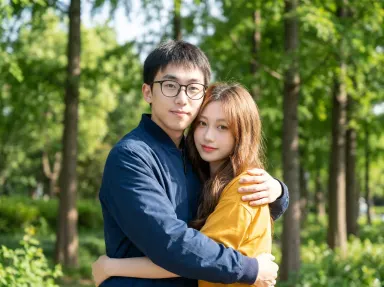
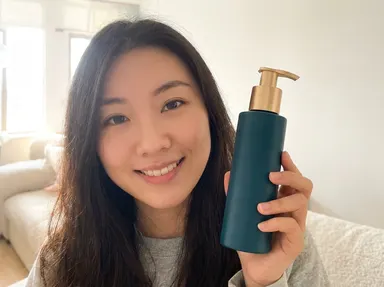
Made with this app
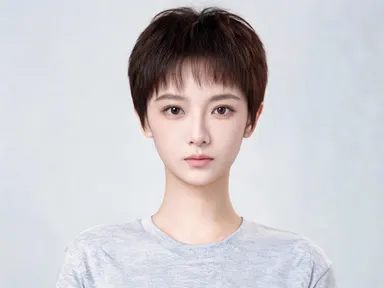
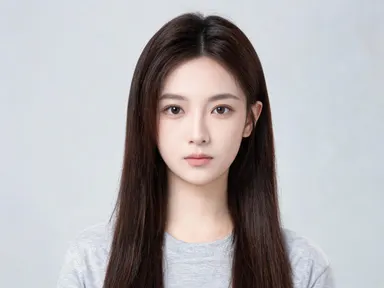
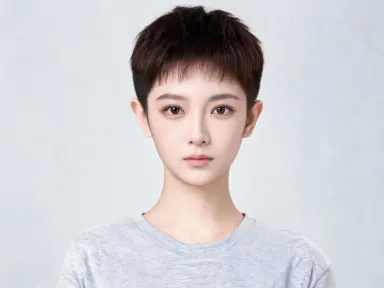
AI Hairstyle Changer lets you try on a completely different look without a salon appointment or a photo shoot. Upload a portrait, pick a style, color or beard option from the built-in visual library, and the app rewrites the hair on that exact face while keeping everything else, the expression, the lighting, the background, precisely as it was. It is built for anyone deciding on a new cut, a color change or a beard before committing to the chair.
How to use this app
- 1
Upload your file. There is no prompt you have to write.
- 2
Pick a look from the visual library, add a note of your own if you want one, then press Generate.
- 3
Watch your result appear in the gallery within moments.
- 4
Download, share, or generate again with a new idea.
What you can make
Deciding on a big chop
Someone considering a pixie cut or a buzz cut can see the result on their own face before picking up the phone to book. The app keeps facial features and skin tone consistent, so the preview is genuinely useful rather than a rough approximation on a model who looks nothing like them.
Testing color before a salon visit
Choosing between icy platinum blonde, warm copper red or a soft balayage is much easier when you can compare all three on the same photo. Upload a single portrait and generate each color option in turn to bring the results straight to your stylist as a reference.
Exploring beard styles for an event
A clean shave reads very differently from a short boxed beard or a goatee on the same face. The beard and facial hair options in the library cover everything from a few days of stubble to a chest-length full beard, making it straightforward to find what suits a specific face shape.
Creating profile and portfolio shots
Photographers, casting directors and talent agents can show a subject several looks without reshooting. Because the output renders at 1K+ resolution, the results are sharp enough to drop into a portfolio PDF or post directly to a professional profile.
Planning a character or costume look
Writers, game designers and cosplay planners can try long box braids, tight spiral curls, neat cornrows or a natural afro on a real face photo to check how a character concept translates before committing to a wig purchase or a costume build.
Shots to try
Tips for better results
Use a clear, front-facing photo
The app performs best when the face is fully visible, evenly lit and not obscured by hats, hoods or heavy shadows. A front-facing or slight three-quarter angle gives the app the most information about the hairline, temples and jaw, which anchors the new style accurately.
Try color options on the same photo
Because color-only options preserve your existing length and style, uploading the same photo and running through several color choices in sequence is the fastest way to compare shades side by side. Save each output before generating the next so you can review them together.
Separate hair and beard changes
The library has dedicated beard and facial hair options that are independent of the hair style options. If you want to change both, generate the new hairstyle first, download the result, then upload that output to try a beard option on top of the new look.
Use high-resolution source images
Uploading the sharpest photo you have helps the app produce an output that takes full advantage of the 1K+ resolution rendering. A blurry or heavily compressed source file limits how much detail the final image can carry, particularly in fine hair texture and edge definition.
When to choose this app
AI Hairstyle Changer is the right choice when the goal is to see a specific hairstyle, color or beard on one particular face, fast, without writing a single instruction. FLUX Kontext Pro lets users edit images with text instructions, which requires knowing how to phrase edits precisely. AI Camera Angle Changer reshoot a photo from a new point of view rather than changing appearance. This app removes both of those friction points: the library handles the language, and the result stays anchored to your face.
Frequently asked questions
Does the app change anything in the photo other than the hair or beard?
The app is designed to leave everything outside the hair and facial hair area unchanged. The face, expression, skin tone, background and clothing all stay as they are in the original photo. Only the hair style, color or beard area is rewritten according to the library option you select.
Which file formats can I upload?
The upload area accepts JPG, PNG, WebP and GIF files. You can drag a file directly into the upload area or pick one from your device. For best results, use a photo where the face takes up a good portion of the frame and is not cropped at the forehead or chin.
Can I try a beard option on a photo of a person who already has a beard?
Yes. The facial hair options include a clean-shaven result that removes existing beard hair entirely, as well as options that add or change beard shape and length. You can use any of these on a photo regardless of whether facial hair is already present in the original.
Can I change both the hair color and the style in a single generation?
The library separates style options from color options. Style options change the cut and shape, while color options preserve your existing length and style and change only the color. To get a new cut in a new color, generate the style change first, download the result, then upload it again and apply the color option.
How well does the app handle textured or coily hair in the source photo?
The library includes styles specifically suited to a range of textures, including a natural afro, long tight spiral curls, long box braids, neat cornrows and shoulder length locs. These options are designed to render with realistic volume and definition rather than flattening the texture to match a different hair type.
Is the output sharp enough to use in a printed document or professional portfolio?
The app renders outputs at 1K+ resolution, which is sufficient for most digital portfolio pages, presentation decks and printed reference sheets at standard sizes. If you plan to print at a large format, the quality of the original photo you upload also contributes to the final result.
How much does it cost?
Each generation costs 1 credit. New accounts get free credits to try it out.
Do I need any editing skills?
No. Upload your photo, pick the look you want from the library, and the app writes the full instruction for you behind the scenes. There is nothing to install and nothing to configure. A small optional box lets you add one line in your own words, but the app works without it.
Can I use the results commercially?
Yes. Content you generate is yours to use, subject to our content licenses.
How long does a generation take?
Most generations finish in under a minute, and you can watch progress live in the gallery.