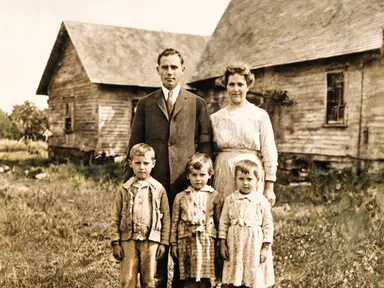
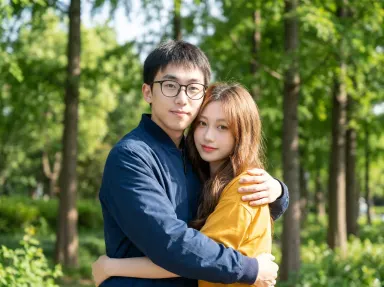
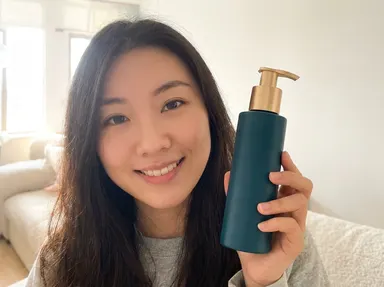
Made with this app
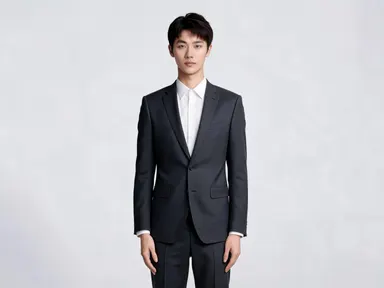
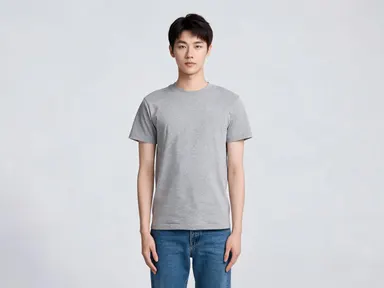
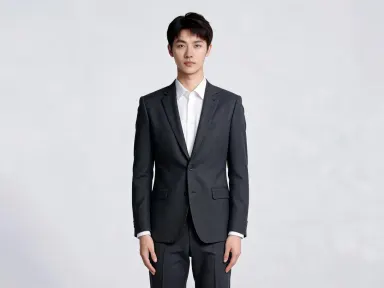
AI Outfit Changer lets you see yourself, or anyone in a photo, wearing a completely different wardrobe without a stylist, a fitting room, or a second shoot. Upload a portrait or full-body photo, choose from a curated library of outfits ranging from traditional Indian formal silk to a glossy black quilted puffer jacket, and the app replaces the clothing while keeping the face, pose, body shape, and background exactly as they were. It suits content creators, fashion professionals, actors building lookbooks, and anyone planning what to wear for an event.
How to use this app
- 1
Upload your file. There is no prompt you have to write.
- 2
Pick a look from the visual library, add a note of your own if you want one, then press Generate.
- 3
Watch your result appear in the gallery within moments.
- 4
Download, share, or generate again with a new idea.
What you can make
Professional Headshot Wardrobe Testing
Upload a clean portrait and cycle through the sharply tailored charcoal wool business suit, the navy blazer over beige chinos, and the all black minimalist outfit to see which reads best for a LinkedIn profile or press bio before committing to a full photoshoot.
Event Outfit Planning
Drop in a recent photo of yourself and try elegant formal black tie evening wear, sleek black cocktail evening wear, or elegant pastel wedding guest attire with soft tailoring to decide what to buy or borrow for an upcoming occasion, saving both time and returns.
Culturally Specific Lookbooks
Designers and stylists working across markets can visualise traditional Indian formal attire in rich silk with gold embroidery, traditional East Asian formal attire in embroidered silk, or traditional West African formal attire in vivid patterned wax print fabric on a single consistent reference photo.
Athletic and Activewear Concepts
Fitness brands and personal trainers can place a subject into fitted charcoal technical athletic wear or bright technical running gear with a lightweight windbreaker to produce consistent promotional imagery without organising a separate sportswear shoot.
Social Media Content Variety
Content creators who want visual variety without multiple outfit changes can generate a week's worth of distinct looks, from a classic blue denim jacket over a white tee to layered oversized streetwear in muted earth tones, from a single uploaded photo.
Shots to try
Tips for better results
Use Clean, Well-Lit Uploads
The app keeps your pose and face precisely when the original photo has even lighting and a clear view of the body. Avoid heavy shadows across the torso, as they can reduce how cleanly the new outfit drapes and fits in the output.
Full Body Frames Get Best Results
Outfits like the heavy charcoal wool winter coat with a chunky knitted scarf or the loose natural linen summer clothing have distinct lower-body elements. A photo that shows at least waist to knee lets the app render those details at their full 1K resolution.
Match Formality to Your Background
The app blends the new outfit into the existing scene's color and lighting. A beach background paired with flowing emerald satin evening wear will look incongruous. For formal outfits, a neutral or indoor background produces the most convincing result.
Try Contrast Picks Deliberately
Choosing an outfit far removed from what the subject is wearing in the upload, such as switching from casual clothes to traditional East Asian formal attire in embroidered silk, gives the app the most room to demonstrate a complete head to toe transformation.
When to choose this app
AI Outfit Changer is the right choice when the photo itself is finished and only the clothing needs to change. Unlike AI Camera Angle Changer, which reconstructs the entire composition, this app leaves pose, face, and setting untouched. Unlike FLUX Kontext Pro or Runway Gen-4 Image, which handle broad open-ended edits, this app offers a focused, curated wardrobe with no freeform guessing, making results faster to review and more consistent across a batch of images.
Frequently asked questions
Will the face and pose change when I swap the outfit?
No. The app is built specifically to preserve facial identity, body position, and background. Only the clothing is replaced. Skin, hair, expression, and the scene behind the subject remain as they appear in your uploaded photo.
How many outfit options are available in the library?
The library currently contains 24 distinct outfits covering business, formal, evening, casual, athletic, streetwear, vintage, and traditional cultural attire from South Asia, East Asia, and West Africa. You pick one per generation, and you can run multiple generations to compare options.
Can I use a photo of someone other than myself?
You can upload any photo you have the right to use. The app treats every upload the same way: it replaces the clothing on the main figure while keeping everything else consistent. Always ensure you have appropriate consent before uploading photos of other people.
Does the app work on group photos?
The app is optimised for photos with one clearly visible subject. In group photos the outfit change will apply to the most prominent figure, but results may be inconsistent when multiple people overlap or share similar framing. Single-subject uploads produce the most reliable output.
What resolution will my output image be?
Outputs come back at high resolution, roughly 3000 pixels on the long edge, and in the same shape as the photo you uploaded rather than cropped to a square. That is enough detail for social media, digital lookbooks, presentation decks, and most print work without a separate upscale step.
Will accessories like glasses, jewellery, or hats be kept?
The app focuses its changes on clothing and leaves other visible elements of the subject, including glasses, earrings, and hair accessories, in place. Items that sit physically inside the clothing area, such as a necklace tucked beneath a collar, may be partially affected by the outfit replacement.
How much does it cost?
Each generation costs 1 credit. New accounts get free credits to try it out.
Do I need any editing skills?
No. Upload your photo, pick the look you want from the library, and the app writes the full instruction for you behind the scenes. There is nothing to install and nothing to configure. A small optional box lets you add one line in your own words, but the app works without it.
Can I use the results commercially?
Yes. Content you generate is yours to use, subject to our content licenses.
How long does a generation take?
Most generations finish in under a minute, and you can watch progress live in the gallery.