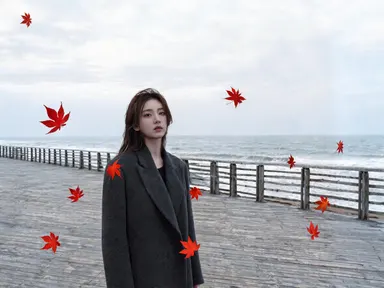
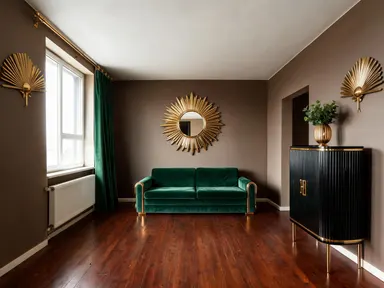
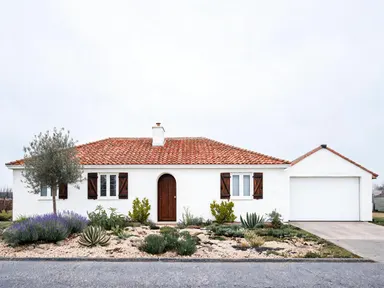
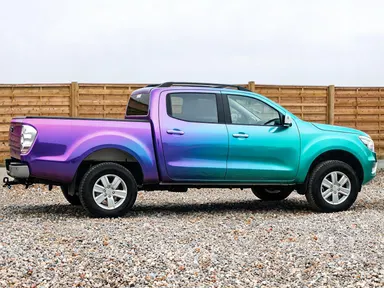
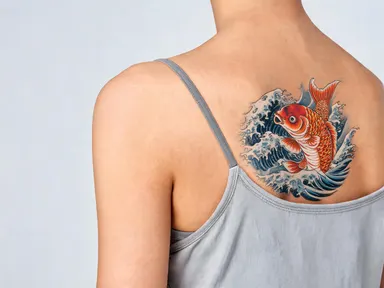
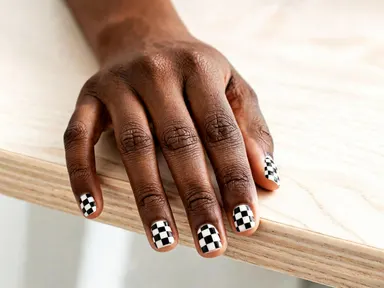
Made with this app
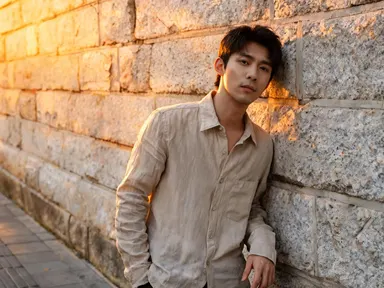
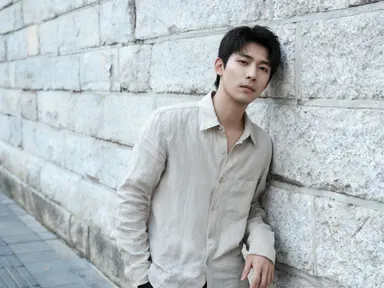
AI Photo Effects takes a single photo you upload and applies a cinematic, atmospheric, or stylized look from a curated visual library, all in one click. No manual editing, no sliders, no prompt writing required. It is built for photographers, content creators, social media managers, and designers who need to transform the mood or aesthetic of an image quickly and consistently, whether they are refreshing a portfolio, matching a brand palette, or testing how a shot reads in different visual styles.
How to use this app
- 1
Upload your file. There is no prompt you have to write.
- 2
Pick a look from the visual library, add a note of your own if you want one, then press Generate.
- 3
Watch your result appear in the gallery within moments.
- 4
Download, share, or generate again with a new idea.
What you can make
Social Media Batch Styling
A content creator shooting product flats or lifestyle photos can cycle through effects like soft pastel color palette, cinematic color grade, or vibrant neon glow to find the look that fits a campaign before committing to a full shoot, saving hours of post-production.
Portfolio Mood Testing
Photographers can upload a finished shot and preview it as monochrome black and white photography, warm sepia-toned vintage finish, or high contrast with deep shadows to explore how a series might look styled in a consistent aesthetic before presenting it to a client.
Brand Visual Consistency
Designers managing a brand with a defined color temperature or film aesthetic can apply the same effect, such as warm golden hour lighting or cool color temperature, across multiple hero images to ensure every asset reads as part of the same visual family.
Editorial and Narrative Framing
Writers or editorial teams can give a documentary photo a moody film noir treatment or a travel shot a faded vintage retro film aesthetic, reinforcing the tone of the story it accompanies without needing access to professional grading software.
Rapid Concept Visualization
Art directors can use effects like double exposure blending two images, digital glitch artifacts and chromatic distortion, or surreal infrared photography palette to pitch unconventional visual directions to clients using real reference material rather than abstract descriptions.
Shots to try
Tips for better results
Start with Clean Exposures
Effects like high contrast with deep shadows and bright highlights or low-key dramatic lighting perform best when the source photo is properly exposed with clear detail in both shadows and highlights. Severely underexposed or overexposed uploads will limit how much the effect can resolve.
Match Effect to Subject Mood
The app restyles color and tone across the whole image, so choosing an effect that aligns with your subject's existing energy, such as dreamy soft glow for soft portraiture or digital glitch artifacts for tech and music visuals, produces more cohesive results than fighting the source material.
Use High Resolution Uploads
Because the app renders output at 1K and above, uploading the highest resolution version of your photo preserves fine detail in effects that depend on texture, such as film grain texture or warm analog light leak, rather than amplifying compression artifacts from a low-resolution source.
Treat Effects as Starting Points
Applying monochrome black and white photography or faded vintage retro film aesthetic gives you a styled base that you can then refine in any standard editing tool. Exporting from AI Photo Effects first and finishing in a secondary app is a fast way to reach a polished final result.
When to choose this app
AI Photo Effects is the right choice when you need to transform the mood or color story of an existing photo without rebuilding a scene or describing anything. Where AI Camera Angle Changer repositions the viewpoint and FLUX Kontext Pro handles structural edits and text modifications, this app focuses entirely on surface-level aesthetic transformation: lighting, grain, color grading, and atmospheric effects applied to an image you already have. It is the fastest path from a good photo to a fully styled one.
Frequently asked questions
Can I apply more than one effect to the same photo?
Each generation applies one effect from the library to your uploaded photo. To layer effects, you can download the result and upload it again as a new source image, then select a second effect. This lets you combine, for example, a film grain pass with a subsequent vignette or color grade.
Will the effect change the composition or crop of my photo?
No. AI Photo Effects is designed to preserve your original composition, framing, and subject placement. The app applies visual treatments like color grading, texture, lighting shifts, and blur to the image as-is, without repositioning elements or altering the aspect ratio.
Which photo formats and aspect ratios work best?
The app accepts standard image file uploads. Landscape, portrait, and square orientations all work. For effects that rely on edge and corner behavior, such as warm analog light leak or subtle dark vignette framing the edges, wider crops with clear negative space at the borders show the most visible result.
How does the double exposure effect work with a single upload?
The double exposure blending two images effect synthesizes a layered look from your single uploaded photo, drawing on tonal and compositional information within the image itself. It does not require a second file, though the result will reflect the content and contrast of your source photo.
Are some effects better suited to portraits than landscapes?
Yes. Effects like creamy bokeh background, low-key dramatic lighting, and dreamy soft glow are most impactful on subject-forward shots such as portraits or product photos. Effects like long-exposure with silky light trails, surreal infrared photography palette, and motion blur conveying speed tend to read more strongly on environments, architecture, and scenes.
Does the app preserve faces and readable text in the photo?
The app applies effects at the image level while keeping faces consistent and rendering fine detail at 1K and above. If your photo contains legible signage or text, the chosen effect will alter its visual style, such as tinting or grain, but the underlying content and readability are maintained where the source resolution supports it.
How much does it cost?
Each generation costs 1 credit. New accounts get free credits to try it out.
Do I need any editing skills?
No. Upload your photo, pick the look you want from the library, and the app writes the full instruction for you behind the scenes. There is nothing to install and nothing to configure. A small optional box lets you add one line in your own words, but the app works without it.
Can I use the results commercially?
Yes. Content you generate is yours to use, subject to our content licenses.
How long does a generation take?
Most generations finish in under a minute, and you can watch progress live in the gallery.