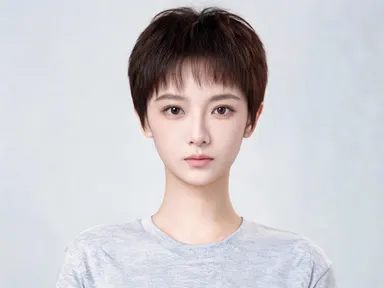
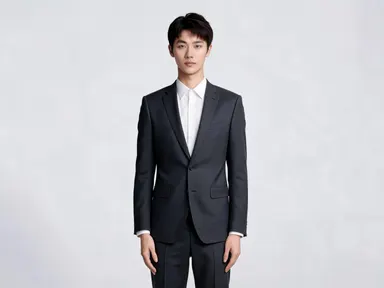
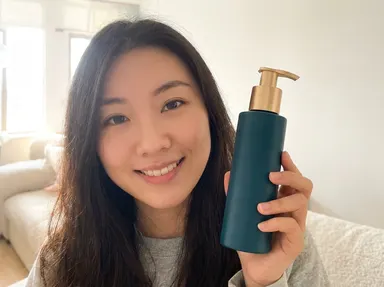
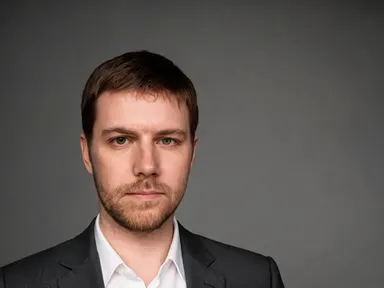
Made with this app
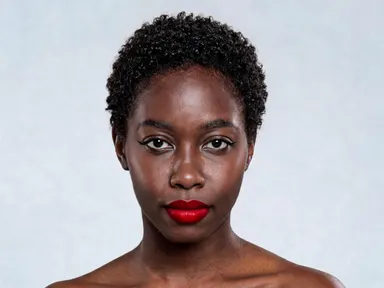
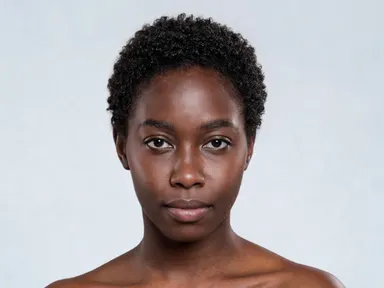
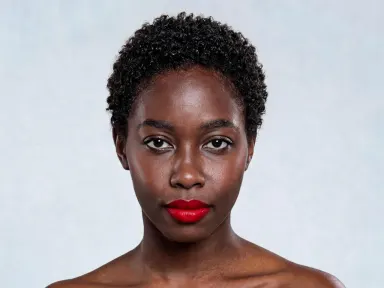
AI Makeup lets you try 24 distinct makeup looks on your own face without touching a brush. Upload one photo, choose a look from the visual library, and the app renders it precisely onto your features at high resolution. Everything else in the photo, your hair, background, clothing, and facial structure, stays exactly as it was. It is built for anyone exploring a new style, planning a wedding or event look, or simply curious what a deep berry lip or a liquid chrome eye would look like on them specifically.
How to use this app
- 1
Upload your file. There is no prompt you have to write.
- 2
Pick a look from the visual library, add a note of your own if you want one, then press Generate.
- 3
Watch your result appear in the gallery within moments.
- 4
Download, share, or generate again with a new idea.
What you can make
Wedding and Event Planning
Brides and event guests can audition the bridal look, soft glam, or polished neutral daytime options on their own face before a single trial appointment. Seeing the actual result on your features, rather than on a model, removes the guesswork and helps you brief a makeup artist with real confidence.
Before and After Content
Beauty creators can pair the no makeup at all option with any glam look from the same source photo to produce a clean before-and-after set. Both outputs stay consistent in lighting and framing because only the makeup changes, making side-by-side comparisons genuinely useful for audiences.
Trying Bold Looks Risk-Free
Looks like the gothic option, the neon pop, or the duochrome shimmer carry real commitment in real life. Seeing them rendered at high resolution on your own face lets you decide whether to invest in unfamiliar products before spending anything.
Skin Tone and Undertone Testing
The library spans cool, warm, and neutral tones across lips, shadows and blush. Trying the classic red lip, the deep berry lip and the warm bronzed look back to back on the same photo quickly reveals which undertone family works best for your complexion.
Portfolio and Lookbook Builds
Photographers and stylists building mood boards can generate a range of editorial looks from a single clean portrait. The 1K resolution output is sharp enough for presentation decks, client proposals and digital lookbooks without needing a full production day.
Shots to try
Tips for better results
Use a Front-Facing Photo
The app renders makeup onto your features with precision. A straight-on portrait with your full face visible gives it the most information to work with. Angled or partially obscured faces can cause uneven application across the look, especially for liner and lip options.
Choose Clean, Even Lighting
Harsh shadows across the face can compete with the rendered makeup, particularly on shimmer and highlight-heavy looks like the frosted two-thousands or the duochrome shimmer option. Soft daylight or an evenly lit indoor shot gives the app the clearest surface to work on.
Start with a Neutral Expression
A relaxed, closed-mouth expression with eyes open gives the app accurate reference points for your lip shape, eye placement and cheekbone structure. This matters most for precise looks like the cut crease, the graphic liner and the old Hollywood wing.
Compare Looks on the Same Photo
Uploading the identical source image each time you try a different look means every output is directly comparable, same framing, same skin, same light. This makes it easy to line up the results and make a genuine decision between looks like the bridal option and the soft glam option.
When to choose this app
Choose AI Makeup when your goal is to see a specific, carefully defined look rendered directly onto your own face with nothing else in the image changed. FLUX Kontext Pro lets users edit images through written text instructions, which requires knowing how to describe a look precisely and does not offer a curated library of 24 defined options. AI Camera Angle Changer reshots a photo from a new viewpoint rather than altering the subject's appearance at all. AI Makeup is the right choice when the decision you are making is about the makeup itself, and you want to see exactly how each of the 24 library looks sits on your specific features at high resolution.
Frequently asked questions
Does the app change anything in the photo other than the makeup?
No. The app applies only the chosen makeup look to your face. Your hair, skin texture, background, clothing and facial structure remain exactly as they appear in the original photo. Even options that include skin treatment, like the glass skin or no makeup looks, do not alter the shape or proportions of your features.
Can I try multiple looks on the same photo?
Yes. You can upload the same photo as many times as you like and select a different library option each time. Using an identical source image for each run keeps the results consistent and directly comparable, which is useful if you are deciding between several options for an event or shoot.
What file types does the upload area accept?
The upload area takes JPEG, PNG and WebP files up to 10MB. You can drag a file straight into it or pick one from your device. For best results, use a high-resolution original rather than a compressed or heavily filtered version of the photo.
How precisely does the app follow the look I select?
Each library option is a fully described look, not a one-word label. Behind every tile is a written specification naming where each color sits and what finish it has, so the distinctions that matter are carried through: a matte versus a glossy finish, a sharp liner wing versus a smudged one, warm versus cool lip tones, and where highlight is placed on the face.
Will the look work on all skin tones and face types?
The app adapts each look to the person in the uploaded photo rather than applying a fixed template. Colors, shading and placement are rendered relative to the actual features and skin tone visible in the image, so the result is specific to you rather than a generic overlay.
Is the output resolution high enough to use in presentations or print materials?
Outputs are rendered at 1K resolution or above, which is sufficient for digital presentations, client mood boards, lookbooks and most social media formats. For large-format print use, the quality of the original uploaded photo will also affect the final output clarity.
How much does it cost?
Each generation costs 1 credit. New accounts get free credits to try it out.
Do I need any editing skills?
No. Upload your photo, pick the look you want from the library, and the app writes the full instruction for you behind the scenes. There is nothing to install and nothing to configure. A small optional box lets you add one line in your own words, but the app works without it.
Can I use the results commercially?
Yes. Content you generate is yours to use, subject to our content licenses.
How long does a generation take?
Most generations finish in under a minute, and you can watch progress live in the gallery.