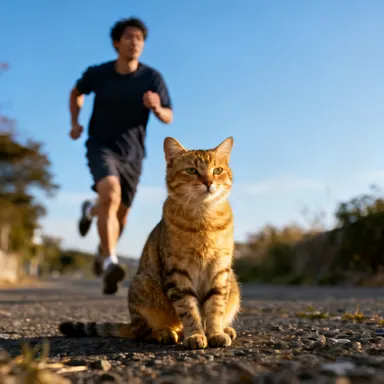
Made with this app
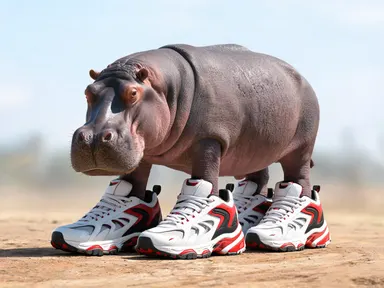
Brainrot Generator turns a single word or short description into one ridiculous, hyperreal creature rendered against a plain outdoor background. Type an animal, a food, a fruit, or almost any object, pick one of eight fusion formulas, and the app builds the full picture from there. The results are glossy, oversaturated and played completely straight, which is exactly the aesthetic that makes them shareable. It is built for anyone who wants a weird, finished image fast without touching any editing software.
How to use this app
- 1
Upload your file. There is no prompt you have to write.
- 2
Pick a look from the visual library, add a note of your own if you want one, then press Generate.
- 3
Watch your result appear in the gallery within moments.
- 4
Download, share, or generate again with a new idea.
What you can make
Shareable social content
Drop a new creature into a story or post whenever you want something that stops the scroll. Type a capybara, pick "Animal and trainers", and you have a deadpan, hyperreal capybara-sneaker hybrid that reads instantly as the current internet visual language without requiring any design work.
Reaction image library
Build a personal set of absurd characters for group chats or Discord servers. A golden retriever fused with a microwave via "Animal and appliance", or a croissant in plate mail via "Food in armour", lands as a reaction image in a way that generic stock photography never does.
Creative writing and worldbuilding
Writers and game designers can visualise creatures before committing them to text. Type a description of a fictional species, pick "Animal and cactus" or "Animal and aeroplane", and get a reference image that pins down the look and feel of something that does not exist yet.
Novelty merchandise concepting
Print-on-demand sellers can rapidly concept absurd characters for stickers, tote bags or phone cases. Each output is a single isolated creature on a clean background, which simplifies the path from generated image to usable asset.
Classroom and workshop icebreakers
Teachers and facilitators can generate a creature per participant by combining each person's chosen animal with a random formula. The results are funny enough to get a room talking and specific enough to feel personal, without requiring any artistic skill from the organiser.
Shots to try
Tips for better results
Be specific with your subject
The more specific the animal or object you type, the more distinctive the result. "Capybara" gives a different output than "rodent", and "cassette tape" reads differently than "electronics". Unusual or niche subjects tend to produce the most memorable fusions.
Match the formula to the shape
Some combinations work harder than others. "Animal and cactus" suits animals with a strong silhouette, like a bear or a heron, because the spiny segments replace the outline cleanly. "Cup with legs" works best when you want the face and the legs to carry the joke on their own.
Try the same subject with two formulas
Generating the same animal or object with two different library choices quickly shows which formula fits it best before you settle on a favourite. A duck with "Animal and trainers" and a duck with "Animal and aeroplane" are genuinely different images with different comic registers.
Think in silhouettes
Because every result is a single creature on a plain background, the outline is what carries the image at small sizes. Pick subjects and formulas whose combined silhouette is immediately legible: a flamingo fused with a cactus reads clearly even at thumbnail scale.
When to choose this app
Brainrot Generator is the right choice when you want a single absurd creature rendered as a finished, shareable image with no text, no scene and no design decisions beyond naming the subject and picking a formula. AI Meme Generator is built for pictures that need words drawn into them, top and bottom lines included. AI Emoji Generator is optimised for tiny, simplified icons that still read at fingernail size. Neither of those is aimed at producing a deadpan, glossy, oversaturated creature standing alone on plain ground, which is exactly what this app does.
Frequently asked questions
What kinds of subjects work best in the text box?
Animals, foods, fruits, household objects and most everyday nouns produce strong results. The more visually distinct the subject, the more readable the fusion. Abstract concepts and adjectives on their own are harder for the app to anchor, so pairing them with a concrete noun works better than using them alone.
Can I get more than one creature in the same picture?
No. Each generation produces one creature, standing alone on plain ground. If you want two different fusions to compare, generate them separately and place them side by side yourself. The single-subject constraint is what keeps the composition clean and the creature legible.
Will the app put a name or caption on the image?
No. Every output is a wordless image. There are no captions, labels, meme lines or logos of any kind. If you need text drawn into a picture, AI Meme Generator handles that job. Brainrot Generator delivers a clean image you can caption yourself in any app you choose.
How do the eight library choices actually differ from each other?
Each one is a different fusion formula. "Animal and trainers" replaces feet with oversized sports shoes. "Food in armour" dresses a food item in tailored medieval plate. "Cup with legs" gives a drink cup a face and ballet legs. The formula you pick determines the visual structure; what you type determines what fills it.
Can I ask for a specific fictional character or mascot by name?
You can type any name, but the app produces something in the spirit of that name rather than a precise reproduction. It builds from its own visual logic, so a named character gives you a creature that feels related to the idea rather than a copy of the original design.
What resolution does the app produce, and is it suitable for print?
Outputs reach above 1K resolution, which is well suited for digital use: social posts, stickers, screen backgrounds and messaging. For large-format print, check the pixel dimensions of your result against the size you need before committing to a print run.
How much does it cost?
Each generation costs 1 credit. New accounts get free credits to try it out.
Do I need any editing skills?
No. Upload your photo, pick the look you want from the library, and the app writes the full instruction for you behind the scenes. There is nothing to install and nothing to configure. A small optional box lets you add one line in your own words, but the app works without it.
Can I use the results commercially?
Yes. Content you generate is yours to use, subject to our content licenses.
How long does a generation take?
Most generations finish in under a minute, and you can watch progress live in the gallery.