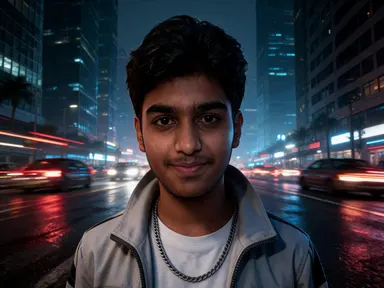
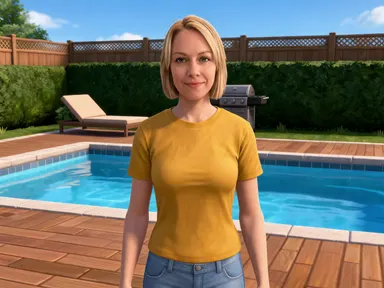
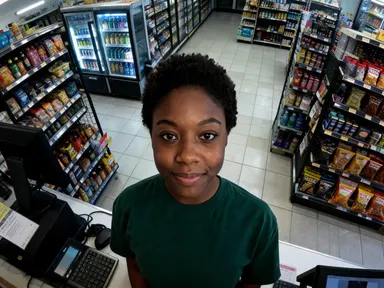
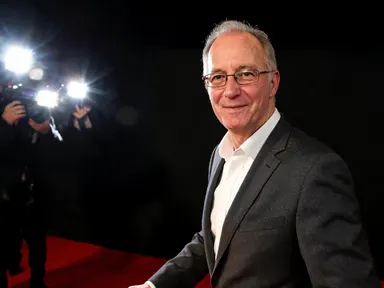
Made with this app
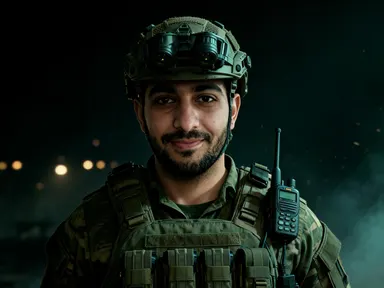
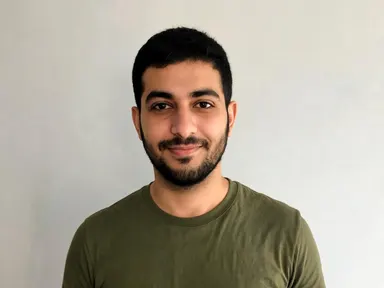
Call of Duty AI Generator takes one photograph of you and returns you as an operator in a modern military world, rendered as a realistic game character. Your face is kept and deliberately left uncovered, so the picture is still of you: the same features, skin tone, hair colour and hairstyle. What changes is the kit, a plate carrier over a plain uniform with knee pads and gloves, along with the light and the location. Eight tiles choose the setting: a doorway stack, a desert patrol, night vision dark, a helicopter door, a ruined street, a snow ridge, a field command post or a dusk extraction. Nobody is harmed and no weapon is fired.
How to use this app
- 1
Upload your file. There is no prompt you have to write.
- 2
Pick a look from the visual library, add a note of your own if you want one, then press Generate.
- 3
Watch your result appear in the gallery within moments.
- 4
Download, share, or generate again with a new idea.
What you can make
A profile picture for a squad or clan
Groups who play together want avatars that match without everyone using the same borrowed artwork. Running each member through the same tile returns operator portraits with consistent kit, framing and light, so the squad reads as one unit while each face stays clearly individual.
Thumbnails and banners for shooter channels
Creators posting loadouts, match footage or tactical breakdowns need a recognisable face that belongs to the genre. A realistic portrait of yourself in a plate carrier on a ruined street gives a channel its own operator rather than art that belongs to somebody else.
Tournament and team roster graphics
Organisers of local tournaments and online leagues need one portrait per player, matched. The field command post and desert patrol tiles are even enough in lighting that a full roster built from them sits together cleanly under names and team badges.
Personal gifts and prints
Turning a photograph of a friend into a kitted out operator on a snow ridge makes a specific print or card for someone who plays constantly. The likeness is kept and the face is uncovered, so it clearly reads as them rather than as a generic soldier.
Seeing your own face under hard field light
The simplest reason is curiosity about how a familiar face reads in that kit and that light. The night vision tile renders it in green darkness, the desert patrol blows it out in flat sun, and the dusk extraction lights it warm from one side.
Shots to try
Tips for better results
The face is kept, so upload a good one
This app preserves your likeness and deliberately leaves the face uncovered, so the source photograph matters. A sharp, evenly lit picture framed from the chest up or closer gives the strongest result, while a small or heavily shadowed face gives the app much less to keep.
Pick the tile for the light you want
The eight settings differ most in lighting. The desert patrol is flat and harsh, the ruined street is grey and overcast, the night vision tile is green darkness, and the dusk extraction is warm and directional. Choosing the light first narrows the eight down very quickly.
It makes an operator portrait, not combat
What comes back is a character standing in a setting. Nobody is being harmed, no weapon is being fired, and there is no blood, no wound and no casualty anywhere in the picture. Asking for any of that in the instructions box will not change what the app returns.
Use the instructions box for small additions
The tile fixes the setting and the light, so the optional box is best used for details such as a camouflage colour or something you want preserved. Describing a different location in the box works against the tile rather than replacing the setting it chose.
When to choose this app
Call of Duty AI Generator is the right choice when you want a realistic modern military portrait with authentic looking tactical kit and hard field lighting, and when keeping your own face visible matters. AI Camera Angle Changer reshoots a real subject from a new viewpoint without changing clothing or setting, and AI Sticker Maker flattens a subject into a cut out illustration, so neither produces a character portrait. Against the western and treasure hunting apps here, this one is the contemporary and most grounded of the three.
Frequently asked questions
Is my face covered by a mask or helmet?
No. The app deliberately leaves the face uncovered so the picture is still recognisably of you. Your features, skin tone, hair colour and hairstyle come back as they are. The kit, the lighting and the location around you are what change, which is what turns the photograph into a character portrait.
Do the pictures show combat or injuries?
No. The app makes an operator portrait rather than combat. Nobody is being harmed, no weapon is being fired, and there is no blood, no wound and no casualty anywhere in the picture. What comes back is a character standing in a setting, kitted out and lit for it.
Can I choose the setting?
Yes, and it is the main choice on the page. Eight tiles cover a doorway stack, a desert patrol, night vision dark, a helicopter door, a ruined street, a snow ridge, a field command post and a dusk extraction. Each tile sets the location, the time of day and the light together.
Will an ammunition counter or minimap appear on the image?
No. The pictures carry no writing of any kind. There is no ammunition counter, no minimap, no callsign, no logo and no title card anywhere in the frame. You get the scene alone, which means it crops cleanly and any text you want over it is yours to add.
Can I get my whole squad in one picture?
No. The app works from one photograph of one person and returns one operator, and nobody else is added to the frame. To build a squad set, run each member separately through the same tile, which keeps the kit, framing and lighting consistent across everyone.
What should I upload for the best likeness?
One clear photograph of one person, framed from the chest up or closer, in even light. Because the face is left uncovered and preserved, a sharp and well lit source gives a noticeably stronger result than a distant, shadowed or low resolution picture of the same person.
How much does it cost?
Each generation costs 1 credit. New accounts get free credits to try it out.
Do I need any editing skills?
No. Upload your photo, pick the look you want from the library, and the app writes the full instruction for you behind the scenes. There is nothing to install and nothing to configure. A small optional box lets you add one line in your own words, but the app works without it.
Can I use the results commercially?
Yes. Content you generate is yours to use, subject to our content licenses.
How long does a generation take?
Most generations finish in under a minute, and you can watch progress live in the gallery.