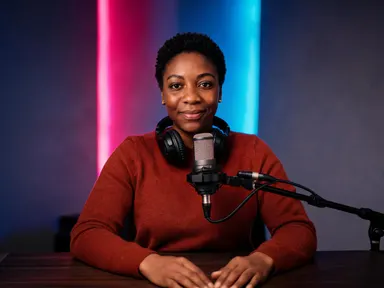
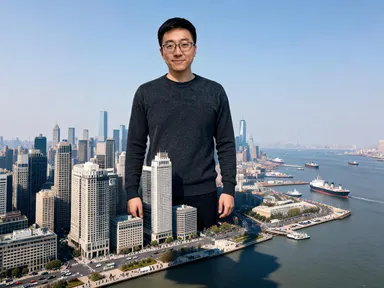
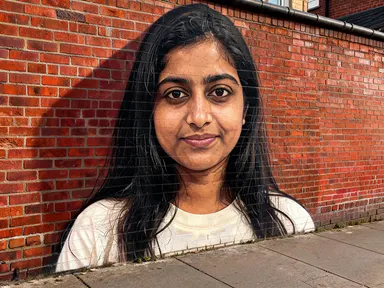
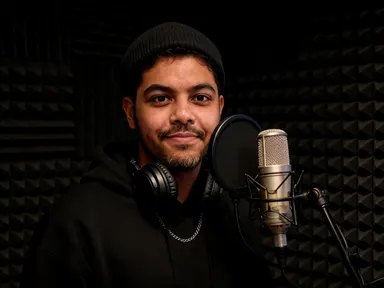
Made with this app
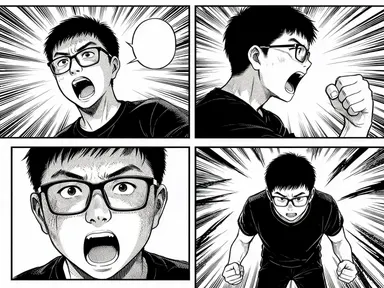
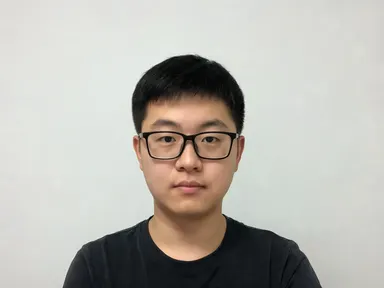
AI Manga Generator turns a single photograph of a person into a multi-panel printed manga page. Upload one clear photo, pick from sixteen drawing traditions in the library, and the app returns three or four bordered panels showing the same individual drawn in ink, halftone screentone and solid blacks, consistent across every panel. It is built for portrait photographers wanting to gift clients something unusual, content creators building a visual identity, and anyone curious to see themselves rendered as a manga character.
How to use this app
- 1
Upload your file. There is no prompt you have to write.
- 2
Pick a look from the visual library, add a note of your own if you want one, then press Generate.
- 3
Watch your result appear in the gallery within moments.
- 4
Download, share, or generate again with a new idea.
What you can make
Personal portrait keepsakes
A friend uploads a headshot and picks "Shojo romance" to receive a delicate, flower-screentone page as a birthday gift. The consistent face across every panel makes it read as a genuine character portrait rather than a filter effect, which is what makes it worth printing and framing.
Social media profile content
A creator wants a distinctive avatar look. Uploading a well-lit selfie and choosing "Cyberpunk" produces a rain-slicked, high-contrast page they can crop to individual panels, each showing a different angle of their face in the same graphic style.
Cosplay and fan community content
Someone already dressed for a convention uploads their costume photo and picks "Samurai epic" or "Isekai fantasy". The app reimagines them in period robes or light armour while keeping their face, hair and glasses exactly as they appear in the photo.
Author and performer branding
A novelist or podcaster wants a consistent visual identity that is not a standard headshot. Picking "Seinen noir" produces hard-shadow, city-backed panels that read as serious and distinctive across a press kit, website header or event poster.
Art class and storyboarding reference
An illustration student uploads their own face to get a set of multiple angles and distances drawn in a consistent style, useful as a layout reference when studying panel composition, figure variation and the visual rhythm of a manga page.
Shots to try
Tips for better results
Lead with the face
The app carries your face shape, features, hair and any glasses into every panel. A photo where the face fills most of the frame and the light falls evenly across it gives the app the clearest source to work from. Soft shadows are fine; deep backlighting or heavy filters that obscure features produce less consistent results.
Let the library choice set the scene
Each tile brings its own setting and mood. "Cyberpunk" places you on a rain-slicked street and "Mecha" puts you in a cockpit: you do not need to describe those environments. Use the optional text box for smaller adjustments, like a particular expression, a specific panel angle or a detail you want kept or left out.
Match your photo's tone to the tile
A relaxed candid shot pairs naturally with "Josei everyday life" or "Shojo romance", while a stern or intense expression feeds well into "Seinen noir" or "Horror". The app invents pose and setting, but the mood the face already carries tends to reinforce the tradition you choose.
Think in panels before you export
The page comes back with three or four panels, each showing a different angle. Before exporting, consider whether you want the whole page as one image or individual panels cropped separately. Different tiles produce different amounts of contrast and white space, which affects how readable a single cropped panel is at small sizes.
When to choose this app
AI Manga Generator is the right choice when the subject is a person and the goal is a multi-panel drawn character page, not a retouched or repositioned photograph. AI Sky Replacement returns the original photograph under a new sky, and AI Room Converter keeps the same walls and architecture while refitting the space: both apps work within the photograph. AI Manga Generator discards the scene entirely and builds an inked, panel-divided manga page around a drawn version of the person's face, which is a fundamentally different kind of result.
Frequently asked questions
How many panels will the finished page have?
The page comes back with three or four rectangular panels separated by white gutters and framed with clean black borders. The exact number varies by generation. Each panel shows the same character from a different angle or distance, which is what gives the page the rhythm of a printed manga layout.
Will my face look consistent across all the panels?
Yes. The app is designed to carry the same face shape, facial features and proportions, hairstyle, facial hair and any glasses visible in your photo into every panel. The pose and clothing are invented for each panel, but the face remains recognisably the same individual throughout the page.
Can I add a name, a caption or any text to the page?
No. The app produces a page with no readable words anywhere. Any speech balloons that appear are deliberately empty, and there is no lettering, caption, title or watermark of any kind. This is intentional: it reflects how a manga page looks before lettering is added and avoids unreadable garbled text in the art.
Does the library choice change the colours?
Every result is black and white regardless of which tile you pick. The library changes the drawing tradition: the weight and texture of the lines, the density of halftone screentone, how much solid black fills the page and what the background setting looks like. Colour is not part of the medium this app is working in.
What can I do with the optional text box under the library?
You can use it to nudge a detail: ask for a particular expression on the face, request a low camera angle on one panel, or specify something you want left out. The library choice is still the main decision and sets the tradition and setting. The text box handles smaller adjustments on top of that.
Does it work with group photos or photos of more than one person?
The app is built around one person with the face clearly visible in the frame. A group photo gives the app an ambiguous subject, and the consistent character the page depends on requires a single clear face to work from. A solo portrait with the face well lit and unobstructed gives the most reliable result.
How much does it cost?
Each generation costs 1 credit. New accounts get free credits to try it out.
Do I need any editing skills?
No. Upload your photo, pick the look you want from the library, and the app writes the full instruction for you behind the scenes. There is nothing to install and nothing to configure. A small optional box lets you add one line in your own words, but the app works without it.
Can I use the results commercially?
Yes. Content you generate is yours to use, subject to our content licenses.
How long does a generation take?
Most generations finish in under a minute, and you can watch progress live in the gallery.