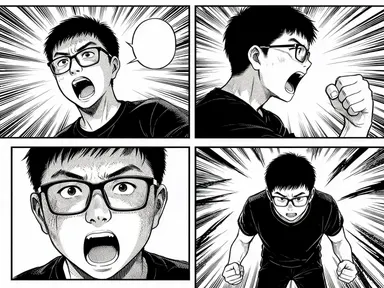
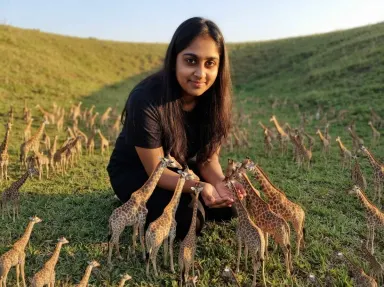
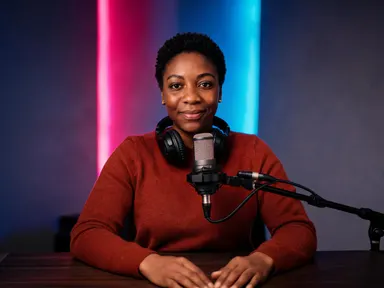
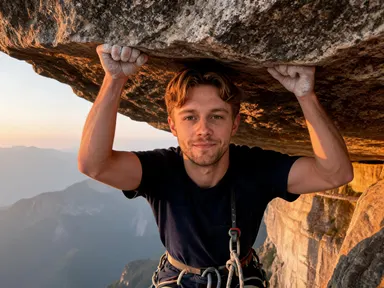
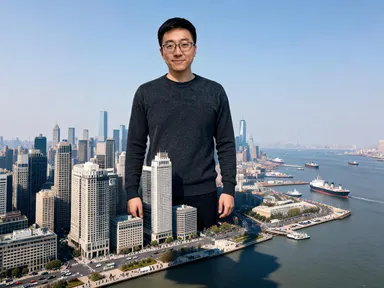
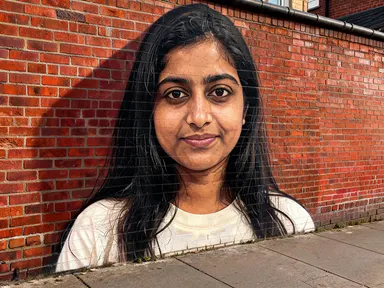
Made with this app
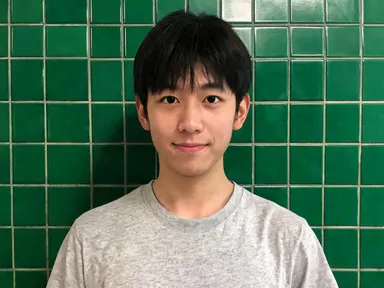
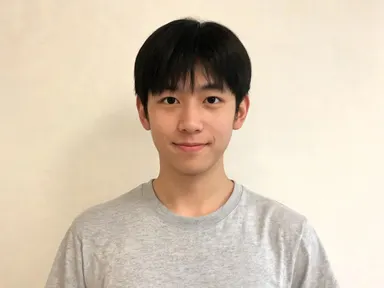
Mugshot AI Generator takes one photograph of you and returns it as a portrait shot the way a film and television set dresses a booking wall: flat even light straight into the face, a plain painted wall filling the frame, framed from the chest up and centred. Your face is kept as it is, with the same features, skin tone, hair colour and hairstyle. Eight tiles choose the wall and the film stock: pale blue block, grey breeze block, a full profile turn, warm seventies colour, high contrast black and white, institutional green tile, soft eighties video or clean modern digital. There is no number, no board, no height chart and no lettering anywhere in the picture.
How to use this app
- 1
Upload your file. There is no prompt you have to write.
- 2
Pick a look from the visual library, add a note of your own if you want one, then press Generate.
- 3
Watch your result appear in the gallery within moments.
- 4
Download, share, or generate again with a new idea.
What you can make
The least flattering light there is, on purpose
Flat frontal light with a plain wall behind is what portrait photographers spend their careers avoiding, which is exactly why a picture of yourself in it is worth having. Nothing is softened, nothing is styled, and the result is honest in a way a posed photograph never is.
Band, album and poster artwork
The booking wall is one of the most reused looks in music and film artwork because it is instantly readable and costs nothing to compose. Running a whole band on the same tile gives a matching set with the same wall and the same light behind every face.
Character sheets for a story or a production
Writers and filmmakers who need a cast presented flatly and identically can run each person on the same tile and get portraits that sit together with no styling differences to distract from the faces themselves.
A joke that stays a joke
A friend on a booking wall is funny precisely because nothing in the frame accuses them of anything. There is no number, no board and no chart, so the picture is a look rather than a claim, which is what makes it printable and postable.
Seeing a face across eight film stocks
The wall matters less than the film. Warm faded seventies colour, high contrast black and white, soft eighties video and clean modern digital are four very different pictures of the same face, and the tiles are as much a choice between those as between the walls.
Shots to try
Tips for better results
Nothing in the frame accuses you of anything
The app is written as a film set rather than a record. There is no number, no board, no placard, no height chart, no marked line on the wall, no handcuffs, no uniform and no injury. The look comes entirely from the flat light and the plain wall, which is all it ever needed.
The light is unforgiving, so the photograph matters
Flat frontal light hides nothing and a plain wall gives the eye nowhere else to go, so a sharp evenly lit photograph from the chest up or closer gives much the strongest result. This is the app in the family where a soft or small face shows most.
Run two tiles for a pair
The profile turn tile is designed to sit beside any of the frontal ones. Running the same photograph on a frontal wall and then on the profile tile gives the two shot set the format is known for, which one tile on its own cannot.
Keep the instructions box for small details
The tile fixes the wall, the film stock and the light, so the optional box works best for small additions such as a shirt colour. Asking for a board or a number in the box pulls against what the app is built to leave out.
When to choose this app
Mugshot AI Generator is the right choice when you want the flattest possible light, a plain wall and a portrait with no styling in it at all, across eight different film stocks. AI Headshot is the opposite errand, controlled flattering light for something you would send to an employer, and Portrait Styles restyles a photograph rather than stripping it back. Against Paparazzi AI Generator on this platform, this one is completely still and completely posed where that one is caught mid movement.
Frequently asked questions
Will the result look like me?
Yes, and more plainly than most. The app keeps your facial features, skin tone, hair colour and hairstyle as they appear in the photograph you upload, and the flat frontal light and plain wall add nothing to hide behind. What changes is the light, the wall and the film stock.
Is there a number board or a height chart in the picture?
No, and that is deliberate rather than a limitation. The app is told to leave out every board, placard, number, date, height chart, measuring scale and marked line on the wall, along with all other lettering. The look comes from the light and the wall, so none of it is needed.
Does the picture suggest I did something?
No. It is written as a portrait taken on a film and television set, not as a record of anything. There are no handcuffs, no restraints, no uniform, no badge and no injury anywhere in the frame, so nothing in the picture asserts that you did anything at all.
Can I choose the wall and the film?
Yes, and it is the main choice on the page. Eight tiles cover a pale blue block wall, grey breeze block, a full profile turn, warm seventies colour, high contrast black and white, institutional green tile, soft eighties video and clean modern digital. Each tile sets the wall and the film stock together.
Can I get the front and side pair?
Yes, by running the same photograph twice. Pick a frontal tile for the first picture and the profile turn tile for the second, and the two sit together as the pair the format is known for. Each run returns one picture, so the pair is two runs.
Does it matter what I am wearing in the photo?
Not very much, because the app dresses the figure in an ordinary plain shirt or tee. What matters far more is that your face is sharp and well lit, since the flat light and the empty wall leave the face carrying the whole picture.
How much does it cost?
Each generation costs 1 credit. New accounts get free credits to try it out.
Do I need any editing skills?
No. Upload your photo, pick the look you want from the library, and the app writes the full instruction for you behind the scenes. There is nothing to install and nothing to configure. A small optional box lets you add one line in your own words, but the app works without it.
Can I use the results commercially?
Yes. Content you generate is yours to use, subject to our content licenses.
How long does a generation take?
Most generations finish in under a minute, and you can watch progress live in the gallery.