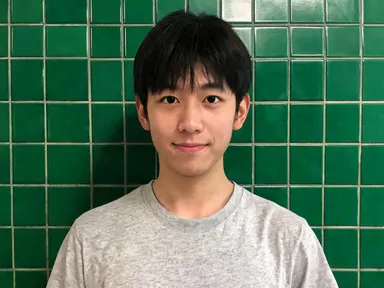
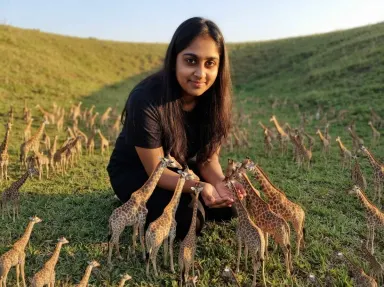
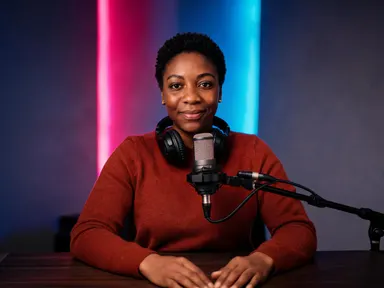
Made with this app
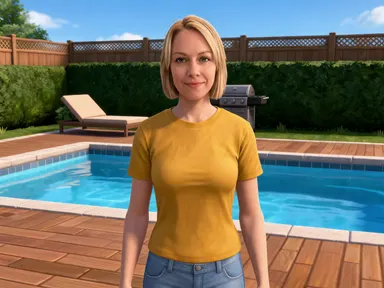

Sim Life AI Generator takes one photograph of you and returns you as a character in a bright life simulation game, rendered as a smooth stylised three dimensional model. Your features are simplified the way that genre simplifies everybody, but your face, skin tone, hair colour and hairstyle are what carry across, so the character is still recognisably you. Eight tiles choose the room and what you are doing in it: cooking in the kitchen, on the sofa, by the garden pool, painting in the home office, dancing at a house party, at the bathroom mirror, out at the mailbox, or making the bed in the bedroom.
How to use this app
- 1
Upload your file. There is no prompt you have to write.
- 2
Pick a look from the visual library, add a note of your own if you want one, then press Generate.
- 3
Watch your result appear in the gallery within moments.
- 4
Download, share, or generate again with a new idea.
What you can make
A picture of your own life in the style everyone recognises
Almost everybody who has played a life simulator has wondered what their own house would look like inside one. Uploading a photograph and picking a room gives that picture directly, with the clean geometry, the flat saturated colour and the bright even light the genre is known for.
Avatars and thumbnails for simulation channels
Creators who build houses and tell stories in life simulators need a face for a channel that is not a screenshot of somebody else's save. A stylised portrait of yourself in a kitchen or at a house party gives a recurring character, and the tile keeps the setting consistent across a series.
A gift for someone who has played it for years
A friend or a partner dropped into a tidy pastel house, doing something ordinary, is a very specific joke and a genuinely good print or card. It works because the app keeps the likeness, so the person looking at it recognises themselves before they recognise the game.
Family and household sets
Running each member of a household separately on the same tile returns a matching set of characters in the same room with the same light, which is how these games present a family in the first place. Different tiles across the set instead give one house seen room by room.
Character art for a story or a build
Players who write stories around their saves need portraits of the characters that do not come from a screenshot. A photograph and a room returns a clean stylised figure with the setting already behind it, ready to sit under a caption or a chapter heading.
Shots to try
Tips for better results
Expect to be stylised, and pick the photo accordingly
Unlike the realistic apps in this family, this one deliberately simplifies your features into a smooth game model. That makes hair colour, skin tone and the overall shape of the face the things that carry the likeness, so a sharp, evenly lit photograph from the chest up matters more here rather than less.
The tile is a room and an activity together
Every tile names something happening as well as somewhere to be, because eight bright rooms with nobody doing anything are eight very similar pictures. Choosing the activity you want first, rather than the room, usually gets you to the right tile faster.
There is no diamond over your head
The floating green marker belongs to one specific game rather than to the look, so the app leaves it out on purpose, along with every menu, meter and needs bar. What comes back is the room and the character in it, with nothing overlaid.
Keep the instructions box for small details
The tile fixes the room, the furniture and the light, so the optional box works best for small additions such as a wall colour or a detail you want kept. Describing a different room in the box pulls against the tile instead of replacing what it set.
When to choose this app
Sim Life AI Generator is the right choice when you want the clean stylised look of a life simulation, a tidy bright room around you and a character that is recognisably yourself rather than a generic avatar. AI Portrait Styles restyles a photograph without moving the subject into a built environment, and AI Room Converter changes a room you already have rather than placing a person inside a new one. Against Minecraft AI Generator on this platform, this one keeps the face readable instead of trading it for blocks.
Frequently asked questions
Will the result look like me?
It will be recognisably you, but stylised on purpose. The app renders you as a smooth game model with simplified features, the way that genre renders everybody, while keeping your facial proportions, skin tone, hair colour and hairstyle. It is a likeness in that style rather than a realistic photograph of you.
Can I choose which room the picture is set in?
Yes, and it is the main choice on the page. Eight tiles cover the kitchen, the sofa, the garden pool, a home office, a house party, the bathroom mirror, the front path by the mailbox, and making the bed in the bedroom. Each tile sets the room and the activity together.
Is the green diamond above the head included?
No, and that is deliberate. The floating marker belongs to one particular game rather than to the general look, so the app is told to leave out any floating icon, diamond, crystal or gem near the head. The picture is the room and the character, with nothing hovering over them.
Will any menus or meters appear on the image?
No. The pictures carry no interface and no writing of any kind. There is no menu, no panel, no needs meter, no bar, no logo and no title card anywhere in the frame. What comes back is the room alone, so it crops cleanly and any text over it is yours to add afterwards.
Can I put a whole household in one picture?
No. The app takes one photograph of one person and returns one character, and nobody else is added to the frame. To make a household, run each person separately, and pick the same tile if you want the results to read as one family in one room.
Does it matter what I am wearing in the photo?
Not very much, because the app dresses the character in ordinary cheerful everyday clothes in flat saturated colours, the kind a character in that game would own. What matters far more is that your face is sharp and well lit, since the face is what has to survive being simplified.
How much does it cost?
Each generation costs 1 credit. New accounts get free credits to try it out.
Do I need any editing skills?
No. Upload your photo, pick the look you want from the library, and the app writes the full instruction for you behind the scenes. There is nothing to install and nothing to configure. A small optional box lets you add one line in your own words, but the app works without it.
Can I use the results commercially?
Yes. Content you generate is yours to use, subject to our content licenses.
How long does a generation take?
Most generations finish in under a minute, and you can watch progress live in the gallery.