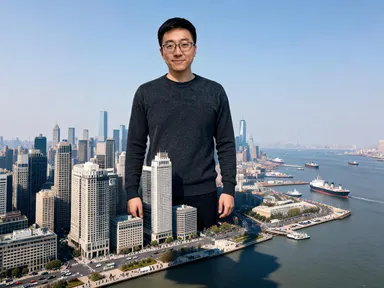
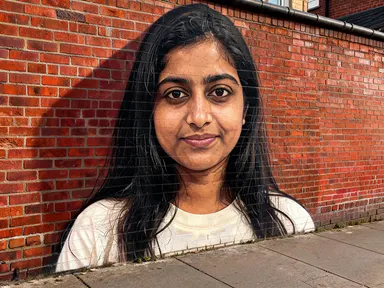
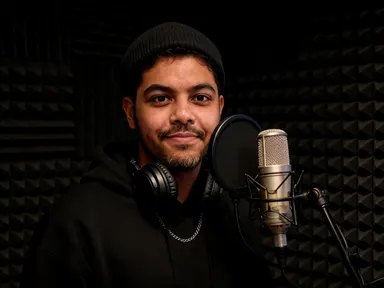
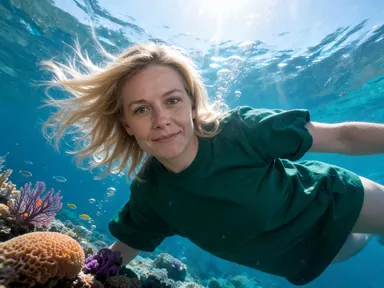
Made with this app
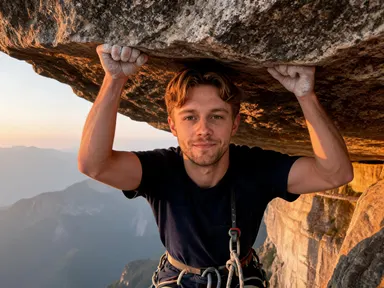
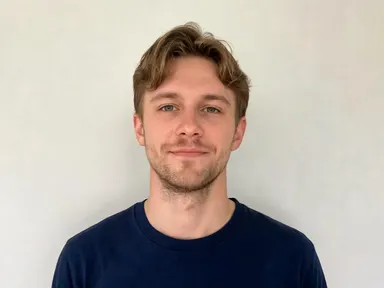
Adrenaline Rush AI Generator takes a single portrait photo and places that exact person at the peak of an extreme sports moment: airborne, mid-barrel or hanging above a drop, kitted out correctly for the sport, face clearly recognisable. Choose a scene from the library, add a small detail if you like, and the app handles the rest. It is built for athletes, content creators, coaches, fitness brands and anyone who wants a striking action portrait without a film crew or a mountain.
How to use this app
- 1
Upload your file. There is no prompt you have to write.
- 2
Pick a look from the visual library, add a note of your own if you want one, then press Generate.
- 3
Watch your result appear in the gallery within moments.
- 4
Download, share, or generate again with a new idea.
What you can make
Athlete social content
A surfer wants a barrel shot for their Instagram but the swell was flat all season. They upload a clear headshot, choose "Wave Barrel", and get a credible inside-the-tube portrait with their face, skin tone and hair intact, ready to post at full resolution.
Gym and coaching profiles
A personal trainer wants a hero image for their website that reads active and fearless. They pick "Skate Air" or "BMX Dirt Jump" and get a dramatic above-the-bowl portrait that communicates athleticism without requiring a day on location.
Team gifts and sports awards
A club coordinator uploads individual headshots for each team member and cycles through "Snowboard Drop" or "Desert Moto" for each one. Every person gets a personalised action portrait as a keepsake, their own face in the frame at the top of the move.
Adventure brand ambassador visuals
A small outdoor brand needs a face for a campaign but has no budget for a location shoot. They upload a well-lit portrait of their ambassador, choose "Wingsuit Flight" or "Rock Overhang", and get a high-resolution action image that carries no competing logos or race numbers.
Event promotion and editorial
A sports event organiser needs a cover image that puts a real participant in an iconic moment before the event happens. A clear headshot, a library choice and the optional box for a jacket colour produces an editorial-quality portrait in one step.
Shots to try
Tips for better results
Shoot chest up or closer
The app reads your face and rebuilds the rest. A tight, sharp photo from the chest upward gives it the most to work with. Full-body shots, group photos or images where the face is small or in shadow produce a weaker likeness.
Use the optional box for small details
The library choice sets the sport and the scene. The optional text box is the place to note one specific detail: a kit colour, a particular hair style to keep, or an element you want left out of the frame. Keep it brief and targeted rather than redirecting the whole scene.
Match the photo to the sport
Each library tile places the person in a specific environment with specific light. A portrait taken in similar natural light, rather than a heavily filtered or artificially lit selfie, tends to blend into the scene more convincingly and keep the face reading as real.
Expect no text in the result
The app produces a clean scene image with no race numbers, sponsor marks, captions or brand logos anywhere in the frame. If you need a name or a date on the final image, add it in a separate design step after downloading the result.
When to choose this app
Adrenaline Rush AI Generator is the right choice when the subject of the image is a specific real person and the goal is a convincing action portrait of them at the top of a move. AI Sky Replacement works on outdoor photos to change the sky and relight the whole scene, which is a different kind of edit entirely. AI Room Converter transforms interior spaces while keeping the walls and windows in place. Neither is built around placing a person's face into a high-energy sports moment: that is exactly what this app does.
Frequently asked questions
How clear does the uploaded photo need to be for the face to carry through?
The sharper and closer the face, the stronger the likeness in the result. A well-lit photo from the chest upward, taken in natural light without heavy filters or blur, gives the app the most to work with. A very small face, a face in deep shadow or a group photo where the subject is one of several people will produce a noticeably weaker match.
Can I choose which sport the person is doing?
Yes. The library tiles each correspond to a specific sport and moment: "Snowboard Drop", "Wave Barrel", "Skate Air", "BMX Dirt Jump", "Rock Overhang", "Wingsuit Flight", "Whitewater Rapid" and "Desert Moto". Picking the tile is the main creative decision; the app builds the scene around that choice.
Will the person look like they could actually be hurt or crashing?
No. The app always places the person at the confident top of the move, not mid-fall or out of control. Nobody in the result is hurt, falling uncontrollably or in distress. The image is always the peak of the action, not the consequence of it.
What file types can I upload?
The app accepts JPG, PNG, WebP and GIF files. Drag the file into the upload area or pick it from your device. There is no URL or link field: you are uploading the file itself.
Can I add a name, a race number or a sponsor logo to the finished image?
The app produces a clean image with no text, numbers or brand marks of any kind. If you need lettering on the final image, download the result first and add those elements in a design or photo editing tool separately.
Can I put two people in the same scene?
The app works from one photograph of one person and produces an image with that person as the only figure in the scene. To create matching action portraits for multiple people, run the app separately for each uploaded photo, choosing the same library tile each time.
How much does it cost?
Each generation costs 1 credit. New accounts get free credits to try it out.
Do I need any editing skills?
No. Upload your photo, pick the look you want from the library, and the app writes the full instruction for you behind the scenes. There is nothing to install and nothing to configure. A small optional box lets you add one line in your own words, but the app works without it.
Can I use the results commercially?
Yes. Content you generate is yours to use, subject to our content licenses.
How long does a generation take?
Most generations finish in under a minute, and you can watch progress live in the gallery.