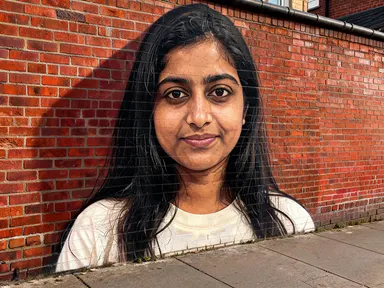
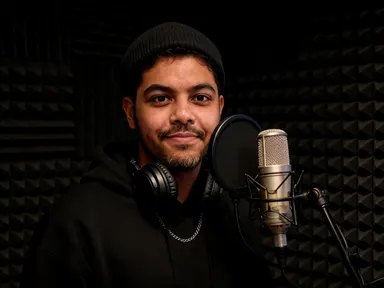
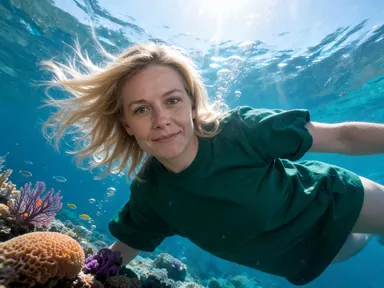
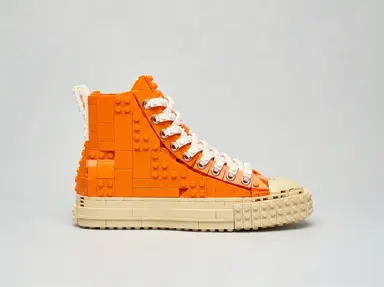
Made with this app
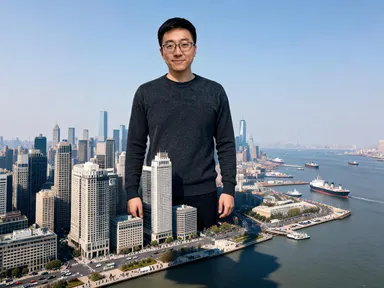
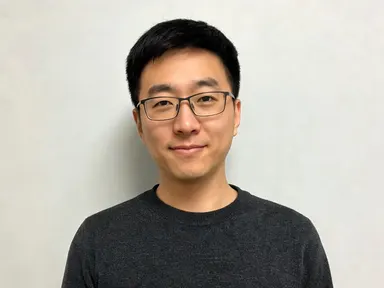
Giant Human AI Generator takes a single portrait photograph and places that person into a real-world landscape at an enormous scale, hundreds of feet tall, while every building, vehicle, ship and tree around them stays its actual size. The result reads as a believable long-lens photograph, with matching light, atmospheric haze and a shadow falling across the ground below. It is built for anyone who wants to create striking scale fantasy imagery from a personal photo, with no compositing skill required.
How to use this app
- 1
Upload your file. There is no prompt you have to write.
- 2
Pick a look from the visual library, add a note of your own if you want one, then press Generate.
- 3
Watch your result appear in the gallery within moments.
- 4
Download, share, or generate again with a new idea.
What you can make
Personal social content
Upload a clear selfie and choose a scene like "Over The City" to put yourself among the towers of a downtown skyline. The likeness stays true to your face, skin tone and hair, giving you a distinctive image that stands apart from standard portrait edits.
Gift prints for a friend
Take a good portrait of someone you know, pick "Beach Shore" to sit them beside a full-sized lighthouse no taller than their hand, and print the result. Because the face is kept accurate, the recipient recognises themselves immediately.
Fantasy sports fan content
Upload a fan's portrait and choose "Filling The Stadium" to place them inside a floodlit bowl with stands and crowd circling their legs. The night setting and scale make it immediately readable as the kind of image that travels well across fan communities.
Creative portrait series
Run the same portrait through several library choices, from "Forest Walk" to "Mountain Sit" to "Harbour Wade", to build a set of consistent images that share the same face across very different environments and moods.
Event or campaign hero image
Place a brand ambassador or public figure into "Astride The Motorway", with traffic running between their feet and a long shadow up the road. The photographic treatment produces a result that reads as a considered visual rather than a novelty composite.
Shots to try
Tips for better results
Start with a close crop
The app keeps your facial features, skin tone and hair consistent across the result. A portrait that fills most of the frame from the chest up gives it the most detail to work from. A group photo or a face that occupies a small portion of the image will produce a weaker likeness.
Match the light in your photo to the scene
The app places light and shadow on the figure to match the landscape. If your portrait was taken in flat indoor light and you choose "Astride The Motorway" with its low directional sun, the result still works, but a photo taken in similar outdoor light will blend more naturally.
Use the optional text box for small additions
The library choice sets the place and the scale. The free text box underneath is useful for a specific pose, a detail you want kept or something you want left out. Keep it brief and focused on one thing; it is not a replacement for the tile and large changes to the scene will not take effect.
Try two or three library choices on the same portrait
Because the face is fixed across all results, running one portrait through "Beach Shore", "Mountain Sit" and "Over The City" produces a coherent set of images with a consistent subject in very different environments, useful for a series or for choosing the strongest single result.
When to choose this app
Giant Human AI Generator does one specific thing: it takes a person's face from a photograph and makes them the largest thing in a real-world landscape. If your job is transforming an interior space, AI Room Converter takes a room photo and refits it with the same walls and windows in place. If you are working with a product rather than a person, AI Fashion Model puts garments onto a model in a chosen setting. When the goal is a photorealistic portrait at impossible scale, with a verified likeness and a world that stayed its normal size around them, this app is the direct choice.
Frequently asked questions
How clearly does my face come through in the result?
The app is built to carry your facial features, proportions, skin tone and hair into the final image as accurately as possible. A sharp, well-lit portrait taken close up gives the strongest result. A face that is small in the frame, partially obscured or in heavy shadow will produce a less precise likeness.
Can I control what pose the giant figure takes?
Each library tile describes a scene and a position: standing among towers, wading through a harbour, sitting on a ridge. The optional text box beneath the library lets you add a small instruction about pose or posture, though the scene itself is set by the tile you pick, not by the box.
Will the result look like a composite or a real photograph?
The app is designed to produce a photographic result with atmospheric haze, distance fall-off, matched lighting and a shadow falling across the ground beneath the figure. It is not guaranteed to fool every viewer, but the output is modelled on how a real long-lens or aerial photograph looks rather than on an obvious montage.
Can I add text, a name or a logo to the image?
No. The app does not place any text, lettering, numbers, logos, captions or watermarks anywhere in the result, and the optional text box will not produce them. If you need a name or brand element on the final image, that would need to be added in a separate editing step after you download.
What file types can I upload?
The app accepts JPG, PNG, WebP and GIF files. You drag the file into the upload area or pick it from your device. There is no URL or link field; the file itself is what you provide.
Does the scene show anyone being hurt or a building being destroyed?
No. The instruction that shapes every result keeps the scene peaceful: the figure stands, sits or steps carefully and the world around them carries on normally. Nothing is crushed or damaged and nobody in the landscape is shown in danger.
How much does it cost?
Each generation costs 1 credit. New accounts get free credits to try it out.
Do I need any editing skills?
No. Upload your photo, pick the look you want from the library, and the app writes the full instruction for you behind the scenes. There is nothing to install and nothing to configure. A small optional box lets you add one line in your own words, but the app works without it.
Can I use the results commercially?
Yes. Content you generate is yours to use, subject to our content licenses.
How long does a generation take?
Most generations finish in under a minute, and you can watch progress live in the gallery.