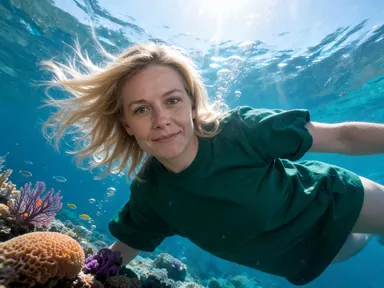
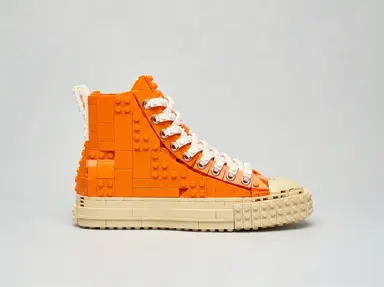
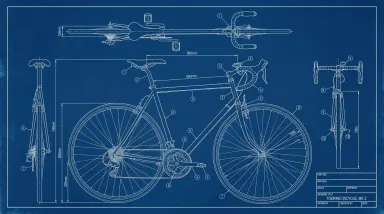
Made with this app
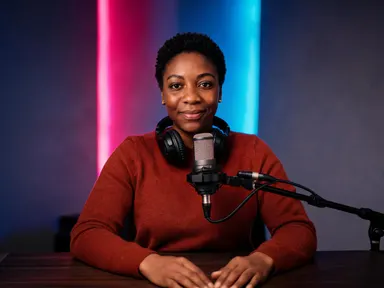
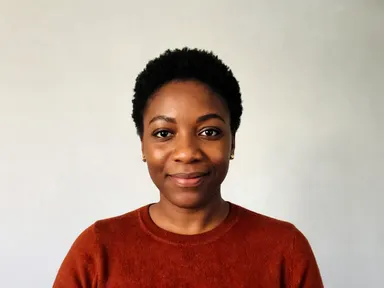
Podcast AI Generator takes a single photograph of a person and builds a complete studio portrait around them. Upload a clear photo, choose a set from the visual library, and the app places them behind a microphone in a believable studio environment, keeping their face, skin tone and hair exactly as they are. It is built for podcasters, journalists, publicists, speakers and anyone who needs a professional studio headshot without booking a studio.
How to use this app
- 1
Upload your file. There is no prompt you have to write.
- 2
Pick a look from the visual library, add a note of your own if you want one, then press Generate.
- 3
Watch your result appear in the gallery within moments.
- 4
Download, share, or generate again with a new idea.
What you can make
Guest Bios and Show Notes
A podcast producer has a guest's LinkedIn headshot and nothing else. Uploading it and choosing "Wall of Books" produces a warm, editorial portrait that fits alongside the episode description, giving the guest a consistent look across every platform the show appears on.
Speaker Promotion Materials
A conference organiser needs a portrait of a keynote speaker that reads as media-ready. The "Glass Studio" tile puts them in a clean, daylit broadcast environment. The result works in press kits, email campaigns and event programmes without any post-production.
Personal Brand Headshots
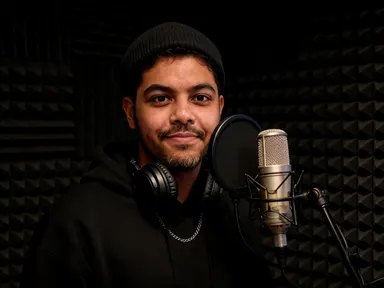
A solo podcaster wants a profile image that signals they are serious about their show. Choosing "Dark Booth" places them in an intimate, professional-looking acoustic booth under warm lamp light, the kind of image that stands out on social media bios and press pages.
Indie Show Artwork Portraits
Cover art often needs a portrait of the host. The "Neon Desk" tile produces a moody, distinctive image with coloured ambient light that can anchor a visual identity without hiring a photographer or renting a studio.
Pitch Decks and Media Kits
A creator pitching to advertisers needs polished imagery. The "Old Radio Desk" set produces a textured, character-rich portrait with vintage broadcast equipment and tungsten warmth, giving the deck a visual story that a plain headshot cannot.
Shots to try
Tips for better results
Start With a Clear Face
The app keeps your facial features, skin tone and hair consistent across whatever set you choose. A sharp, well-lit photograph taken from the chest up or closer gives it the most to work with. Sunglasses, heavy shadow across the face or a very small face in a crowd will weaken the likeness.
Let the Library Do the Heavy Lifting
Each tile in the library is a fully dressed set with its own lighting, surfaces and atmosphere. Picking the right one for your brand is the main creative decision. The optional text box underneath is there for small additions, such as a specific jacket colour or a detail you want preserved, not for redesigning the room.
Match the Set to the Show's Tone
Consider what the set communicates. "Garage Setup" reads as independent and unpolished in the best sense. "Glass Studio" reads as corporate and broadcast-ready. "Plant Corner" reads as warm and conversational. Choosing a set that fits your show's personality makes the portrait feel intentional rather than generic.
Try More Than One Set
Because the library covers eight distinct environments, running the same photograph through two or three sets lets you compare moods before committing to one for a press kit or profile page. The cost shown on the button applies per generation, so it is worth being deliberate about which tiles you test.
When to choose this app
Podcast AI Generator is built for portraits of people, specifically placing a recognisable face into a credible broadcast environment. If your task is a room rather than a person, AI Room Converter handles that by refitting an existing interior while keeping its walls, windows and doors in place. If you need a garment shown on a human figure rather than a person placed in a new setting, AI Fashion Model works from a photo of the clothing itself. When the output you need is a studio portrait of a real, specific person with their likeness preserved, this app is the right tool.
Frequently asked questions
How many people can appear in the finished portrait?
The app is designed around a single person. The portrait it produces focuses on the individual from your photograph. The "Two-Mic Table" set does show a second chair and a second microphone, suggesting a co-host dynamic, but any other figure present will be out of focus and unrecognisable. Only your subject is clearly shown.
Can I get my show's name or logo added to the image?
The app does not place any text, lettering, numbers, logos or readable graphics anywhere in the image. No screen in the scene displays anything, and no microphone carries a station mark. The portrait is a clean photographic image of the person and the room, with no written content of any kind.
What if I want a specific jacket, glasses or other personal detail kept?
The optional text box under the library lets you note a detail you want the app to carry through, such as a coat colour, a pair of glasses or a specific accessory. It is a small instruction, not a full scene description. The set you choose from the library remains the main decision.
Does the set I choose change the lighting on my face?
Yes. Each set has its own practical lighting logic. "Dark Booth" uses a single warm side lamp, "Neon Desk" wraps the scene in magenta and cyan strips, "Glass Studio" uses clean even daylight, and so on. The light in the portrait is consistent with the room, which is part of what makes it feel like a real studio photograph.
What kind of source photograph gives the best result?
A sharp, well-lit photograph showing the person clearly from the chest up or closer works best. Good even light on the face, a neutral or uncluttered background and a straight-on or near-straight-on angle all help. Group photos and images where the face is very small or partially obscured produce weaker likeness results.
Is the result a real photograph of a studio session?
No. The output is a synthetic portrait generated from your uploaded image. It is designed to look like a real studio photograph, with shallow depth of field, believable lighting and natural skin rendering, but no actual studio session takes place. It is appropriate to present it as a portrait image, not as documentary photography.
How much does it cost?
Each generation costs 1 credit. New accounts get free credits to try it out.
Do I need any editing skills?
No. Upload your photo, pick the look you want from the library, and the app writes the full instruction for you behind the scenes. There is nothing to install and nothing to configure. A small optional box lets you add one line in your own words, but the app works without it.
Can I use the results commercially?
Yes. Content you generate is yours to use, subject to our content licenses.
How long does a generation take?
Most generations finish in under a minute, and you can watch progress live in the gallery.