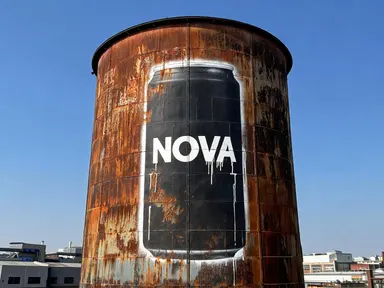
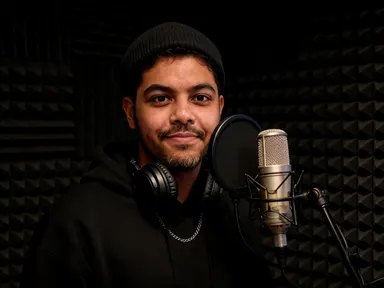
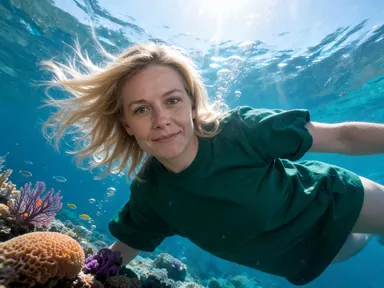
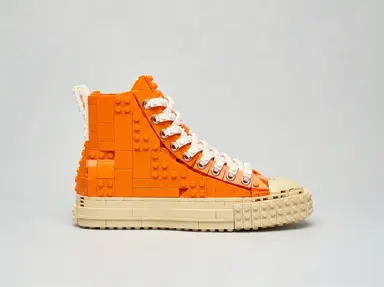
Made with this app
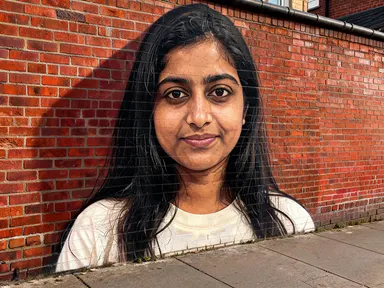
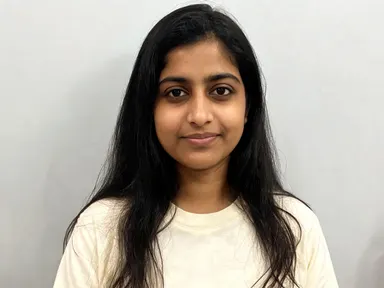
Street Canvas AI Generator takes a single portrait photo and turns the person in it into a monumental piece of street art, painted onto a real surface and photographed where it stands. Choose from eight distinct urban settings, from a sunlit brick side wall to a rusted freight wagon, and the app composes a finished mural image that carries the subject's likeness in paint, not pixels. It is built for photographers, artists, social media managers and anyone who wants a striking urban portrait without a spray can or a ladder.
How to use this app
- 1
Upload your file. There is no prompt you have to write.
- 2
Pick a look from the visual library, add a note of your own if you want one, then press Generate.
- 3
Watch your result appear in the gallery within moments.
- 4
Download, share, or generate again with a new idea.
What you can make
Artist and musician promo images
A band, a DJ or a solo artist can turn a press photo into a mural portrait that reads as genuinely street-level. Choosing 'Brick Side Wall' gives a classic full-colour spray mural feel suited to album artwork, event posters or social headers that need to look culturally embedded rather than digitally assembled.
Memorial and tribute portraits
Tribute murals are a real urban tradition. Uploading a clear portrait and choosing 'Paper Paste-Up' or 'Brick Side Wall' produces a painted likeness that sits convincingly in a city environment, giving families, fan communities or organisations a shareable image that echoes that tradition.
Personal branding for creatives
A freelance designer, photographer or consultant can use their own headshot with 'Shop Shutter' or 'Stencil Door' to generate a bold profile image that signals creative confidence without a full photo shoot. The result looks location-specific rather than studio-produced.
Urban photography and editorial content
Photographers building editorial portfolios or magazine content can pair a subject's portrait with surfaces like 'Underpass Pillar' or 'Water Tower' to produce images that feel documentary. The surface texture, ambient light and weathering are all rendered as part of the scene.
Sports and fan culture content
Athletes or cultural figures whose following expects bold visual communication translate well onto 'Freight Wagon' or 'Skate Bowl' surfaces. The painted likeness stays recognisable while the surface choice anchors it in the right subcultural register.
Shots to try
Tips for better results
Start with a clear, close crop
The app builds the mural likeness from the face in your photo. A sharp image showing the subject from the chest up, with the face well lit and unobscured, gives the painted portrait its best chance of staying recognisable. A distant or partially hidden face produces a weaker likeness.
Match the surface to the mood
Each library tile carries its own light, time of day and atmosphere. 'Shop Shutter' is night-lit and saturated; 'Freight Wagon' is low sun and industrial; 'Skate Bowl' is bleached and sporty. Picking the surface that fits the story you want to tell does more for the result than any other single decision.
Use the optional box for colour only
The optional free text box works best for a short colour note, such as 'teal and ochre' or 'monochrome blue'. The surface, lighting and composition are already determined by the library choice, so large instructions that attempt to rewrite the scene are likely to be overridden.
One person per upload
The app is designed around a single subject. A group photograph or a shot where one face is very small will split the app's attention and reduce likeness accuracy. For the clearest result, crop to the individual you want before uploading.
When to choose this app
Street Canvas AI Generator is the right choice when the output needs to be a person rendered as large-scale painted street art, photographed as part of a real urban environment. AI Sky Replacement works on outdoor scenes by changing the sky and the light across everything in the frame, while AI Room Converter transforms interior spaces into new configurations. Neither is built to place a human likeness into a painted mural on a specific urban surface. If the goal is a portrait that reads as a genuine piece of public art, on brick, steel, concrete or paper, this app is the direct route.
Frequently asked questions
Does the painted portrait actually look like the person I upload?
The app preserves the subject's facial features, proportions, skin tone and hair colour and style, carrying them in paint rather than photographic detail. A sharp, well-lit face photographed close gives the strongest likeness. The result is clearly a painting, not a photograph, but the person should be recognisable to anyone who knows them.
Will the app add a tag, signature or any text to the mural?
No. The app produces a clean painted portrait with no added lettering, tags, slogans, signatures or signage of any kind. The one surface where older printed text appears naturally is 'Paper Paste-Up', where torn background posters show around the edges of the piece, as they would on a real paste-up wall.
Can I choose which surface the mural appears on?
Yes. The library offers eight distinct surfaces: 'Brick Side Wall', 'Shop Shutter', 'Underpass Pillar', 'Freight Wagon', 'Skate Bowl', 'Paper Paste-Up', 'Water Tower' and 'Stencil Door'. Each brings its own material texture, ambient light and setting. The tile you select determines the scene.
What can I add in the optional text box?
The box is designed for small additions, most usefully a colour preference such as 'burnt orange and black' or a detail like 'keep the subject's glasses'. The library choice already sets the surface, lighting and composition, so the optional box works best as a fine-tuning tool rather than a way to redirect the whole scene.
What file types can I upload?
The upload well accepts JPG, PNG, WebP and GIF files. You can drag a file in or pick one from your device. For the best result, use a file where the subject's face is sharp, well lit and takes up a good portion of the frame.
Does it matter if the photo was taken indoors or outdoors?
The setting of the original photo does not affect the output. The app places the painted portrait onto the urban surface you choose and lights it by the environment of that surface. A studio headshot, a window-lit selfie or an outdoor candid can all produce strong results, provided the face is clear and close.
How much does it cost?
Each generation costs 1 credit. New accounts get free credits to try it out.
Do I need any editing skills?
No. Upload your photo, pick the look you want from the library, and the app writes the full instruction for you behind the scenes. There is nothing to install and nothing to configure. A small optional box lets you add one line in your own words, but the app works without it.
Can I use the results commercially?
Yes. Content you generate is yours to use, subject to our content licenses.
How long does a generation take?
Most generations finish in under a minute, and you can watch progress live in the gallery.