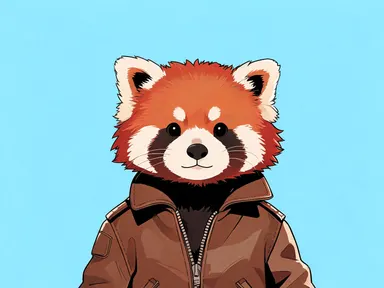
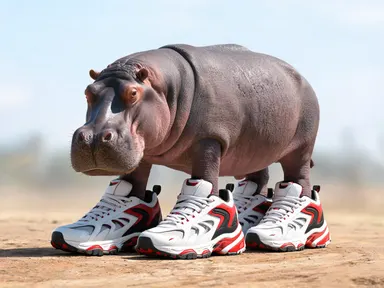
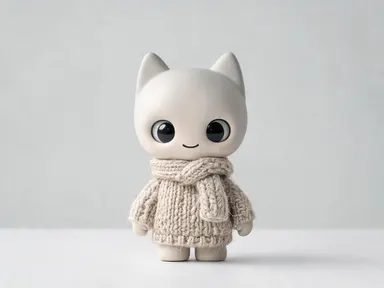
Made with this app

AI Clipart Generator turns a short subject description into a clean, single-subject illustration on a plain white background, ready to drop straight into a document, slide deck or printed worksheet. Choose from eight distinct illustration styles, from crisp "Flat vector" shapes to delicate "Watercolour" washes, and the app handles every other decision. It suits teachers, designers, small business owners and anyone who needs tidy, consistent artwork without opening a drawing program.
How to use this app
- 1
Upload your file. There is no prompt you have to write.
- 2
Pick a look from the visual library, add a note of your own if you want one, then press Generate.
- 3
Watch your result appear in the gallery within moments.
- 4
Download, share, or generate again with a new idea.
What you can make
Classroom worksheets and handouts
A teacher building a science worksheet needs a toad, a leaf cell and a magnet, each as a separate clean illustration. Generating each subject in "Flat vector" gives bold, low-ink shapes that photocopy crisply and sit neatly beside typed text without visual clutter.
Presentation slides and decks
A consultant building a slide deck can drop a subject such as a handshake, a bar chart icon or a globe into any slide. "Flat vector" keeps everything tonally consistent, and the white background means the illustration sits cleanly over any slide colour without needing further editing.
Craft and party printables
Someone designing a birthday party banner or gift tag needs charming standalone images of balloons, cupcakes or animals. "Kawaii" produces rounded pastel forms that suit children's themes, and "Cut paper" gives a handmade layered look that works well for scrapbook-style projects.
Social media and newsletter graphics
A newsletter editor who needs a small decorative spot illustration to break up text columns can generate a relevant subject in "Watercolour" for an editorial, approachable feel, or "Vintage engraving" for a heritage brand, without commissioning an illustrator for every issue.
Merchandise and pattern source art
A maker planning a repeat pattern for fabric or wrapping paper needs individual motifs: a mushroom, a pine cone, a bee. Generating each subject separately in "Chalk" or "Retro halftone" produces distinctive, stylistically consistent pieces that can be arranged into a layout in any design tool.
Shots to try
Tips for better results
Be specific about your subject
The more precise the subject you type, the more accurate the result. "A red double-decker bus" lands closer to what you picture than "a bus" does. Breed, colour, viewpoint and any key detail you care about are all worth including in the subject box.
Match the style to its destination
"Flat vector" and "Ink line art" reproduce cleanly at small sizes and survive photocopying, making them strong choices for print worksheets and slide icons. "Watercolour" and "Chalk" carry visible texture that reads best at larger display sizes, such as a blog header or a poster accent.
One subject gives one clean result
The app draws one subject per generation. If you need three related motifs, such as a fork, a knife and a spoon, generate each separately and use the same style tile for all three. Generating them individually in the same style gives a matching set without any one piece feeling crowded.
Try the same subject in two styles
Because the subject stays the same and only the style tile changes, running a quick second generation is a low-cost way to compare how "Retro halftone" and "Cut paper" handle the same motif. Seeing both lets you choose the one that fits your project's tone before committing to a full set.
When to choose this app
AI Clipart Generator is the right choice when you need a single clean illustration on a plain background to drop into your own layout. AI Greeting Card composes artwork with the greeting words drawn into the finished piece, so it is built for a different end product. AI Wallpaper arranges a composition specifically to leave space for a phone clock, which is a full-frame job with its own framing logic. When all you need is one subject, isolated and style-consistent, ready to place wherever you choose, this app is the one built for that task.
Frequently asked questions
Can I use the result on a coloured slide or background?
Yes. Every illustration is generated on a plain white background, so you can place it on a white area of any document without any visible join. If your slide or page has a colour behind it, most design tools let you set the white to transparent after import, though the file itself arrives as a standard image rather than a transparent or vector file.
Can I get a set of matching clipart pieces?
You can. Generate each subject separately and choose the same style tile for each one. Because the style is fixed by the tile, pieces generated in the same style, such as all "Flat vector" or all "Kawaii", will share the same visual language and sit together naturally in a layout.
Can the app add a label or a word to the illustration?
No. The app produces purely visual illustrations with no lettering, numbers or captions anywhere in the image. If you need artwork with words drawn into it, AI Greeting Card or AI Meme Generator are designed for that purpose. Any text you want alongside the clipart is best added in your own document or design tool.
How detailed should my subject description be?
As detailed as the thing you have in mind. A simple noun like "fox" works, but "a sitting red fox with a bushy tail" steers the result closer to what you picture. Including a colour, a pose or a key characteristic makes a meaningful difference to the output, especially for subjects that come in many varieties.
Which style works best for something I plan to print?
"Flat vector" and "Ink line art" tend to hold up best in print, particularly at smaller sizes or on low-resolution printers, because their shapes are bold and their tones are clean. Styles like "Watercolour" and "Chalk" carry fine texture that can lose detail when printed small or photocopied.
Can I use the app to recreate or convert a specific image I already have?
No. The app starts from a blank frame and has no way to accept an existing photo or file. It creates an original illustration of whatever subject you type, in whichever style you choose, entirely from scratch. If you want to work from an image you already have, that is a task for a different tool.
How much does it cost?
Each generation costs 1 credit. New accounts get free credits to try it out.
Do I need any editing skills?
No. Upload your photo, pick the look you want from the library, and the app writes the full instruction for you behind the scenes. There is nothing to install and nothing to configure. A small optional box lets you add one line in your own words, but the app works without it.
Can I use the results commercially?
Yes. Content you generate is yours to use, subject to our content licenses.
How long does a generation take?
Most generations finish in under a minute, and you can watch progress live in the gallery.