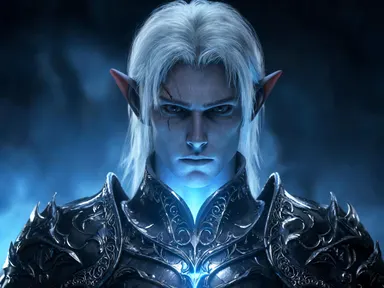
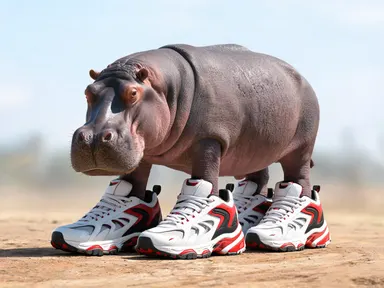
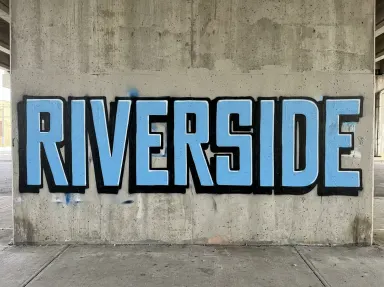
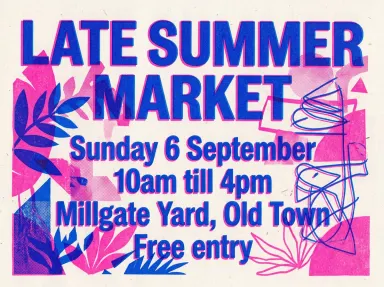
Made with this app
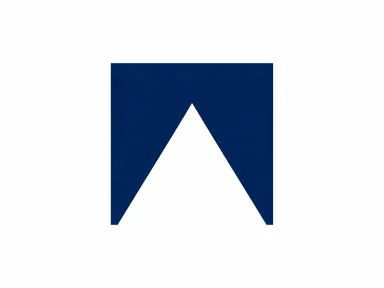
The AI Favicon Generator creates a unique site icon from your idea: one simple symbol, square and clear, designed to stay legible when browsers shrink it down to just sixteen pixels. Perfect for web designers, developers or anyone building an online presence, this app turns a short text entry into a memorable mark. Choose from eight distinct styles, each built to be bold and readable at any size. The AI Favicon Generator focuses on simplicity and clarity, delivering a single visual element ready to represent your brand.
How to use this app
- 1
Upload your file. There is no prompt you have to write.
- 2
Pick a look from the visual library, add a note of your own if you want one, then press Generate.
- 3
Watch your result appear in the gallery within moments.
- 4
Download, share, or generate again with a new idea.
What you can make
Brand Identity
Type your company name or initials and choose "Letter monogram" for a classic favicon that instantly identifies your brand. The clean geometric letter will scale down beautifully, ensuring consistent recognition across all devices.
Event Promotion
Describe the theme of an upcoming event and select "Badge" to create a distinctive icon for your landing page. This is ideal for conferences, webinars or online festivals needing quick visual branding.
Blog Speciality
Enter the core topic of your blog and pick "Solid glyph". A simple symbol representing that subject will make a clear favicon, helping readers quickly identify your site among many tabs.
Podcast Branding
Type a key word from your podcast title and choose "Geometric mark" for an abstract icon. This creates a modern visual identity that stands out in podcast apps and on websites.
Shots to try
Tips for better results
Keep it Simple
The app is designed to create icons that remain clear at very small sizes. Avoid complex descriptions or detailed imagery; the simpler the concept, the better it will scale down.
Consider Contrast
Pay attention to how your text and chosen style interact. Dark text on a light background (or vice versa) generally works best for maximum visibility when shrunk to favicon size.
Explore the Styles
Each library choice offers a unique aesthetic. Experiment with different options to see which one best reflects your brand or project’s personality and visual identity.
When to choose this app
If you need a simple, square icon for your website, this is the app to use. Unlike AI Logo Maker, which creates full logos with text, we focus on single-symbol marks. And while AI Emoji Generator also makes small icons, it’s geared towards expressive faces; here, you define the subject matter and pick from eight distinct visual styles.
Frequently asked questions
What does a favicon do?
A favicon is the small icon that appears in browser tabs, bookmarks, and history. It helps users quickly identify your website among many open pages. This app creates one square image to fill that role.
How small will this icon be?
Favicons are typically displayed at 16x16 or 32x32 pixels. That’s why the styles here prioritize simplicity and clarity: a detailed image becomes unreadable when shrunk to that size, so we build from as few shapes as possible.
Can I add text to the icon?
Only the "Letter monogram" style adds one letter. The app is designed for simple symbols and does not support adding words, taglines or brand names; it creates a mark, not a logo.
What if I want to change the colours?
The library choices determine how colour is used. "Gradient tile" offers smooth transitions, while others use solid blocks of colour. The app does not offer manual colour selection beyond these styles.
Will this create an .ico file?
This app generates a square image file. You will need to use a separate icon converter tool to turn it into the .ico format required by some browsers and platforms, but the result is ready for that step.
What kind of text works best?
Short, descriptive words or phrases work well. Focus on a single key concept or symbol; avoid long sentences or complex ideas. The app translates your entry into one simple visual element.
How much does it cost?
Each generation costs 1 credit. New accounts get free credits to try it out.
Do I need any editing skills?
No. Upload your photo, pick the look you want from the library, and the app writes the full instruction for you behind the scenes. There is nothing to install and nothing to configure. A small optional box lets you add one line in your own words, but the app works without it.
Can I use the results commercially?
Yes. Content you generate is yours to use, subject to our content licenses.
How long does a generation take?
Most generations finish in under a minute, and you can watch progress live in the gallery.